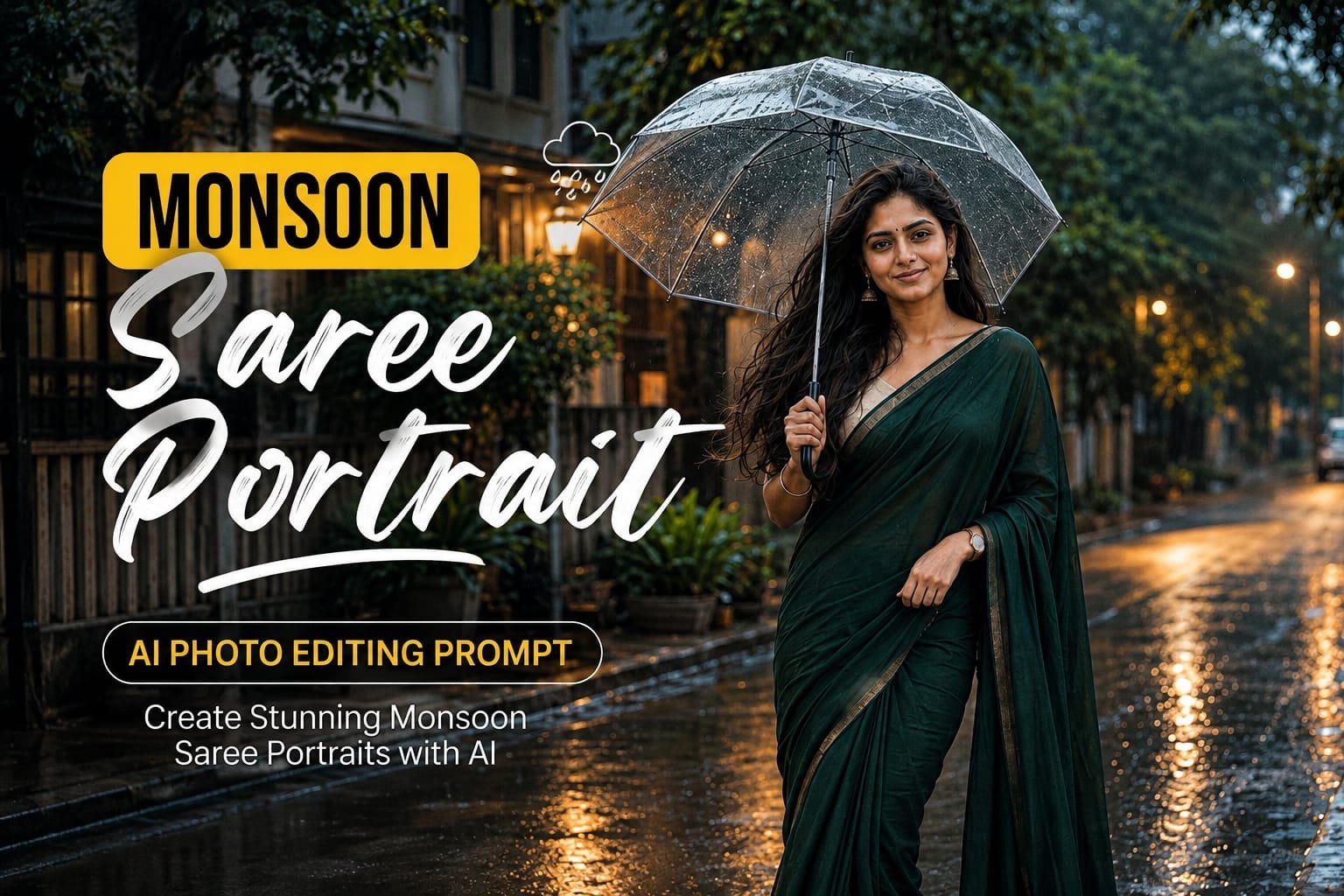
Monsoon photography has a unique charm. Soft cloudy skies, wet streets, reflections, gentle rain, and natural greenery can make an ordinary portrait look cinematic and atmospheric. With AI photo editing tools, you can create this beautiful rainy-season aesthetic using your own photo.
The Monsoon Saree Portrait AI Photo Editing Prompt below is designed for girls and women who want a graceful, realistic, and Instagram-ready rainy-day portrait. It focuses on natural facial details, traditional styling, realistic rain, soft lighting, and believable reflections.
What Is a Monsoon Saree Portrait AI Photo Editing Prompt?
A Monsoon Saree Portrait AI Photo Editing Prompt is a detailed instruction that helps an AI image editor transform an existing photograph into a realistic rainy-season portrait.
Instead of simply adding a rain filter, the prompt describes the complete scene, including:
- Saree styling
- Rainy weather
- Wet streets
- Natural pose
- Umbrella
- Hair and makeup
- Background
- Lighting
- Reflections
- Camera perspective
- Skin texture
- Cinematic color grading
The objective is to create a photograph that looks like it was captured during a real monsoon photoshoot.
Monsoon Saree Portrait AI Photo Editing Prompt
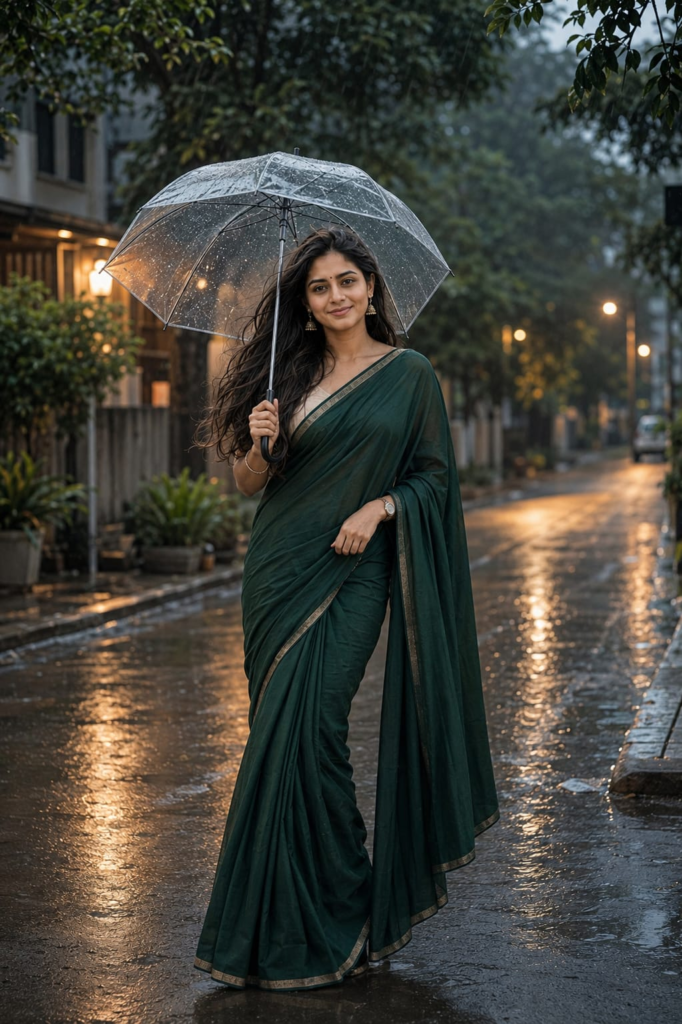
Copy the following Monsoon Saree Portrait AI Photo Editing Prompt and use it with a compatible AI photo editing tool.
Transform my uploaded photo into an elegant cinematic monsoon saree portrait while preserving my recognizable face, facial structure, hairstyle, natural skin tone, body proportions, and overall identity.

Place me standing naturally on a quiet urban street during a soft monsoon evening after light rain. The surroundings should feature lush green trees, wet pavement, subtle residential buildings, a few small plants, and realistic reflections from the damp ground.

Dress me in an elegant deep emerald-green saree with a soft cream blouse. The saree should have realistic lightweight fabric, delicate borders, natural folds, and believable draping. Keep the styling graceful, sophisticated, and traditional without excessive embellishment.

Add minimal traditional accessories including small jhumka earrings, a delicate bracelet, a simple watch, and a small elegant bindi. Keep the jewelry realistic and understated.

Give me a natural standing pose while holding a simple transparent umbrella in one hand. Keep the other hand relaxed naturally near the saree. Maintain relaxed shoulders and a graceful but effortless posture.

Keep my facial expression calm and natural with a subtle gentle smile. Do not dramatically change my facial features, face shape, eye shape, hairstyle, or recognizable identity.

Style the hair naturally with a few loose strands gently affected by the humid monsoon breeze. Preserve realistic individual hair strands and natural texture.

Create soft overcast evening lighting with subtle warm light coming from nearby homes and street lamps. Keep the outdoor environment slightly cool and muted while allowing warm highlights to appear naturally in the background.

Add realistic raindrops and thin water droplets on the transparent umbrella. Include a few subtle raindrops in the surrounding atmosphere, but do not place artificial rain directly over the face or make the rain excessively heavy.

Make the road and pavement visibly wet with physically believable reflections of street lamps, trees, and nearby lights. Keep reflections subtle and correctly aligned with the environment.

Use a professional 50mm portrait photography perspective with realistic depth of field. Keep my face, eyes, hair, saree texture, and hands sharply detailed while allowing the distant street and greenery to become softly blurred.

Preserve natural skin texture, realistic facial details, individual hair strands, authentic saree fabric texture, accurate hands, natural body proportions, and physically consistent shadows.

Use a sophisticated color palette consisting of emerald green, cream, muted grey, deep charcoal, soft blue, and subtle warm amber highlights.

Apply subtle cinematic color grading with natural skin tones, controlled contrast, slightly softened highlights, and realistic shadow detail. Avoid excessive HDR, oversaturation, artificial glow, or unrealistic color effects.

Create realistic environmental depth with light misty moisture in the air, subtle reflections, wet foliage, and naturally darker surfaces caused by the rain.

The final photograph should look like an authentic professional monsoon fashion portrait captured with a modern high-end camera, not an AI-generated image.

Do not change my identity or facial characteristics. Do not make my face artificially smooth or excessively beautified. Preserve natural facial details, realistic skin texture, and authentic appearance.
Negative Prompt
For better results, add this negative prompt if your AI editing tool supports it:
distorted face, changed identity, different person, unrealistic facial structure, plastic skin, excessive skin smoothing, beauty filter, artificial eyes, unnatural smile, distorted hair, deformed hands, extra fingers, missing fingers, duplicated limbs, unnatural body proportions, exaggerated body, warped saree, incorrect saree draping, floating jewelry, distorted umbrella, duplicate person, duplicate objects, fake rain, excessive rain, rain covering face, unrealistic water droplets, distorted street, warped buildings, unrealistic reflections, fake wet pavement, excessive fog, excessive glow, oversaturated green, excessive HDR, cartoon style, anime style, illustration, blurry face, low resolution, excessive sharpening, fake skin texture, bad perspective, messy composition, artificial lighting, unrealistic shadows
How to Create a Realistic Monsoon Saree Portrait
A good Monsoon Saree Portrait AI Photo Editing Prompt should describe the environment and lighting as carefully as the outfit. Simply asking an AI tool to “add rain” can produce unrealistic results.
1. Start With a Clear Photo
Use a high-quality source photograph where the face is clearly visible. Avoid images with excessive filters, heavy blur, or extreme shadows.
A clear original image gives the AI more information to preserve facial characteristics.
2. Choose a Suitable Saree Color
Dark green, maroon, navy blue, cream, mustard, and deep red can work particularly well with rainy environments.
For a soft feminine aesthetic, pastel shades such as lavender, blush pink, or light blue can also be used.
3. Keep the Rain Subtle
Heavy artificial rain can make the photograph look generated. Light rainfall, wet foliage, droplets on an umbrella, and damp pavement usually create a more believable monsoon atmosphere.
4. Add Wet Ground Reflections
Wet pavement is one of the most important details in a rainy photograph. Subtle reflections of streetlights, trees, and buildings can add depth to the composition.
5. Preserve Natural Skin Texture
Avoid excessive face smoothing. Realistic skin texture, natural eyes, individual hair strands, and small facial details can make the final image more convincing.
Monsoon Saree Portrait With Red Saree
For a traditional festive appearance, replace the saree section with:
Dress me in a graceful deep-red saree with a subtle gold border and a matching elegant blouse. Keep the fabric realistic with natural folds and authentic traditional draping. Add minimal gold earrings and a delicate bracelet without excessive jewelry.
This variation works particularly well with green trees and cool rainy backgrounds because the red saree creates natural visual contrast.
Pastel Monsoon Saree Variation
For a softer Instagram aesthetic:
Dress me in a pastel lavender saree with a soft ivory blouse. Use lightweight flowing fabric with delicate texture and natural folds. Keep the styling feminine, minimal, elegant, and contemporary.
Combine it with soft cloudy lighting and muted greenery for a gentle editorial appearance.
Monsoon Saree Portrait With Umbrella
For a more recognizable rainy-day composition:
Place me beneath a classic transparent umbrella while standing beside a wet tree-lined pathway. Add realistic water droplets on the umbrella surface and subtle reflections on the wet ground. Keep the rain light and natural.
The umbrella can become an important visual element without covering the face.
Café Monsoon Portrait Variation
You can also change the location from a street to a café:
Place me beside a large rain-covered café window during a cloudy evening. Show realistic raindrops on the glass, warm café lights behind me, blurred greenery outside, and subtle reflections on the wet window.
This creates a cozy monsoon aesthetic while maintaining the saree styling.
Black Saree Monsoon Portrait
For a more dramatic fashion look:
Dress me in an elegant matte-black saree with a minimal black blouse and subtle silver jewelry. Place me on a wet urban street during blue hour with soft streetlights, dark clouds, and cinematic reflections on the pavement.
Keep the lighting controlled so the black saree retains visible fabric texture.
Best Camera Style for a Monsoon Portrait
Adding realistic photography instructions can help maintain a professional appearance.
| Photography Element | Recommended Setting |
|---|---|
| Lens | 50mm |
| Lighting | Soft overcast light |
| Camera angle | Eye level |
| Depth of field | Shallow |
| Focus | Face and saree |
| Background | Soft rainy bokeh |
| Composition | Vertical portrait |
| Color | Cool + warm contrast |
| Finish | Subtle cinematic grain |
For social media portraits, a 4:5 vertical composition works well for Instagram posts.
For Stories and Reels covers, use a 9:16 vertical composition.
How to Make the Rain Look Realistic
AI-generated rain can sometimes look repetitive or artificial. To improve it, specify different droplet sizes and natural movement.
You can add:
Create rain droplets of different sizes and realistic trajectories. Some droplets should appear sharp while distant rain remains softly blurred. Avoid repetitive vertical lines and avoid placing rain directly across the subject's eyes or facial features.
This helps create more natural atmospheric depth.
How to Make Wet Streets Look Real
A wet street should not look like a mirror. Add subtle reflections rather than perfectly sharp reflections.
Use:
Create damp pavement with irregular realistic reflections, small puddles, soft reflections from nearby lights, and naturally darker wet surfaces. Avoid perfectly symmetrical mirror-like reflections.
Common AI Problems and Solutions
The Face Looks Different
Add stronger facial preservation instructions:
Preserve the original facial structure, eye shape, nose, lips, jawline, hairstyle, skin tone, and recognizable facial characteristics from the uploaded photo.
Saree Draping Looks Incorrect
Try:
Maintain anatomically and culturally believable saree draping with realistic fabric weight, folds, pleats, pallu placement, and natural interaction with the body.
The Umbrella Looks Distorted
Add:
Create a physically accurate transparent umbrella with a realistic handle, ribs, canopy shape, water droplets, and natural reflections.
Rain Looks Fake
Use:
Create subtle natural monsoon rainfall with varied droplet sizes, realistic motion blur, atmospheric depth, and physically believable interaction with the environment.
Skin Looks Plastic
Add:
Preserve natural pores, fine facial texture, subtle skin imperfections, realistic highlights, and authentic skin tone. Avoid excessive beauty retouching.
Why Monsoon Saree Photos Are Popular
Rainy-season photography combines several naturally attractive visual elements: greenery, reflections, cloudy skies, soft lighting, and atmospheric depth.
When combined with traditional saree styling, the result can feel both elegant and cinematic. The wet environment also provides natural reflections and darker tones that help colorful clothing stand out.
AI photo editing makes it possible to recreate this atmosphere without waiting for a particular weather condition or arranging a professional outdoor photoshoot.
Best Background Ideas
You can experiment with different locations while keeping the same saree styling:
- Rainy garden
- Tree-lined street
- Café window
- Balcony
- Heritage building
- Urban sidewalk
- Rooftop
- Monsoon park
- Residential lane
- Outdoor café
Each location can create a different visual mood while maintaining the same overall concept.
Tips for a Better AI-Generated Monsoon Portrait
For a more realistic result:
- Start with a clear original photograph.
- Preserve the original face and hairstyle.
- Keep rain light and natural.
- Use realistic wet-ground reflections.
- Avoid excessive beauty filters.
- Keep the saree fabric detailed.
- Use consistent lighting throughout the scene.
- Make background objects slightly softer than the subject.
- Keep accessories minimal.
- Use subtle cinematic color grading.
The goal is not to make the photograph look extremely edited. The goal is to make it look like a real photograph captured during a beautiful monsoon evening.
Frequently Asked Questions
What is the best Monsoon Saree Portrait AI Photo Editing Prompt?
A good prompt should describe the saree, rainy environment, lighting, pose, camera perspective, reflections, and facial preservation. The prompt above combines these elements into one detailed editing instruction.
Can I use this prompt with my own photo?
Yes. Upload a clear portrait to an AI image editing tool that supports photo transformation and paste the prompt.
Can I change the saree color?
Yes. You can change emerald green to red, black, lavender, blue, cream, pink, or another color while keeping the rainy environment.
Can I remove the umbrella?
Yes. Simply remove the umbrella instructions and replace them with a natural pose, such as holding the saree pallu or standing beside a wet garden pathway.
Can I make the photo more cinematic?
Yes. Add soft overcast lighting, warm streetlights, cool shadows, shallow depth of field, realistic reflections, and subtle film grain.
What image size should I use for Instagram?
A 4:5 vertical image is a strong choice for Instagram feed posts, while 9:16 is suitable for Stories and Reels covers.
Final Thoughts
The Monsoon Saree Portrait AI Photo Editing Prompt is a great way to create an elegant rainy-season fashion photograph from an ordinary portrait. The combination of a graceful saree, soft rainfall, wet pavement, greenery, warm lights, and cinematic color grading can create a premium visual style.
For the most realistic result, focus on preserving the original face, maintaining natural skin texture, using believable rain, and creating physically accurate reflections. Subtle details usually produce a more convincing photograph than excessive effects.