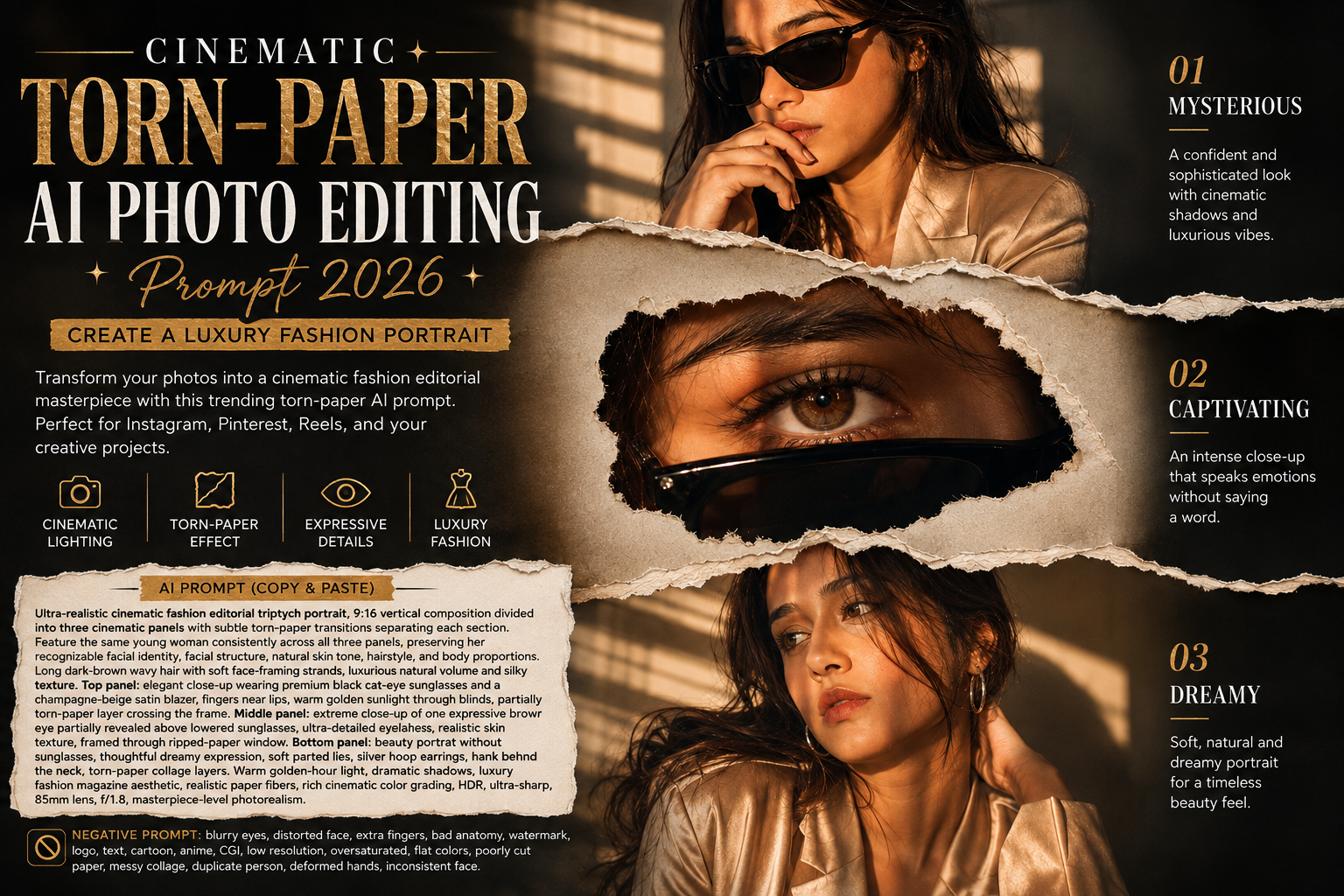
Want to turn your ordinary portrait into something that looks straight out of a luxury fashion magazine? ✨ The Cinematic Torn-Paper AI Photo Editing Prompt 2026 is a beautiful way to give your photos a stylish, dramatic, and editorial makeover.
This trending AI photo-editing concept combines cinematic lighting, luxury fashion styling, realistic portrait details, close-up photography, and a creative torn-paper collage effect. The final result looks like a professional fashion campaign while still keeping the portrait natural and eye-catching.
Whether you’re creating content for Instagram, Pinterest, your profile picture, or your AI photo-editing website, this style is definitely worth trying.
✨ What Is the Cinematic Torn-Paper AI Photo Effect?
The cinematic torn-paper effect combines multiple portrait views into one creative composition.
Instead of showing only one photograph, the design uses three connected sections. Each section has a different visual focus, while the same person appears consistently throughout the image.
The torn-paper layers create the feeling of photographs being ripped from a luxury fashion magazine and placed together as a creative collage.
The overall look can include:
- 🎬 Cinematic photography
- 👗 Luxury fashion styling
- 🖤 Black cat-eye sunglasses
- 🌅 Warm golden-hour lighting
- 👁️ Detailed eye close-ups
- 📸 Professional portrait photography
- 📰 Torn-paper magazine collage
- ✨ Realistic skin and hair details
- 💫 Premium editorial color grading
The combination makes the image feel much more artistic than a standard AI portrait.
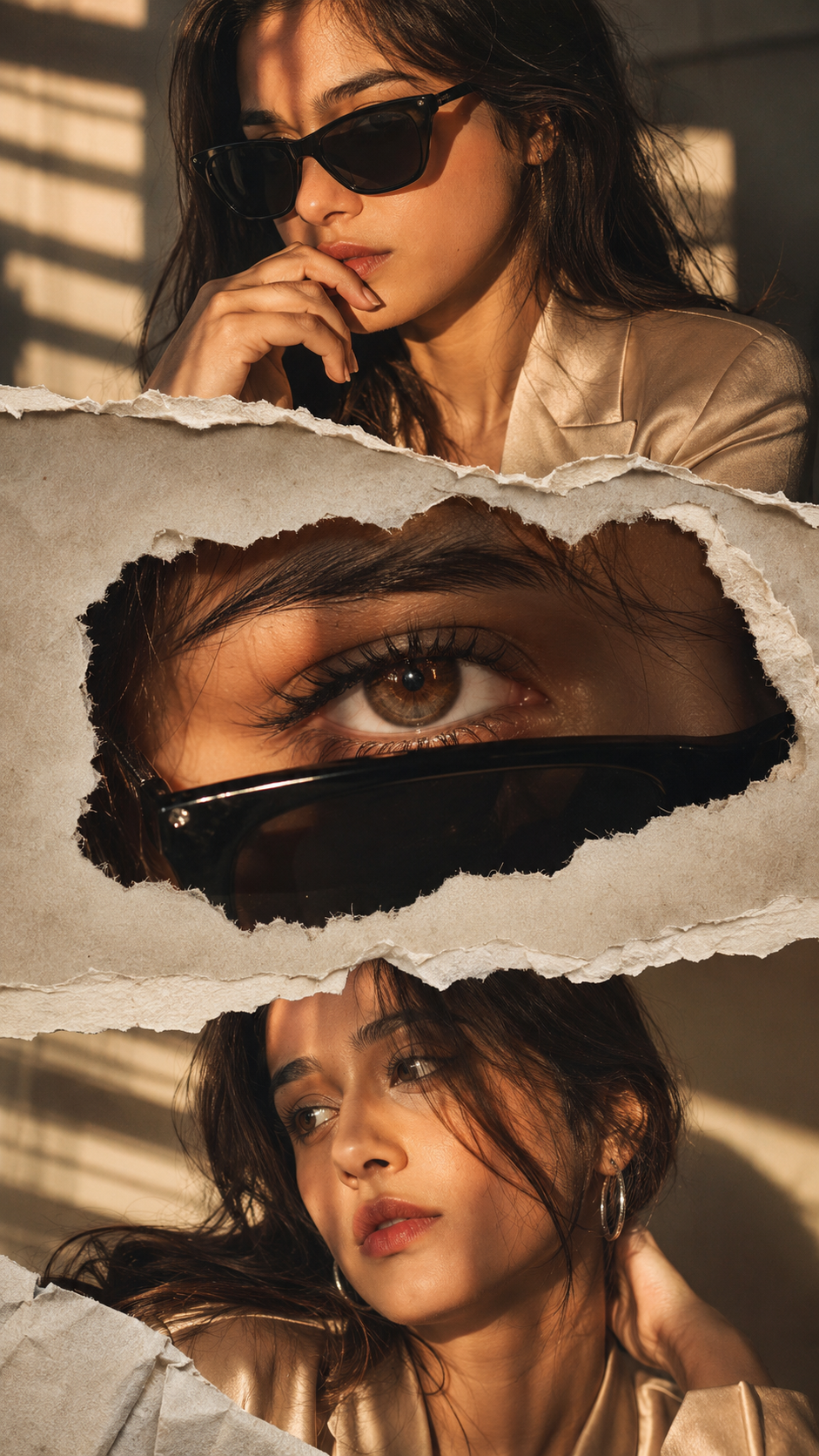
🖤 Top Panel – Confident and Mysterious
The first section focuses on confidence and sophistication.
The woman wears stylish black cat-eye sunglasses with a champagne-beige satin blazer. The satin fabric catches the warm light and creates subtle reflections that give the clothing a luxurious appearance.
Her fingers rest gently near her lips, creating an effortless fashion pose.
Warm sunlight enters through window blinds and produces dramatic patterns of light and shadow across her face. This lighting immediately gives the image a cinematic feel.
The torn-paper layer partially overlaps the portrait, making the panel look like part of a physical magazine collage.
👁️ Middle Panel – The Eye-Catching Detail
The middle section is designed to grab attention.
Instead of showing the entire face, the AI creates an extreme close-up of one expressive brown eye. The eye appears partially above the lowered sunglasses.
The goal is to make the eye look extremely detailed and realistic.
The AI can emphasize:
- Natural eyelashes
- Detailed brown iris
- Realistic skin texture
- Fine eyebrow hairs
- Natural reflections
- Sharp eye focus
- Subtle facial shadows
The eye is surrounded by a ripped-paper opening. Rough edges and visible paper fibers make the effect feel more realistic.
This section adds mystery to the overall composition because the viewer only sees a small portion of the face.
🤎 Bottom Panel – Soft and Dreamy
The final section changes the mood.
The sunglasses are removed, revealing the complete beauty portrait. The woman has a thoughtful and dreamy expression, with softly parted lips and naturally flowing dark-brown hair.
Delicate silver hoop earrings add a modern fashion detail.
One hand rests behind the neck, creating a relaxed and elegant pose.
Unlike the confident expression in the top panel, this portrait feels softer and more emotional.
Together, the three sections create a small visual story: confidence → mystery → emotion.
🌅 The Beauty of Golden-Hour Lighting
One of the most important elements of this AI prompt is the lighting.
Golden-hour lighting gives photographs a naturally warm and luxurious appearance. When combined with window-blind shadows, it creates a dramatic pattern across the face and clothing.
The warm amber highlights work beautifully with the champagne-beige blazer, while deep shadows add contrast.
For a premium fashion-editorial look, the image should maintain:
- Natural skin tones
- Rich black shadows
- Warm amber highlights
- Realistic facial details
- Controlled contrast
- Soft background blur
This balance helps the portrait look cinematic without becoming artificial.
📰 Why the Torn-Paper Effect Looks So Creative
A normal three-photo collage can sometimes feel simple. The torn-paper effect makes the composition much more interesting.
Realistic ripped paper should have uneven edges, tiny fibers, natural folds, subtle shadows, and layered sections.
These details create the illusion that the photographs have been physically placed beneath pieces of torn paper.
You can also experiment with different paper styles, such as:
- Vintage newspaper
- Handmade textured paper
- White magazine paper
- Aged paper
- Minimal luxury paper
- Polaroid-style paper
Changing the paper texture can completely change the personality of the final image.
📱 Why 9:16 Is Perfect for Social Media
This concept works particularly well in a 9:16 vertical format.
Since most people view content on smartphones, vertical images can occupy almost the entire screen.
The format is ideal for:
- Instagram Stories
- Instagram Reels covers
- YouTube Shorts
- Facebook Stories
- AI photography websites
- Fashion blogs
- Digital portfolios
The three-panel composition also gives viewers multiple details to explore in one image.
👗 Fashion Styling Ideas
You don’t have to use the exact outfit shown in the concept.
Try experimenting with different fashion styles while keeping the cinematic lighting and triptych layout.
For example, you can replace the satin blazer with a:
Silk Saree: Create an elegant Indian fashion editorial.
Black Evening Dress: Give the portrait a dark luxury aesthetic.
Velvet Outfit: Create a rich winter fashion campaign.
White Blazer: Produce a clean, minimalist magazine look.
Leather Jacket: Create a bold and modern street-fashion portrait.
Pastel Dress: Give the image a soft and dreamy appearance.
This makes the same AI prompt useful for many different fashion styles.
✨ Copy-Paste AI Photo Editing Prompt
Ready to create this look? Copy the prompt below into your preferred AI image-generation or editing tool.
«Ultra-realistic cinematic fashion editorial triptych portrait, 9:16 vertical composition divided into three cinematic panels with subtle torn-paper transitions separating each section. Feature the same young woman consistently across all three panels, preserving her recognizable facial identity, facial structure, natural skin tone, hairstyle, and body proportions. Long dark-brown wavy hair with soft face-framing strands, luxurious natural volume and silky texture.
Top panel: Elegant close-up fashion portrait wearing premium black cat-eye sunglasses and a champagne-beige satin blazer with rich realistic fabric texture and soft silk reflections. Mysterious, confident and effortlessly sophisticated expression, fingers resting gently near her lips. Dramatic warm golden sunlight passing through window blinds, creating realistic shadows across her face. Add a partially torn-paper layer crossing the frame for a premium editorial collage effect.
Middle panel: Extreme macro close-up of one expressive brown eye partially revealed above lowered black sunglasses. Ultra-detailed eyelashes, realistic skin texture, sharp iris details, natural reflections and an intense emotional gaze. Frame the eye through a ripped-paper window with rough natural edges, visible paper fibers, layered shadows and realistic magazine-collage depth.
Bottom panel: Cinematic beauty portrait with sunglasses removed. Thoughtful, dreamy and emotionally distant expression, softly parted lips, delicate silver hoop earrings and one hand resting naturally behind the neck. Long wavy hair flowing naturally around the face. Partially overlay the portrait with torn-paper collage layers revealing different portions of the portrait underneath.
Warm golden-hour sunlight streaming through blinds, dramatic cinematic shadows, premium editorial paper-cut collage design, realistic ripped-paper fibers, layered textures, luxury fashion magazine aesthetic, ultra-rich cinematic color grading, deep luxurious blacks, rich amber highlights, natural vibrant skin tones, HDR dynamic range, crystal-clear eye detail, high-end fashion campaign photography, dramatic contrast, shallow depth of field, premium commercial photography, editorial storytelling, visually striking composition, ultra-sharp details, rich color depth, 85mm lens aesthetic, f/1.8 depth of field, masterpiece-level photorealism.»
🚫 Negative Prompt
For cleaner and more realistic results, you can also add this negative prompt:
«blurry eyes, distorted sunglasses, extra fingers, missing fingers, bad anatomy, asymmetrical face, duplicated facial features, inconsistent face, inconsistent hairstyle, unrealistic paper texture, poorly cut paper edges, messy collage layout, flat colors, dull grading, washed-out skin, oversaturated colors, cartoon, anime, CGI, watermark, logo, text artifacts, low resolution, soft focus, excessive blur, poor lighting, deformed hands, duplicate person»
💡 Tips for a Better AI Result
If you’re using your own photograph, start with a clear, high-resolution image where your face is visible.
For better identity preservation, include instructions such as:
“Use my uploaded photo as the strict identity reference and preserve my recognizable facial structure, eye shape, nose, lips, jawline, hairstyle, natural skin tone, and overall appearance.”
It’s also helpful to describe each panel separately. This gives the AI a better understanding of the composition.
Try not to overload the image with too many accessories or background elements. Keeping the styling elegant and simple usually produces a more premium result.
🎨 Make the Prompt Your Own
One of the best things about AI photo editing is that you can customize almost everything.
Change the lighting from golden hour to cool moonlight. Replace the beige blazer with a traditional saree. Turn the magazine collage into a vintage scrapbook. Use a city skyline instead of a studio background.
You can even create seasonal versions:
🌸 Spring: pastel fashion and soft floral backgrounds
☀️ Summer: beach lighting and bright luxury outfits
🍂 Autumn: warm brown tones and vintage styling
❄️ Winter: elegant coats and cool cinematic lighting
The basic triptych structure can remain the same while the entire visual mood changes.
📌 Final Thoughts
The Cinematic Torn-Paper AI Photo Editing Prompt 2026 is a fun way to transform a simple portrait into a sophisticated fashion-editorial composition.
The three-panel layout gives the image a storytelling element, while the torn-paper texture adds creativity and depth. Golden-hour lighting brings warmth, the sunglasses create mystery, and the expressive eye close-up adds an emotional focal point.
Most importantly, you don’t need an expensive studio or professional fashion shoot to experiment with this aesthetic. With a good reference photo and a detailed AI prompt, you can explore your own version of a luxury editorial portrait.
So, upload your favorite photo, copy the prompt, experiment with different outfits and lighting, and create your own cinematic fashion magazine moment with AI. ✨📸