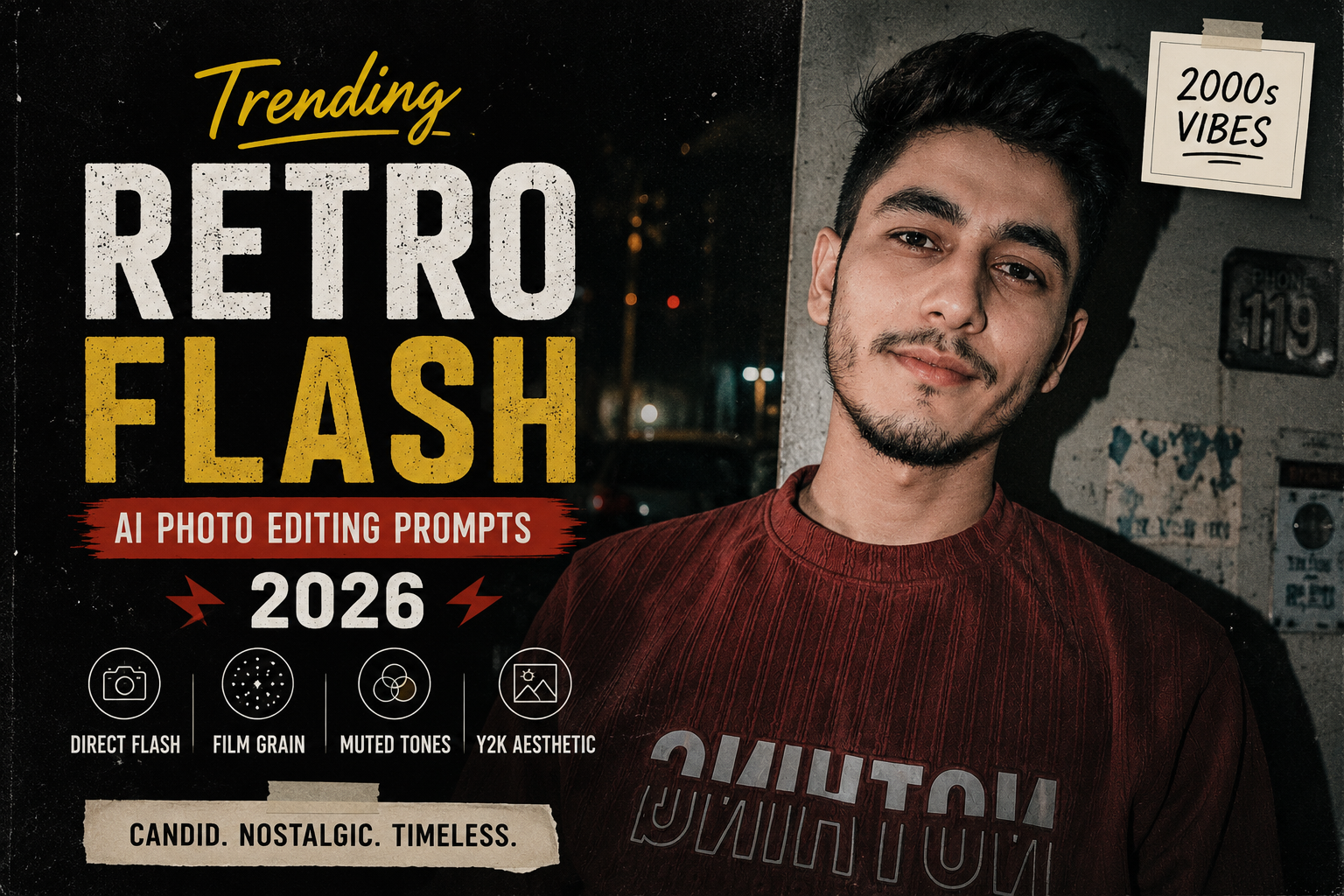
Retro photography is making a strong comeback in social media aesthetics, and the retro flash look is one of the easiest styles to recreate with AI. Instead of perfectly polished portraits, this style focuses on direct camera flash, realistic shadows, slightly imperfect framing, film grain, muted colors, and an authentic snapshot feeling.
With a good AI photo-editing prompt, you can transform an ordinary selfie into a realistic late-night street photograph, party snapshot, bedroom portrait, or nostalgic 2000s-style picture while keeping your original face recognizable.
In this guide, you’ll find original Retro Flash AI photo editing prompts for 2026 that you can copy, paste, and customize for Instagram posts, profile pictures, Reels covers, and aesthetic photography.
What Is the Retro Flash Photo Editing Style?
Retro flash photography recreates the appearance of photographs taken with a compact digital camera or disposable film camera using direct flash.
Unlike modern studio photography, the goal is not perfect lighting. The image should feel spontaneous and slightly imperfect.
A typical retro flash edit includes:
- Direct on-camera flash
- Dark or low-light surroundings
- Strong but realistic shadows
- Subtle film grain
- Slightly muted colors
- Natural skin texture
- Soft background blur
- Authentic snapshot composition
- Slight exposure imperfections
- Nostalgic early-2000s atmosphere
The most important part is realism. If the AI adds too much glow, skin smoothing, or dramatic lighting, the result can start looking artificial.
check latest prompt post
Best Retro Flash AI Photo Editing Prompt
Use this prompt with your uploaded photo:
Transform the uploaded photo into an authentic retro flash photograph while preserving the person’s original facial identity, facial structure, hairstyle, skin tone, expression, body proportions, and clothing. Recreate the look of a candid photograph taken with a compact digital camera at night using direct on-camera flash. Add realistic flash illumination on the subject, natural hard shadows behind the person, slightly darker ambient surroundings, subtle film grain, mild color fading, realistic skin texture, soft imperfections, and a nostalgic early-2000s photography aesthetic. Keep the composition natural and believable. Avoid excessive skin smoothing, artificial beauty effects, unrealistic lighting, or changing the person’s identity. The final image should look like a genuine casual photograph rather than an AI-generated image.
1. Retro Flash Street Portrait Prompt
Turn a simple outdoor photo into a late-night street snapshot.
Edit the uploaded photo into a realistic retro flash street portrait captured at night. Preserve the exact facial identity, hairstyle, facial features, clothing, body proportions, and natural expression. Use direct compact-camera flash illuminating the subject while keeping the street behind them darker. Add realistic shadows, subtle city lights, slight film grain, muted colors, natural skin texture, imperfect exposure, and a nostalgic early-2000s digital camera feeling. Keep the background believable with softly blurred lights and realistic depth. Avoid excessive cinematic effects and artificial skin smoothing.
2. Y2K Flash Selfie Prompt
Create a nostalgic Y2K-inspired selfie.
Transform this selfie into an authentic early-2000s Y2K digital-camera photograph. Preserve my exact face, identity, hairstyle, expression, clothing, and natural proportions. Add direct camera flash, slightly cool ambient lighting, realistic facial shadows, subtle digital-camera noise, mild grain, slightly faded colors, soft highlights, and imperfect exposure. Keep the image casual and spontaneous, like a real photograph taken at a late-night gathering. Avoid modern HDR processing, excessive sharpness, plastic skin, or unrealistic facial changes.
3. Retro Flash Party Photo Prompt
Perfect for nightlife and party pictures.
Turn the uploaded photo into a candid retro party photograph taken with a small digital camera and direct flash. Preserve every person’s original identity and natural facial features. Add bright frontal flash, realistic hard shadows, a darker party environment, subtle colorful background lights, slight motion imperfections, natural skin texture, soft digital noise, and authentic early-2000s snapshot photography. Keep the people realistic and recognizable and make the scene feel spontaneous rather than professionally staged.
4. Bedroom Retro Flash Prompt
This works well for casual Instagram portraits.
Transform the uploaded portrait into a realistic late-night bedroom photo captured with a compact digital camera and direct flash. Preserve the original face, hairstyle, expression, clothing, body proportions, and room composition. Add realistic frontal flash, gentle shadows, slightly dark ambient lighting, subtle film grain, muted colors, natural skin texture, and a nostalgic Y2K bedroom atmosphere. Keep small imperfections such as natural exposure variation and realistic textures. Do not make the image overly polished or artificial.
5. Mirror Flash Photo Prompt
Mirror photos work particularly well with this aesthetic.
Edit the uploaded mirror selfie into an authentic retro flash photograph. Preserve the person’s exact identity, face, hairstyle, clothing, phone, body proportions, mirror position, and original pose. Create the appearance of a direct camera flash reflecting naturally from the mirror, with realistic highlights and shadows. Add subtle grain, slightly faded colors, mild digital-camera noise, natural skin texture, and an early-2000s fashion photography mood. Keep the reflection physically accurate and avoid distorted hands, duplicated objects, unrealistic reflections, or excessive smoothing.
6. Luxury Retro Flash Prompt
For a more stylish Instagram aesthetic:
Transform the uploaded portrait into a stylish luxury retro flash photograph. Preserve the person’s original identity, facial features, hairstyle, clothing, and natural proportions. Place the subject in a sophisticated low-light environment with warm interior lights and direct camera flash. Add subtle film grain, realistic skin texture, slightly muted colors, natural shadows, gentle background bokeh, and an authentic compact-camera aesthetic. Make the photograph feel expensive but candid, with realistic imperfections instead of an overly edited appearance.
7. Rainy Night Retro Flash Prompt
Combine flash photography with a rainy atmosphere.
Transform the uploaded image into a realistic rainy-night retro flash photograph. Preserve the subject’s exact facial identity, hairstyle, clothing, body proportions, and natural expression. Add direct camera flash illuminating the subject, realistic wet surfaces, subtle reflections on the street, soft distant lights, darker surroundings, natural shadows, fine film grain, muted colors, and a nostalgic compact-camera appearance. Keep the rain realistic and subtle. Avoid fantasy lighting, excessive reflections, artificial skin, or unrealistic facial changes.
8. Retro Flash Couple Photo Prompt
Create a candid couple photograph without changing either person’s identity.
Transform the uploaded couple photo into an authentic retro flash snapshot taken at night. Preserve both people’s exact facial identities, hairstyles, expressions, clothing, body proportions, and natural appearance. Add direct camera flash, realistic shadows, slightly dark surroundings, subtle background lights, mild film grain, muted colors, natural skin texture, and an early-2000s disposable-camera feeling. Make the pose feel spontaneous and intimate while keeping both people completely recognizable and realistic.
9. Red Flash Aesthetic Prompt
For a more dramatic social-media look:
Edit the uploaded photo into a realistic red-tinted retro flash photograph. Preserve the person’s original face, identity, hairstyle, clothing, body proportions, and expression. Use direct camera flash as the primary light source with subtle red ambient lighting in the environment. Add realistic shadows, muted highlights, natural skin texture, subtle analog grain, slight color imperfections, and a nostalgic nightlife photography atmosphere. Keep the red lighting believable and avoid making the image look like a digital poster or artificial AI artwork.
10. Vintage Camera Flash Portrait
For a classic film-camera appearance:
Transform the uploaded portrait into a realistic vintage camera flash photograph. Preserve the person’s exact facial identity, facial structure, hairstyle, clothing, expression, and natural skin details. Recreate the appearance of a photograph taken with a vintage point-and-shoot camera using direct flash. Add subtle grain, slightly faded colors, realistic flash highlights, natural shadows, mild exposure imperfections, soft background detail, and authentic analog photography texture. Keep the final image candid, imperfect, nostalgic, and photorealistic.
Negative Prompt for Retro Flash Photos
If your AI image editor supports a negative prompt, use this:
changed face, different identity, distorted facial features, plastic skin, excessive skin smoothing, unrealistic eyes, deformed hands, extra fingers, duplicate person, artificial lighting, excessive HDR, oversaturated colors, cartoon effect, unrealistic shadows, fake film grain, excessive blur, low resolution, distorted reflection, duplicate objects, unnatural proportions, AI artifacts
How to Get a More Realistic Retro Flash Effect
The prompt is important, but the original photograph also affects the final result.
1. Use a clear original photo
Start with a reasonably sharp image where your face is visible. Very blurry or heavily filtered photos can make identity preservation more difficult.
2. Mention what must remain unchanged
Always tell the AI to preserve important elements such as:
Face + hairstyle + clothing + expression + body proportions + original composition
This reduces unnecessary changes during editing.
3. Don’t overdo the grain
A small amount of grain can make the image feel photographic. Too much grain can make the final image look low-quality.
4. Keep the background darker
The classic flash effect works because the subject is brightly illuminated while the surrounding environment remains comparatively dark.
5. Ask for imperfections
Words such as natural exposure variation, subtle grain, realistic shadows, imperfect framing, and compact-camera aesthetic can help prevent an overly polished result.
Best Photos for the Retro Flash Trend
You can experiment with this style on almost any portrait, but some photographs usually produce more interesting results.
Try:
- Instagram selfies
- Mirror selfies
- Night-out photos
- Street portraits
- Café photographs
- Bedroom selfies
- Couple pictures
- Travel photographs
- Fashion portraits
- Car photos
- Rooftop pictures
- Party photographs
For Instagram, a 4:5 portrait composition is usually a good choice for feed posts, while a 9:16 composition works better for Stories and Reels covers.
Retro Flash vs. Regular AI Photo Editing
Traditional AI photo editing often tries to make a photograph look cleaner, brighter, sharper, and more polished.
Retro flash editing takes the opposite approach.
| Regular AI Edit | Retro Flash Edit |
|---|---|
| Clean lighting | Direct flash |
| Smooth skin | Natural skin texture |
| Strong sharpness | Slight camera softness |
| Bright exposure | Dark ambient background |
| Perfect composition | Candid framing |
| Modern color grading | Muted vintage tones |
| Polished appearance | Authentic imperfections |
This difference is what makes the retro flash aesthetic feel more personal and nostalgic.
Quick Retro Flash Prompt
If you don’t want to use a long prompt, try this shorter version:
Turn this photo into a realistic early-2000s retro flash photograph. Preserve my exact face, identity, hairstyle, clothing, expression, and body proportions. Add direct camera flash, dark ambient surroundings, realistic shadows, subtle film grain, muted colors, natural skin texture, slight exposure imperfections, and authentic compact-camera photography. Keep everything photorealistic and avoid artificial skin smoothing or facial changes.
Final Thoughts
The Retro Flash AI Photo Editing style is ideal for anyone who wants an Instagram photograph that feels candid, nostalgic, and different from heavily polished AI portraits.
The key is to balance direct flash, dark surroundings, realistic shadows, subtle grain, muted colors, and natural skin texture. Avoid asking the AI for too many dramatic effects at once. A simple and specific prompt often produces a more believable result.
You can also combine the retro flash aesthetic with different locations, outfits, lighting conditions, and compositions to create completely different photographs from the same original image.
For the best results, start with a clear photograph, tell the AI exactly what you want changed, and clearly specify what should remain untouched. This helps maintain your original identity while giving the image a convincing retro-camera look.