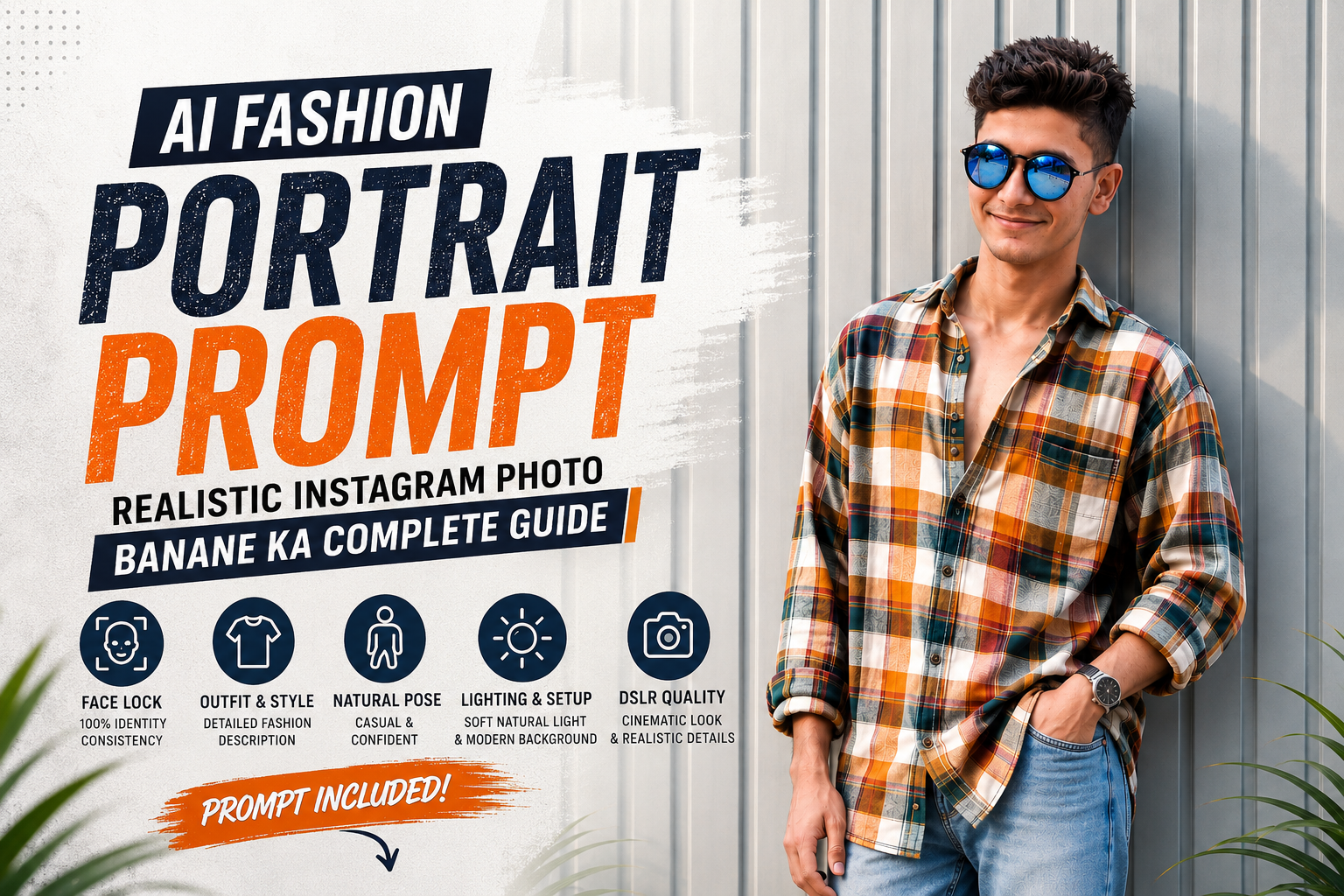
आजकल AI Fashion Portrait Prompt की मदद से एक simple selfie को premium cinematic fashion photo में बदला जा सकता है। लेकिन अगर आप चाहते हैं कि final image सिर्फ AI-generated न लगे, बल्कि एक real professional fashion photograph जैसी दिखाई दे, तो prompt में सही visual details देना बहुत जरूरी है।
इस guide में आपको एक detailed AI Fashion Portrait Prompt मिलेगा, जिसे reference image के साथ इस्तेमाल करके modern Instagram-style fashion portrait बनाया जा सकता है। इसमें facial appearance, natural body proportions, outfit, pose, background, lighting और photography style—सभी को ध्यान में रखा गया है।
AI Fashion Portrait Prompt क्या है?
AI Fashion Portrait Prompt एक detailed instruction होती है, जिसमें AI image generator को बताया जाता है कि final photograph कैसी दिखनी चाहिए।
सिर्फ “एक stylish लड़के की realistic photo बनाओ” लिखने से अक्सर result unpredictable हो सकता है। इसके बजाय face, hairstyle, body proportion, कपड़े, pose, location, lighting और camera look को clearly define करने पर AI को ज्यादा specific visual direction मिलती है।
एक अच्छी prompt का goal यही होता है कि image का overall appearance आपके desired concept के करीब रहे।
Realistic AI Fashion Portrait के लिए क्या जरूरी है?
एक अच्छी AI Fashion Portrait Prompt में इन elements को शामिल करना उपयोगी रहता है:
- Face और facial features की consistency
- Natural body proportions
- Realistic hairstyle और skin texture
- Detailed outfit description
- Natural pose
- Background और environment
- Soft cinematic lighting
- Realistic shadows और fabric texture
- DSLR-style photography
- Vertical 9:16 composition
- Unwanted AI artifacts को कम करने वाला negative prompt
इन details को balanced तरीके से लिखने पर image का look ज्यादा controlled और natural बनाया जा सकता है।
Face Identity को Realistic कैसे रखें?
Reference image का सबसे important हिस्सा face होता है। इसलिए prompt में facial appearance को लेकर clear instructions देना चाहिए।
AI को बताया जा सकता है कि uploaded reference image को primary visual reference माना जाए और face shape, jawline, eyebrows, eyes, nose, lips, ears, hairline और natural skin texture को unnecessarily modify न किया जाए।
ध्यान रखें कि किसी भी AI image generator में exact 100% identity preservation की guarantee नहीं होती। इसलिए बेहतर consistency के लिए clear, high-resolution और अच्छी तरह visible face वाली reference photo इस्तेमाल करना सबसे अच्छा रहता है।
Body Proportion Natural क्यों होना चाहिए?
Full-body या three-quarter fashion images में कभी-कभी AI body proportions को जरूरत से ज्यादा bulky या unrealistic बना सकता है। खासकर legs, shoulders, torso और waist में proportion की समस्या दिखाई दे सकती है।
इसीलिए AI Fashion Portrait Prompt में natural anatomy, balanced physique और realistic proportions जैसी instructions रखना useful है।
अगर reference image में face और overall appearance slim या lean है, तो body को भी उसी visual appearance के अनुसार natural और proportionate रखने की instruction दी जा सकती है।
Outfit को Detailed तरीके से Describe करें
Fashion portrait का final look काफी हद तक clothing details पर depend करता है।
सिर्फ “plaid shirt और jeans” लिखने की जगह shirt के colors, pattern, fitting, sleeves और fabric folds को describe करना ज्यादा helpful हो सकता है।
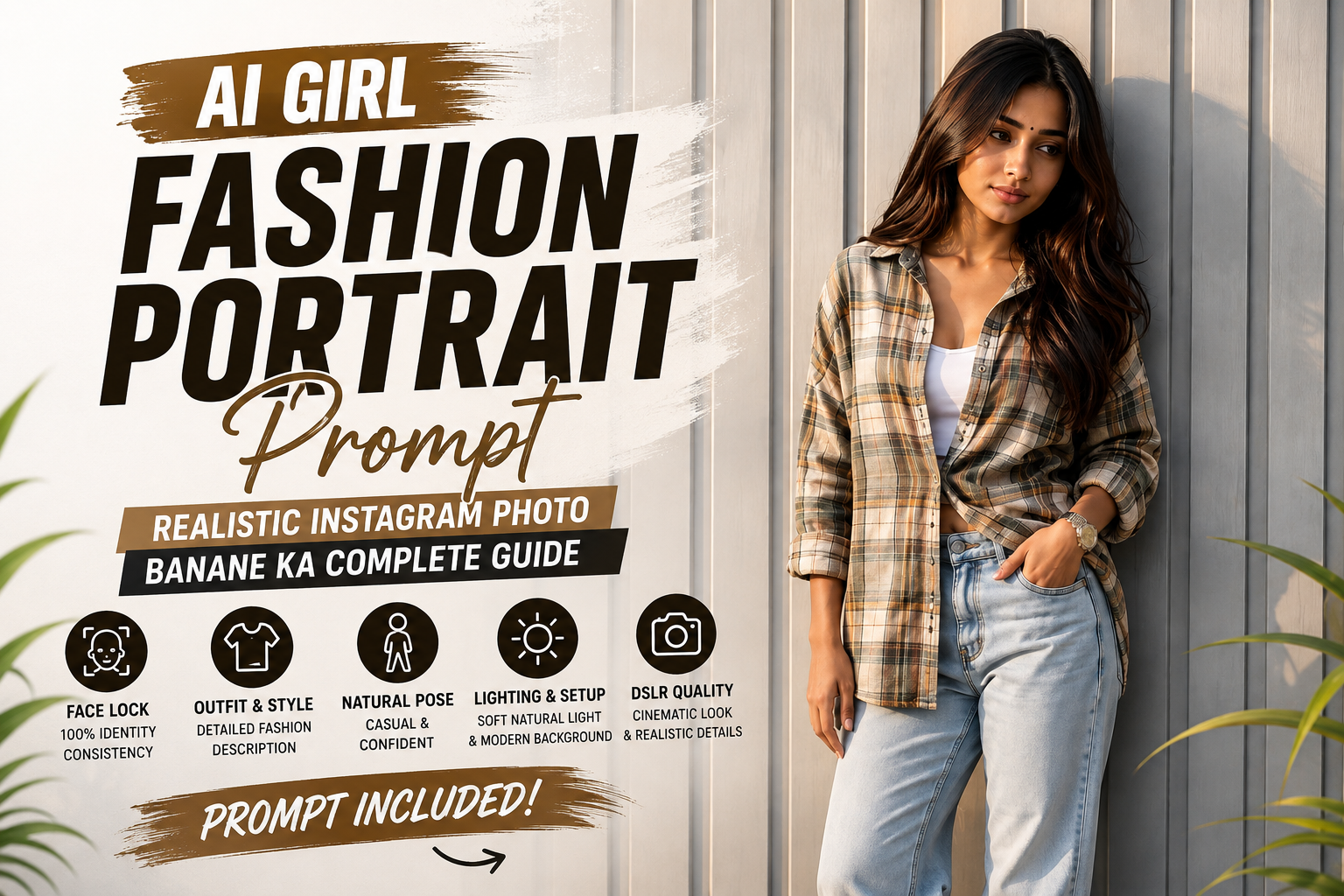
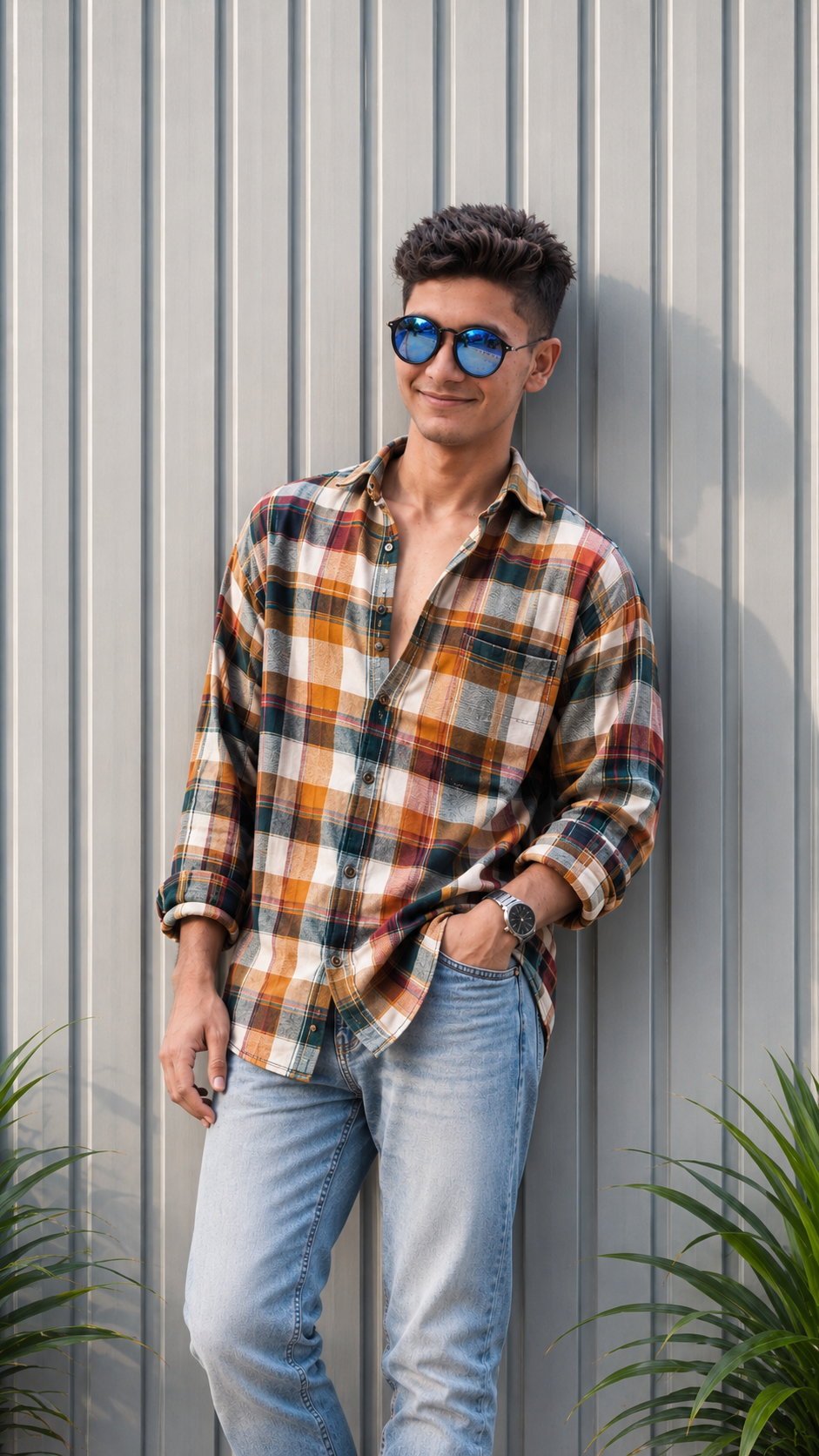
इस concept में oversized multicolor plaid shirt के लिए warm mustard yellow, orange, cream, dark green, red और white checks का combination रखा गया है। इसके साथ light-wash relaxed-fit denim jeans और metallic wristwatch एक modern fashion look देते हैं।
जितनी relevant और consistent clothing details होंगी, AI के लिए desired styling को समझना उतना आसान होगा।
Pose और Composition
Fashion portrait को natural दिखाने के लिए pose भी काफी important है।
इस concept में subject को:
- Wall के साथ casually lean करना है
- Body को थोड़ा angle देना है
- Head को हल्का right side की ओर turn करना है
- एक hand jeans की front pocket में रखना है
- दूसरा hand thigh के पास relaxed रखना है
- Expression calm और confident रखना है
ऐसी instructions pose को ज्यादा natural और editorial-style बनाने में मदद कर सकती हैं।
Background और Lighting का सही Combination
Minimal background subject को ज्यादा prominent बनाने में मदद करता है। इस concept में pale gray vertically ribbed metal wall को background के रूप में रखा गया है।
Frame के bottom corners में subtle green tropical leaves add करने से gray architectural background में natural contrast आता है।
Lighting के लिए soft natural daylight, gentle directional shadows और balanced exposure जैसी instructions रखी गई हैं। इससे face और clothing पर highlights ज्यादा realistic दिखाई दे सकते हैं।
9:16 Instagram Portrait के लिए Best है
अगर आपका उद्देश्य Instagram Reels, Stories या दूसरे mobile-first platforms के लिए portrait बनाना है, तो 9:16 vertical format practical choice है।
इस ratio में subject को upper-body, thighs या full-body composition में आसानी से frame किया जा सकता है। साथ ही mobile screen पर image ज्यादा naturally fit होती है।
Copy-Paste AI Fashion Portrait Prompt
अब सबसे important हिस्सा आता है। नीचे दिया गया AI Fashion Portrait Prompt reference image के साथ इस्तेमाल किया जा सकता है। पहले अपनी reference photo upload करें और उसके बाद prompt paste करें।
Main Prompt
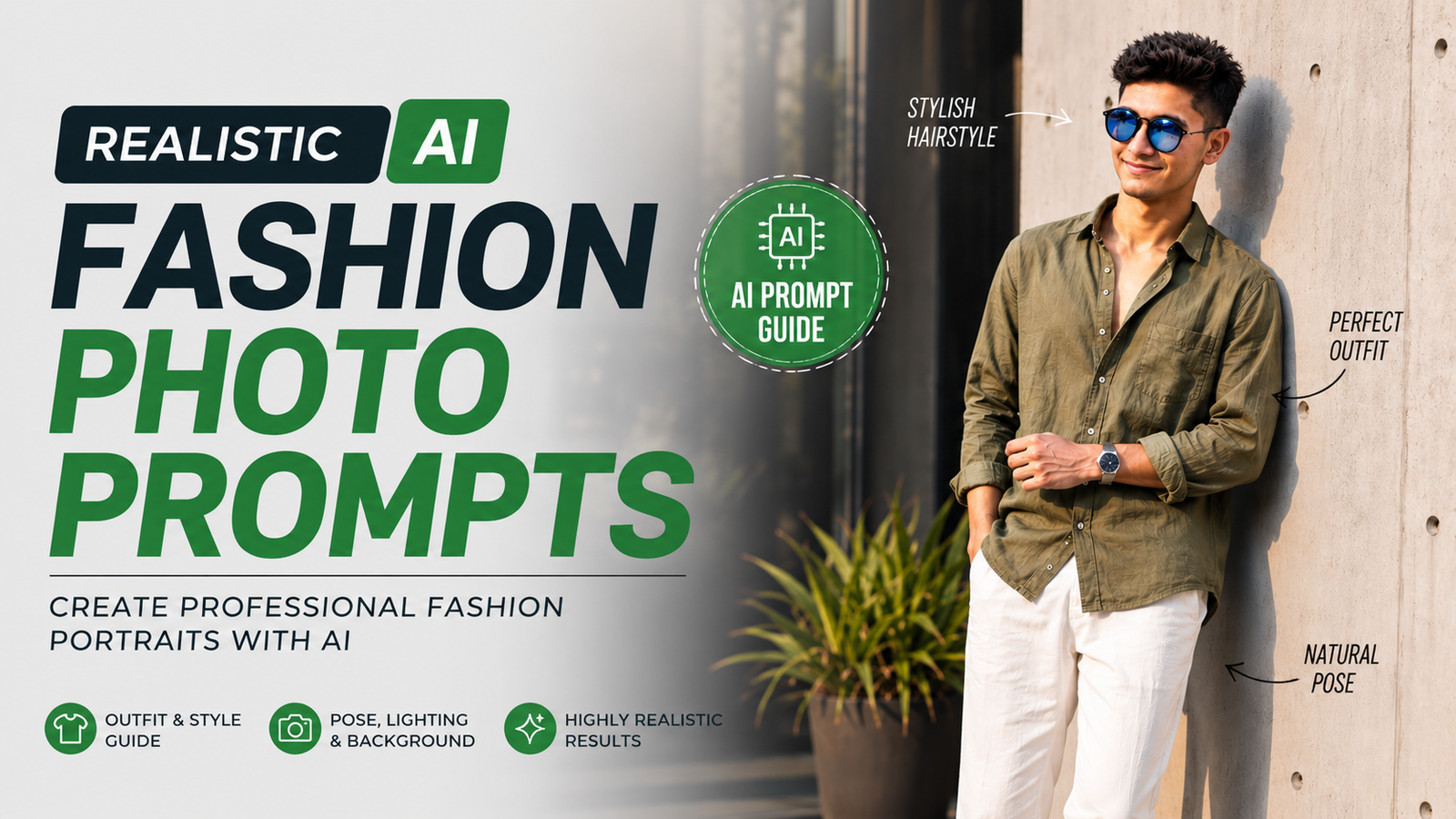
Use the uploaded reference image as the primary visual reference for the subject. Create an ultra-realistic cinematic fashion portrait of the same young South Asian man standing casually against a modern light-gray vertically ribbed metal wall.
Preserve the subject’s recognizable facial appearance from the reference image, including face shape, jawline, cheekbones, eyebrows, eyes, nose, lips, ears, hairline, hairstyle, skin tone and natural facial proportions. Keep the face natural and realistic without unnecessary beautification, facial reshaping or artificial skin smoothing.
Hair should appear thick, naturally voluminous and dark, styled upward and slightly backward with realistic individual strands.
Create a natural, proportionate physique that visually matches the subject’s face and overall appearance. Avoid an excessively bulky lower body or exaggerated muscular proportions. Keep shoulders, torso, waist and legs anatomically balanced and realistic.
Pose the subject casually against the wall with his body slightly angled. Turn his head subtly toward the right side of the frame while maintaining a calm and confident expression. Place one hand naturally inside the front pocket of the jeans while the other hangs relaxed near the thigh.
Dress him in an oversized long-sleeve multicolor plaid shirt featuring warm mustard yellow, orange, cream, dark green, red and white checks. Leave several upper buttons open and create natural fabric folds. Add light-wash relaxed-fit denim jeans with realistic faded texture and a premium metallic wristwatch.
Use a minimal modern architectural setting with pale gray vertical corrugated metal panels. Add subtle green tropical plant leaves near the lower edges of the frame.
Use soft natural daylight, gentle directional shadows, realistic highlights and balanced exposure. Maintain natural skin rendering and detailed fabric texture.
High-end fashion editorial photography, realistic DSLR photography, 50mm lens look, shallow depth of field, crisp subject detail, soft background separation, natural perspective, realistic shadows, premium cinematic color grading and authentic photographic texture.
Photorealistic, ultra-detailed, realistic anatomy, natural skin pores, detailed hair strands, authentic clothing texture, cinematic Instagram fashion aesthetic, high-resolution photography, vertical 9:16 composition.
Negative Prompt
एक अच्छा AI Fashion Portrait Prompt केवल main instructions तक limited नहीं होना चाहिए। Negative prompt भी useful है, क्योंकि इससे unwanted visual problems को कम करने की कोशिश की जा सकती है।
distorted face, different person, identity drift, facial reconstruction, plastic skin, excessive skin smoothing, beauty filter, unrealistic body proportions, oversized legs, bulky lower body, distorted hands, extra fingers, duplicate limbs, malformed anatomy, warped clothing, blurry face, low resolution, cartoon, CGI, illustration, artificial skin, oversaturated colors, excessive sharpening, unnatural shadows, deformed eyes, asymmetrical facial features, face artifacts
AI Fashion Portrait को ज्यादा Realistic बनाने के Tips
1. High-Quality Reference Image इस्तेमाल करें
ऐसी reference photo चुनें जिसमें face साफ दिखाई देता हो। बहुत ज्यादा blur, extreme camera angle या heavy beauty filter वाली image facial consistency को प्रभावित कर सकती है।
2. Body को Over-Describe न करें
अगर आपका goal natural physique है, तो “realistic anatomy”, “balanced proportions” और “natural physique” जैसी clear instructions काफी हो सकती हैं।
बहुत सारी contradictory body instructions एक साथ देने से AI को desired appearance समझने में परेशानी हो सकती है।
3. Clothing Details Consistent रखें
Shirt के colors, jeans का shade और accessories पहले से तय करके prompt में consistently mention करें। इससे final image में fashion styling ज्यादा coherent रह सकती है।
4. Background Simple रखें
Simple architectural wall या minimal environment subject को focus में रखने में मदद करता है। बहुत ज्यादा background elements जोड़ने पर unwanted objects generate होने की संभावना बढ़ सकती है।
5. Negative Prompt का इस्तेमाल करें
अगर generated images में बार-बार distorted hands, bulky body, unnatural skin या खराब facial details जैसी समस्याएं दिखाई दे रही हैं, तो negative prompt में उन्हीं problems को specifically mention किया जा सकता है।
Instagram के लिए यह Prompt क्यों Useful है?
यह AI Fashion Portrait Prompt केवल एक सामान्य portrait बनाने के लिए नहीं बनाया गया है। इसमें vertical composition, cinematic lighting, modern fashion styling और realistic photography को ध्यान में रखा गया है।
आप इसी concept को अलग-अलग outfits, locations और poses के साथ customize कर सकते हैं। उदाहरण के लिए plaid shirt की जगह denim jacket, formal blazer, oversized T-shirt या traditional outfit का description add किया जा सकता है।
Frequently Asked Questions
क्या यह AI Fashion Portrait Prompt Gemini में इस्तेमाल किया जा सकता है?
हाँ, इस तरह की detailed prompt को compatible AI image-generation tools में reference image के साथ इस्तेमाल किया जा सकता है। अलग-अलग tools में image generation के results अलग हो सकते हैं।
क्या AI बिल्कुल same face बना सकता है?
AI reference image के facial appearance को closely preserve करने की कोशिश कर सकता है, लेकिन exact 100% identity preservation की guarantee नहीं होती। Clear reference image और specific instructions consistency बेहतर करने में मदद कर सकती हैं।
क्या इस prompt से body को slim और natural रखा जा सकता है?
हाँ। Prompt में “natural, proportionate physique”, “balanced anatomy” और “avoid excessively bulky lower body” जैसी instructions जोड़कर desired body appearance की direction दी जा सकती है।
Instagram के लिए कौन सा aspect ratio रखें?
Vertical fashion portrait के लिए 9:16 एक अच्छा option है, खासकर Instagram Stories और Reels-oriented visuals के लिए।
क्या outfit बदला जा सकता है?
बिल्कुल। आप plaid shirt को denim jacket, leather jacket, kurta, blazer, oversized T-shirt या किसी दूसरे fashion outfit से replace कर सकते हैं।
Conclusion
एक realistic AI fashion photo बनाने के लिए सिर्फ “realistic image generate करो” लिखना पर्याप्त नहीं होता। Face consistency, natural body proportions, outfit details, pose, background, lighting और photography style को clearly define करना ज्यादा effective approach है।
ऊपर दिया गया AI Fashion Portrait Prompt इसी detailed approach को ध्यान में रखकर तैयार किया गया है। आप अपनी reference image upload करके और outfit, background या pose की details बदलकर अलग-अलग cinematic fashion portraits create कर सकते हैं।
सबसे अच्छे possible results के लिए high-quality reference photo + detailed prompt + natural anatomy instructions + suitable negative prompt का combination इस्तेमाल करें।