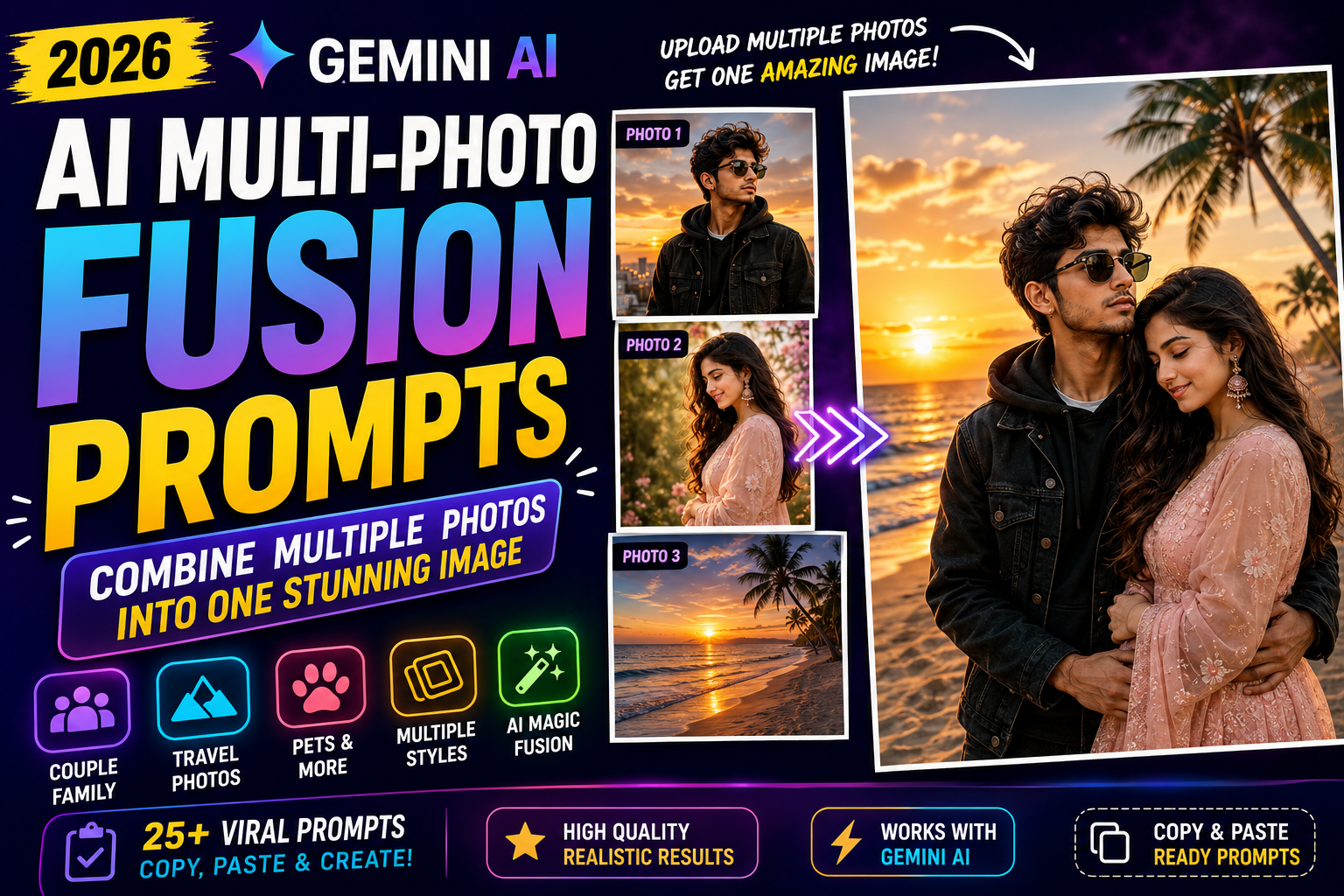
AI Multi-Photo Fusion Prompts 2026 – 25+ Gemini Prompts to Combine Multiple Photos
Have you ever wanted to combine two or more different photos into one realistic image? With modern AI image-editing tools, ... <p class="read-more-container"><a title="AI Multi-Photo Fusion Prompts 2026 – 25+ Gemini Prompts to Combine Multiple Photos" class="read-more button" href="https://trendingprompt.in/ai-multi-photo-fusion-prompts-2026/#more-2439" aria-label="More on AI Multi-Photo Fusion Prompts 2026 – 25+ Gemini Prompts to Combine Multiple Photos">Read more</a></p>
Related Prompts & Guides

10+ Best AI Birthday Photo Editing Prompts for Girls: Viral ChatGPT & Gemini Prompts (2026)
AI Birthday Photo Editing Prompts for Girls Want to create beautiful birthday photos without booking a…

Halloween AI Photo Prompts: 12 Gemini Prompts for Spooky, Cute and Cinematic Edits (2026)
Halloween AI Photo Prompts Every October, the same costume photos fill Instagram and Pinterest. Pumpkin patch…

10 Best AI Guitar Photo Prompts for Girls 2026 Aesthetic, Realistic & Cinematic Portraits for ChatGPT & Google Gemini
10 Best AI Guitar Photo Prompts for Girls (2026) Introduction: Create Beautiful AI Guitar Photos Are…

Viral Royal Girl AI Photo Editing Prompt 2026: Golden Jewellery & Pink Rose Look for ChatGPT and Google Gemini
Royal Girl Ai Photo Editing Prompt 2026 Introduction Aajkal royal traditional look wali AI photos social…
Have you ever wanted to combine two or more different photos into one realistic image?
With modern AI image-editing tools, you can now use multiple reference photos and ask Gemini to blend them into a single creative scene. This opens up many possibilities, from combining a couple’s separate selfies to creating a family portrait, travel memory, pet photo, fashion composition or cinematic scene.
Google’s Gemini image-editing documentation explains that users can upload multiple images and ask Gemini to create a new image based on those references. Google’s Nano Banana image-editing model also supports blending multiple photos into a new scene while maintaining important visual details.
In this guide, you’ll find 25+ AI multi-photo fusion prompts for 2026 that you can customize for Gemini and other compatible AI image tools.
What Is AI Multi-Photo Fusion?
AI multi-photo fusion means combining information from two or more reference images into one newly generated image.
For example, you could upload:
- Your photo
- Your partner’s photo
- A travel destination photo
Then ask the AI to create one realistic photograph showing both people together at that destination.
Unlike a simple collage, the goal is to create one unified scene where the people, lighting, perspective and environment look naturally connected.
This makes multi-photo prompts useful for:
- Couple photos
- Family portraits
- Travel memories
- Friend group photos
- Pet photos
- Fashion edits
- Wedding concepts
- Professional portraits
- Product photography
- Creative storytelling
How to Use Multiple Photos With Gemini
The basic workflow is simple.
Step 1: Select Your Reference Photos
Choose the images you want to combine.
For example:
Photo 1: Your portrait
Photo 2: Your partner’s portrait
Photo 3: A location reference
Step 2: Upload the Images
Add the selected photos to Gemini where image editing and multiple-image input are available.
Google’s current Gemini help documentation says users can upload multiple images and ask Gemini to create a new image based on them. It also notes that Nano Banana Pro can blend multiple photos in one prompt, with up to five people-focused images recommended for best results.
Step 3: Explain the Role of Each Photo
This is important.
Instead of simply saying:
Combine these photos.
Say:
Use image 1 as the reference for the man, image 2 as the reference for the woman, and image 3 as the background location.
This makes the instructions easier to follow.
Step 4: Describe the Final Scene
Tell the AI:
- Where the people should stand
- What they should wear
- How they should interact
- What the lighting should look like
- What camera style you want
- What should remain unchanged
Step 5: Refine the Result
If something looks wrong, use a short follow-up instruction.
For example:
Keep the entire composition unchanged. Make the lighting on both people consistent with the sunset background.
25+ AI Multi-Photo Fusion Prompts
1. Couple Photo Fusion Prompt
Prompt:
Use image 1 as the reference for the man and image 2 as the reference for the woman. Combine both people into one realistic romantic photograph. Preserve their recognizable facial features, hairstyles, skin tones and natural appearance. Place them standing together on a beautiful outdoor street during golden hour. Make their lighting, shadows and perspective consistent with the environment. Create a natural couple pose, realistic depth of field and professional photography quality.
2. Family Photo Fusion Prompt
Prompt:
Combine all uploaded family portraits into one realistic family photograph. Preserve each person’s recognizable facial characteristics, hairstyle, age and natural appearance. Arrange everyone naturally as if they were photographed together at the same time. Use a warm outdoor garden setting with soft evening light. Ensure consistent shadows, perspective, skin tones and camera focus across all people. Avoid changing the identity or adding extra people.
3. Best Friends Photo Fusion
Prompt:
Use the uploaded photos of each person as individual identity references and combine everyone into one realistic best-friends photograph. Preserve each person’s recognizable facial features, hairstyle and natural appearance. Place the group walking together on a modern city street during sunset. Give everyone natural poses and interactions. Match lighting, shadows, perspective and depth of field so the final image looks like one genuine photograph.
4. Travel Destination Fusion
Prompt:
Use image 1 as the person’s identity reference and image 2 as the destination reference. Place the person naturally inside the exact type of environment shown in the destination image. Preserve the person’s recognizable face, hairstyle and appearance. Match the lighting, weather, perspective and colors of the location. Create a realistic professional travel photograph with natural shadows and cinematic depth.
5. Couple at the Beach
Prompt:
Combine the two uploaded portraits into one realistic beach photograph. Preserve both people’s recognizable facial identities and hairstyles. Place them walking together beside the ocean during sunset. Add realistic warm sunlight, gentle waves, natural shadows and subtle reflections on the wet sand. Make the lighting on both subjects match the sunset environment and keep their body proportions natural.
6. Wedding Couple Fusion
Prompt:
Combine the uploaded portraits of the two people into one elegant wedding photograph. Preserve their recognizable facial identities, hairstyles and natural features. Dress them in sophisticated wedding outfits and place them inside a beautifully decorated wedding venue. Use warm decorative lighting, realistic shadows and professional wedding photography composition. Make the final image look like a genuine photograph captured by a wedding photographer.
7. Couple in a Luxury Car
Prompt:
Use the uploaded portraits of both people as identity references. Create one realistic photograph showing them sitting together inside a modern luxury car. Preserve their recognizable facial features and hairstyles. Use realistic interior lighting, natural reflections on the windows and subtle city lights outside. Maintain realistic perspective and make the scene look like a professionally photographed lifestyle image.
8. Couple Cafe Photo
Prompt:
Combine the two uploaded portraits into one cozy cafe photograph. Preserve both people’s recognizable identities and natural appearances. Place them sitting together beside a large cafe window with coffee cups on the table. Use warm natural window light, realistic shadows, subtle background blur and an authentic candid photography style. Make both subjects appear naturally present in the same environment.
9. Parent and Child Memory Photo
Prompt:
Combine the uploaded photos of the parent and child into one emotional family memory photograph. Preserve both identities and important facial characteristics. Place them together in a warm outdoor environment during sunset. Create a natural interaction between them with realistic body proportions, soft light and authentic shadows. Make the final image feel like a genuine family photograph.
10. Pet and Owner Fusion
Prompt:
Use image 1 as the person’s reference and image 2 as the pet’s reference. Combine them into one realistic photograph of the person spending time with their pet. Preserve the person’s recognizable appearance and the pet’s important visual characteristics. Place them in a beautiful park during golden hour. Match the lighting and shadows on both subjects and create a natural emotional interaction.
Google has specifically demonstrated combining a person and a pet into a new scene as an example of Gemini’s image-editing capabilities.
11. Multiple Outfit Reference Fusion
Prompt:
Use the uploaded photos as clothing and style references. Create one realistic portrait of the person wearing an outfit inspired by the strongest visual elements from the reference images. Preserve the person’s original facial identity, hairstyle and natural appearance. Combine the clothing details naturally without creating conflicting patterns. Use professional fashion photography lighting and realistic fabric textures.
12. Photo + Background Fusion
Prompt:
Use image 1 as the person’s reference and image 2 as the background reference. Place the person naturally into the environment shown in image 2. Preserve the person’s recognizable facial identity, hairstyle, outfit details and body proportions. Match the perspective, lighting direction, color temperature, shadows and atmospheric depth of the background. Make the final result look like a real photograph captured at that location.
13. Mountain Travel Fusion
Prompt:
Use the person’s uploaded portrait together with the mountain landscape reference. Place the person naturally at the viewpoint shown in the landscape image. Preserve their recognizable facial identity and appearance. Match the natural sunlight, atmospheric haze, shadows and perspective of the mountain environment. Create a realistic professional travel photograph with cinematic depth.
14. Group Birthday Photo Fusion
Prompt:
Combine the uploaded individual portraits into one realistic birthday celebration photograph. Preserve each person’s recognizable identity, age and appearance. Place everyone together around a decorated birthday table with a cake and warm indoor lighting. Give each person a natural pose and expression. Ensure consistent lighting, perspective and shadows across the entire group. Do not add additional people.
15. Friends at a Concert
Prompt:
Combine all uploaded friend portraits into one realistic concert photograph. Preserve each person’s recognizable facial identity and hairstyle. Place the group together in front of a large concert stage with colorful lights and a realistic crowd in the background. Use authentic event photography, natural poses, atmospheric haze and realistic lighting on every person.
16. Airport Travel Photo Fusion
Prompt:
Combine the uploaded portraits of the travelers into one realistic airport photograph. Preserve their recognizable facial identities and hairstyles. Place them together inside a modern international airport with luggage beside them. Use realistic indoor lighting, glass reflections and subtle background activity. Create a candid travel photograph with natural poses and professional depth of field.
17. Vintage Family Photo Fusion
Prompt:
Combine the uploaded family portraits into a single nostalgic vintage photograph. Preserve everyone’s recognizable facial features and natural appearance. Create the image as if the family had been photographed together decades ago. Use subtle film grain, authentic vintage colors, realistic flash and slightly imperfect exposure. Avoid excessive artificial effects and keep the result believable.
18. Old Photo + Modern Photo Fusion
Prompt:
Combine the person from the old reference photograph with the person from the modern photograph into one realistic visual story. Preserve both identities and important facial characteristics. Create a nostalgic environment where both versions appear naturally together. Use consistent lighting and realistic perspective while maintaining the visual characteristics of both photographs.
19. Fashion Photoshoot Fusion
Prompt:
Use the uploaded portrait as the identity reference and the second image as a fashion and environment reference. Create a high-end editorial photoshoot inspired by the visual direction of the reference. Preserve the person’s recognizable face, hairstyle and natural appearance. Use professional studio lighting, realistic clothing textures, sophisticated composition and premium fashion photography.
20. Multiple Friends Selfie Fusion
Prompt:
Combine the uploaded individual selfies into one realistic group selfie. Preserve every person’s recognizable facial identity, hairstyle and natural appearance. Position everyone close together with natural expressions as if they took the selfie at the same moment. Use realistic smartphone-camera perspective, consistent lighting and natural background depth. Do not add or remove people.
21. Movie Scene Fusion
Prompt:
Combine the people from the uploaded reference photos into one original cinematic scene. Preserve their recognizable identities and hairstyles. Place them together in a dramatic urban environment at night with atmospheric lighting, realistic reflections and subtle haze. Give each person a natural role and pose within the scene. Use cinematic composition and professional film-style lighting while keeping the image photorealistic.
22. Traditional Indian Family Portrait
Prompt:
Combine the uploaded family portraits into one elegant traditional Indian family photograph. Preserve each person’s recognizable facial identity, hairstyle and natural appearance. Dress everyone in coordinated traditional clothing without changing their identities. Place the family in a beautifully decorated indoor setting with warm lighting. Use realistic fabric textures, natural poses and professional family photography.
23. Photo + Pet + Location Fusion
Prompt:
Use image 1 as the person’s reference, image 2 as the pet reference and image 3 as the location reference. Create one realistic photograph showing the person and their pet together in the location from image 3. Preserve the person’s identity and the pet’s recognizable appearance. Match the lighting, shadows, perspective and atmosphere of the location. Make the result look like a genuine photograph.
24. Three-Photo Storytelling Prompt
Prompt:
Use the three uploaded photos as visual references for the subject, clothing and environment. Combine the most relevant details into one coherent realistic photograph. Preserve the person’s recognizable facial identity and natural appearance. Make all elements feel as though they were photographed together at the same time. Use consistent lighting, perspective, shadows, depth of field and realistic textures.
25. Four-Person Luxury Portrait
Prompt:
Combine the four uploaded individual portraits into one sophisticated group photograph. Preserve every person’s recognizable facial identity, hairstyle and natural appearance. Place them together inside an elegant luxury hotel lobby with modern architecture and warm ambient lighting. Arrange everyone naturally with different poses and expressions. Ensure consistent perspective, lighting and shadows across all four people.
26. Multi-Photo Before-and-After Concept
Prompt:
Use the uploaded original photo and edited reference images to create one polished visual transformation concept. Preserve the person’s recognizable facial identity and important characteristics. Show the transformation as a realistic progression while keeping the visual style consistent. Use professional lighting, clean composition and natural photographic details. Avoid unnecessary facial changes.
How to Get Better Results From Multi-Photo Prompts
Combining several photos can be more complicated than editing one image.
The AI needs to understand which information belongs to which reference.
That’s why your instructions should be structured.
1. Assign a Role to Every Image
Instead of:
Combine these three photos.
Use:
Image 1 = person
Image 2 = clothing
Image 3 = background
This makes your prompt much clearer.
2. Don’t Ask for Too Many Unrelated Changes
If you upload five photos and ask the AI to combine faces, outfits, backgrounds, poses, lighting and objects simultaneously, the result may become inconsistent.
Start with the most important elements.
3. Tell the AI What Must Stay Unchanged
For identity-based edits, include:
Preserve the person’s recognizable facial identity and hairstyle.
For pets:
Preserve the pet’s recognizable markings, colors and appearance.
4. Match the Lighting
This is one of the most important parts of a realistic fusion.
If one reference photo was taken indoors and another outdoors, simply combining them can look unnatural.
Add instructions such as:
Match the direction, softness and color temperature of the lighting across all subjects.
5. Match Perspective
A person photographed from a close-up angle may look strange if placed into a distant background.
You can instruct:
Match the camera perspective and subject scale to the background reference.
Best Multi-Photo Prompt Formula
You can create your own prompts using this simple structure:
Image Roles + Identity + Scene + Composition + Lighting + Perspective + Realism
For example:
Image 1 = man, Image 2 = woman, Image 3 = beach location. Combine all three references into one realistic couple photograph. Preserve both identities. Place them naturally on the beach at sunset. Match their lighting, scale, shadows and perspective to the environment. Use professional photography and realistic depth of field.
This structure is useful because the AI receives a clear job for each uploaded image.
What Can You Combine With AI Photo Fusion?
The possibilities are much broader than simply combining two people.
You can combine:
People + People
Create:
- Couple photos
- Family portraits
- Friend groups
- Group selfies
- Wedding portraits
People + Locations
Create:
- Travel photos
- Beach photos
- Mountain photos
- City portraits
- Historical-style environments
People + Pets
Create:
- Owner and pet portraits
- Outdoor pet photos
- Funny scenes
- Travel memories
People + Clothing References
Create:
- Fashion looks
- Traditional outfits
- Streetwear
- Formal clothing
- Editorial styles
People + Objects
Create:
- Product lifestyle images
- Creator setups
- Gaming scenes
- Sports scenes
- Professional workspace photos
AI Multi-Photo Fusion vs Photo Collage
These two concepts are different.
| Feature | Photo Collage | AI Photo Fusion |
|---|---|---|
| Multiple photos | Yes | Yes |
| Separate frames | Usually | No |
| One unified scene | No | Yes |
| Realistic lighting match | Limited | AI-generated |
| New environment | Limited | Yes |
| Identity preservation | Original photos | AI-assisted |
| Creative transformation | Limited | High |
A collage simply places photographs next to each other.
AI fusion attempts to create a new unified image from the information contained in the reference photos.
Common Problems With Multi-Photo AI Editing
Multi-photo generation can sometimes produce unexpected results.
Common issues include:
- Different facial features
- Incorrect hands
- Missing people
- Extra people
- Incorrect clothing
- Mixed backgrounds
- Wrong proportions
- Inconsistent lighting
- Strange objects
- Distorted text
If this happens, use a focused correction instead of rewriting everything.
For example:
Keep the entire scene unchanged. Correct only the woman’s hairstyle and make the lighting on her face match the sunset.
How Many Photos Can You Upload?
The exact number can depend on the Gemini product and current account/model availability.
Google’s Gemini help documentation currently says Nano Banana Pro can combine multiple photos and recommends up to five images for people-focused results.
If you are working with many references, start with the most important ones rather than uploading every available image.
Can I Combine Photos of Two Different People?
Yes. Combining separate portraits of two people into one new scene is one of the most useful applications of multi-image editing.
For the best result, use clear reference photos and explicitly explain which image represents each person.
Can I Combine a Person and a Pet?
Yes. Google has specifically demonstrated person-and-pet image blending as an example of Gemini’s image-editing capabilities.
For realistic results, describe the desired interaction and make sure the pet’s appearance is preserved.
Can I Combine a Photo With a Background?
Yes. You can use one image as the subject reference and another as the environment reference.
For example:
Use image 1 as my portrait and image 2 as the beach background. Place me naturally on the beach while matching the lighting and perspective.
Can I Use These Prompts for Instagram?
Yes.
For Instagram posts, you can add:
Create a vertical 4:5 composition suitable for Instagram.
For Stories and Reels covers:
Create a vertical 9:16 composition suitable for an Instagram Story.
You can also request clean negative space for captions or text.
Tips for Instagram-Worthy Multi-Photo Edits
Use vertical composition
A 4:5 image works well for many feed posts.
Keep the background simple
A crowded background can distract from the subjects.
Use consistent lighting
This makes the fusion look much more believable.
Avoid excessive effects
Natural-looking edits often appear more convincing than heavily processed images.
Give each subject a clear position
For example:
Place the man on the left and the woman on the right, standing naturally beside each other.
Final Thoughts
AI multi-photo fusion gives creators a different way to use image-generation tools. Instead of editing one photograph at a time, you can use several reference images to build an entirely new scene.
You can combine separate portraits into a couple photo, create a family picture, place yourself in a travel location, create a photo with your pet or build a completely new cinematic composition.
The most important part is to clearly explain what each uploaded image represents.
Start with two or three good reference photos, describe the final scene carefully and refine the result with short follow-up instructions.
For more AI photo editing prompts, Gemini prompts, Nano Banana ideas and viral AI image trends, keep exploring TrendingPrompt.in.