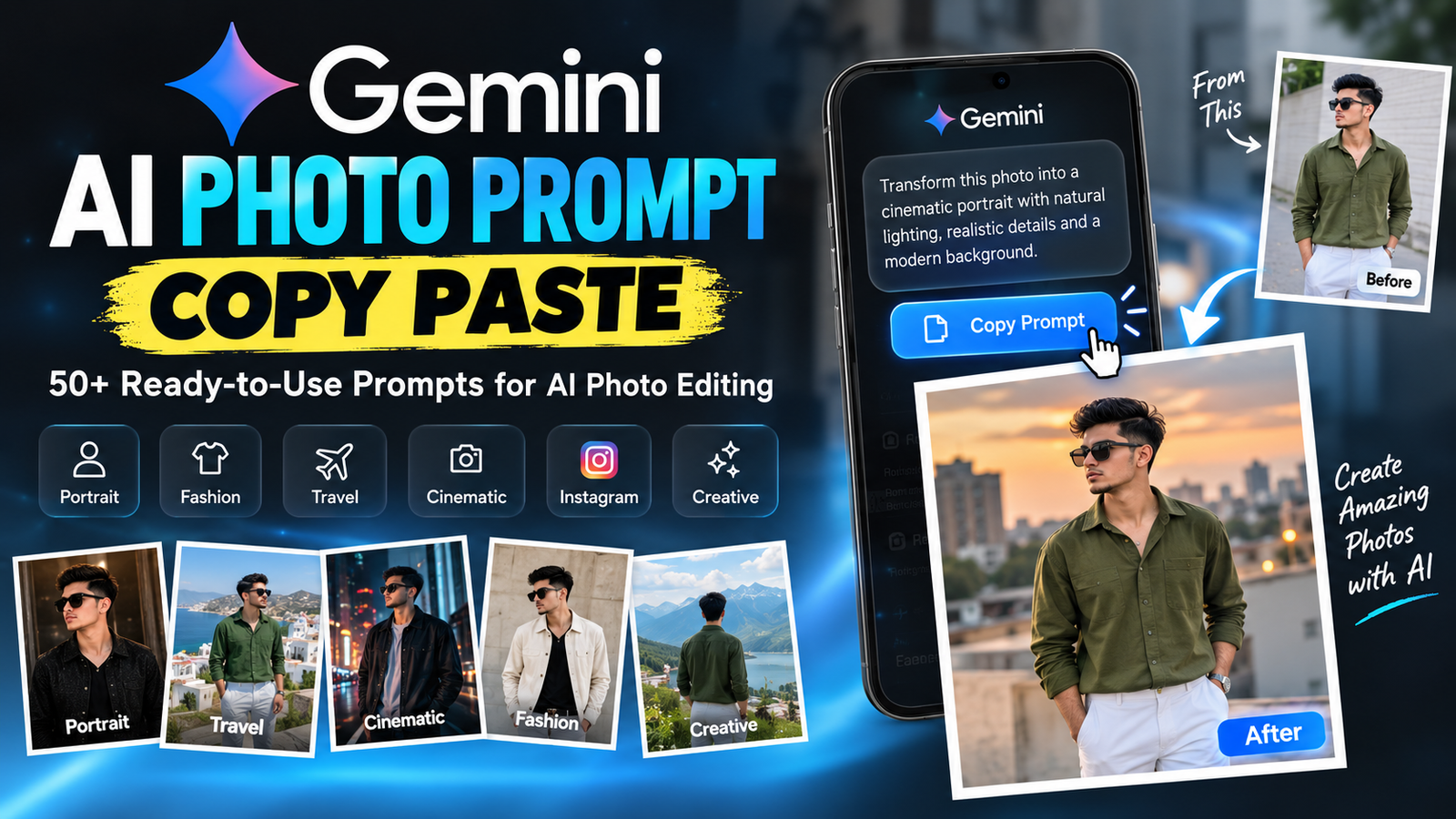
Gemini AI Photo Prompt Copy Paste: 50+ Ready-to-Use Prompts for AI Photo Editing
AI photo editing has become much easier with tools that can understand natural-language instructions. Instead of manually adjusting lighting, backgrounds, ... <p class="read-more-container"><a title="Gemini AI Photo Prompt Copy Paste: 50+ Ready-to-Use Prompts for AI Photo Editing" class="read-more button" href="https://trendingprompt.in/gemini-ai-photo-prompt-copy-paste/#more-2704" aria-label="More on Gemini AI Photo Prompt Copy Paste: 50+ Ready-to-Use Prompts for AI Photo Editing">Read more</a></p>
Related Prompts & Guides

10+ Best AI Birthday Photo Editing Prompts for Girls: Viral ChatGPT & Gemini Prompts (2026)
AI Birthday Photo Editing Prompts for Girls Want to create beautiful birthday photos without booking a…

Halloween AI Photo Prompts: 12 Gemini Prompts for Spooky, Cute and Cinematic Edits (2026)
Halloween AI Photo Prompts Every October, the same costume photos fill Instagram and Pinterest. Pumpkin patch…

10 Best AI Guitar Photo Prompts for Girls 2026 Aesthetic, Realistic & Cinematic Portraits for ChatGPT & Google Gemini
10 Best AI Guitar Photo Prompts for Girls (2026) Introduction: Create Beautiful AI Guitar Photos Are…

Viral Royal Girl AI Photo Editing Prompt 2026: Golden Jewellery & Pink Rose Look for ChatGPT and Google Gemini
Royal Girl Ai Photo Editing Prompt 2026 Introduction Aajkal royal traditional look wali AI photos social…
AI photo editing has become much easier with tools that can understand natural-language instructions. Instead of manually adjusting lighting, backgrounds, clothing, colors, and photo styles, you can describe the result you want and refine it with additional instructions.
Gemini AI photo prompt copy paste ideas are especially useful when you want to experiment with cinematic portraits, Instagram photos, fashion photography, travel pictures, professional portraits, and creative image edits.
In this guide, you’ll find practical prompts that you can copy, paste, and customize according to your photo.
What Is a Gemini AI Photo Prompt?
A Gemini AI photo prompt is an instruction that describes what you want Gemini to create or change in an image.
For example, a simple instruction like:
Make my photo cinematic.
doesn’t provide much information about the desired result.
A more detailed instruction could be:
Transform this photo into a realistic cinematic portrait. Preserve the person’s natural facial features and recognizable identity. Add warm evening lighting, a softly blurred city background, realistic shadows, detailed clothing texture, and professional photography depth of field.
The second version explains the subject, environment, lighting, style, and editing requirements more clearly.
How to Use Gemini AI Photo Prompts
Using these prompts is straightforward.
1. Open Gemini
Open the Gemini app or access Gemini through its web interface.
2. Upload Your Photo
If you want to edit an existing photograph, upload the image to Gemini.
3. Choose a Prompt
Select a prompt from the categories below that matches the type of image you want.
4. Copy and Paste
Copy the complete prompt and paste it into your Gemini conversation.
5. Refine the Result
If the generated image isn’t exactly what you wanted, give Gemini another instruction.
For example:
Keep everything the same, but make the background slightly darker and the lighting more natural.
You can continue refining the image until you get a result closer to your intended concept.
50+ Gemini AI Photo Prompts You Can Copy and Paste
1. Cinematic Portrait Prompt
Transform this photo into a highly realistic cinematic portrait. Preserve the person’s recognizable identity, natural facial features, face shape, hairstyle, skin tone, and body proportions. Add dramatic but realistic lighting, subtle background blur, natural skin texture, detailed clothing, and a professional cinematic photography appearance. Avoid excessive beauty filters or artificial-looking skin.
2. Professional Studio Portrait
Turn this image into a professional studio portrait. Keep the person’s facial identity and natural appearance unchanged. Use soft studio lighting, a clean premium background, realistic skin texture, sharp facial details, balanced shadows, and professional portrait photography composition.
3. Golden Hour Portrait
Transform this photo into a realistic golden-hour portrait. Preserve the person’s identity, facial features, hairstyle, and natural proportions. Add warm sunset lighting, subtle highlights, realistic shadows, a softly blurred outdoor background, and natural photographic details.
4. Luxury Fashion Portrait
Create a high-end fashion editorial photograph using this image. Preserve the person’s recognizable identity and natural facial features. Add sophisticated lighting, premium fashion styling, realistic fabric details, elegant composition, shallow depth of field, and a luxury magazine photography aesthetic.
5. Urban Street Portrait
Transform this photo into realistic professional street photography. Keep the person’s identity and facial features unchanged. Place the person in a modern urban environment with realistic buildings, natural lighting, authentic shadows, detailed surroundings, subtle background blur, and editorial street photography composition.
6. Black and White Portrait
Convert this photo into a sophisticated black-and-white portrait. Preserve the person’s natural identity and facial structure. Use directional studio lighting, realistic skin texture, balanced contrast, subtle film grain, detailed shadows, and professional editorial photography.
7. Vintage Film Photography
Give this photo an authentic vintage film photography appearance. Keep the person’s face, identity, hairstyle, and natural proportions unchanged. Add subtle film grain, slightly faded tones, soft contrast, realistic lighting, natural imperfections, and an analog-camera aesthetic.
8. Luxury Car Photoshoot
Create a realistic luxury car photoshoot using the person in this image as the main subject. Preserve their facial identity and natural proportions. Place them beside a premium modern car in an elegant urban environment. Use cinematic lighting, realistic reflections, detailed textures, natural shadows, and professional automotive photography.
9. Travel Photography
Transform this photo into a professional travel photograph. Keep the person’s identity unchanged and place them in a beautiful realistic travel environment. Use natural daylight, authentic surroundings, realistic shadows, detailed environmental textures, and professional travel photography composition.
10. Beach Sunset Portrait
Turn this photo into a realistic beach sunset portrait. Preserve the person’s face, hairstyle, skin tone, identity, and natural proportions. Add an ocean background, warm sunset lighting, realistic reflections, subtle wind movement, natural shadows, and cinematic depth of field.
Gemini AI Prompts for Instagram Photos
11. Instagram Profile Picture
Create a clean and professional Instagram profile picture from this photo. Preserve the person’s recognizable identity, facial features, hairstyle, skin tone, and natural appearance. Use flattering natural lighting, a simple softly blurred background, sharp facial details, and premium portrait photography.
12. Instagram Fashion Photo
Transform this image into a stylish Instagram fashion photograph. Keep the person’s face and identity unchanged. Add realistic fashion-editorial lighting, detailed clothing textures, a modern background, natural skin texture, balanced composition, and a polished but realistic appearance.
13. Aesthetic Instagram Portrait
Create a modern aesthetic Instagram portrait from this image. Preserve the person’s natural facial features and recognizable identity. Use soft natural lighting, an attractive minimalist background, subtle shadows, realistic skin texture, and a clean editorial photography style.
14. Social Media Portrait
Turn this photo into a visually striking social media portrait while keeping the person’s identity completely recognizable. Use cinematic lighting, professional composition, realistic colors, subtle background blur, detailed clothing, and natural photographic texture.
15. Night City Instagram Photo
Transform this image into a realistic night-time Instagram portrait. Preserve the person’s face, identity, hairstyle, and natural proportions. Add realistic city lights, subtle reflections, cinematic low-light photography, natural skin texture, and shallow depth of field.
Gemini AI Photo Prompts for Boys
16. Stylish Boy Portrait
Create a realistic stylish portrait of the same person in this photo. Preserve his recognizable facial identity, natural face shape, hairstyle, skin tone, and body proportions. Use modern fashion photography, soft cinematic lighting, detailed clothing, realistic skin texture, and a clean premium background.
17. Boy in Modern City
Place the person from this photo in a modern city environment. Keep his facial identity, hairstyle, skin tone, and natural proportions unchanged. Use realistic urban architecture, evening lighting, natural shadows, detailed clothing, shallow depth of field, and professional street photography.
18. Traditional Outfit Portrait
Transform this photo into a sophisticated traditional fashion portrait. Preserve the person’s facial identity and natural appearance. Add elegant traditional clothing, realistic fabric details, warm lighting, a premium environment, natural shadows, and professional editorial photography.
19. Boy at a Café
Create a realistic lifestyle photograph of the same person sitting at a stylish modern café. Preserve his identity and facial features. Use natural window lighting, realistic café details, soft background blur, natural posture, detailed clothing, and professional lifestyle photography.
20. Boy With Motorcycle
Create a cinematic motorcycle photoshoot using the same person from this image. Preserve his recognizable facial identity and natural appearance. Place him beside a stylish motorcycle on a realistic urban road during golden hour. Add cinematic lighting, realistic shadows, detailed textures, and professional photography.
Creative Gemini AI Photo Prompts
21. Rainy Street Portrait
Transform this image into a cinematic rainy street photograph. Keep the person’s face and identity unchanged. Add realistic rainfall, wet road reflections, atmospheric street lights, subtle mist, natural shadows, detailed clothing, and cinematic depth of field.
22. Winter Portrait
Turn this image into a realistic winter portrait. Preserve the person’s identity, facial features, and natural proportions. Add a realistic winter environment, subtle snowfall, warm clothing, soft natural lighting, atmospheric depth, and professional outdoor photography.
23. Desert Photoshoot
Create a realistic desert fashion photoshoot using the same person. Preserve their facial identity and natural proportions. Add a beautiful desert landscape, warm sunlight, realistic shadows, detailed clothing, natural environmental textures, and cinematic editorial photography.
24. Mountain Portrait
Place the person from this image in a beautiful mountain environment. Keep their face, identity, hairstyle, and natural proportions unchanged. Use natural daylight, realistic mountains, atmospheric depth, detailed clothing, natural shadows, and professional travel photography.
25. Rooftop Sunset
Create a realistic rooftop sunset portrait using the same person. Preserve their facial identity and natural appearance. Add a beautiful city skyline, warm golden-hour lighting, realistic shadows, subtle background blur, natural colors, and cinematic composition.
26. Luxury Hotel Portrait
Place the person in a luxurious modern hotel interior. Preserve their facial identity and natural proportions. Use warm ambient lighting, realistic architectural details, elegant styling, natural shadows, shallow depth of field, and professional lifestyle photography.
27. Modern Office Portrait
Create a professional corporate portrait using this person. Preserve their natural face, identity, hairstyle, and body proportions. Place them inside a modern office with realistic lighting, professional clothing, clean architecture, natural posture, and sharp photography.
28. Concert Photography
Place the person in a realistic concert environment with stage lights and a crowd in the background. Preserve their facial identity and natural appearance. Use realistic stage lighting, atmospheric depth, natural shadows, detailed surroundings, and professional event photography.
29. Sports Photography
Transform this image into a realistic professional sports photograph. Preserve the person’s identity and natural proportions. Add an appropriate sports environment, dynamic composition, realistic lighting, detailed sports clothing, natural shadows, and high-speed photography characteristics.
30. Café Lifestyle Portrait
Create a premium lifestyle portrait of the same person inside a stylish café. Preserve their facial identity and natural appearance. Use warm window light, realistic interior details, natural colors, shallow depth of field, authentic posture, and professional lifestyle photography.
Gemini Prompts for Different Photography Styles
31. Magazine Photography
Transform this photo into a premium fashion magazine photograph. Preserve the person’s recognizable identity and facial features. Use professional studio lighting, sophisticated composition, detailed clothing, realistic skin texture, subtle background separation, and high-end editorial photography.
32. Cinematic Movie Look
Create a cinematic movie-inspired photograph using this person as the main subject. Preserve their recognizable identity and facial structure. Add dramatic but realistic lighting, atmospheric background details, cinematic depth, natural shadows, and professional film photography composition.
33. Polaroid-Inspired Photo
Give this photo a realistic Polaroid-inspired appearance. Preserve the person’s identity and natural facial features. Use soft natural colors, subtle film grain, gentle contrast, authentic lighting, and a nostalgic analog photography aesthetic.
34. 1990s-Inspired Photography
Transform this image into a realistic 1990s-inspired photograph. Keep the person’s identity and facial features unchanged. Use a nostalgic environment, period-inspired clothing details, slightly muted colors, subtle film grain, natural lighting, and authentic analog-camera texture.
35. Luxury Editorial Portrait
Turn this image into a sophisticated luxury editorial portrait. Preserve the person’s identity, facial features, hairstyle, and natural proportions. Use elegant styling, professional lighting, realistic textures, subtle depth of field, and premium fashion photography composition.
36. Soft Aesthetic Portrait
Create a soft aesthetic portrait from this image. Preserve the person’s identity and natural facial features. Use diffused lighting, subtle shadows, realistic skin texture, soft environmental details, balanced colors, and clean editorial composition.
37. Dramatic Portrait
Transform this photo into a dramatic professional portrait. Keep the person’s facial identity and natural structure unchanged. Use directional lighting, realistic shadows, detailed facial texture, a sophisticated background, and cinematic photography.
38. Black Outfit Portrait
Edit this photo into a sophisticated fashion portrait featuring a premium black outfit. Keep the person’s face, identity, hairstyle, and natural body proportions unchanged. Use cinematic lighting, realistic fabric texture, subtle background blur, and high-end editorial photography.
39. White Outfit Portrait
Create a clean premium portrait with the person wearing an elegant white outfit. Preserve the person’s identity and facial features. Use soft studio lighting, a minimal background, realistic fabric texture, natural skin details, and professional fashion photography.
40. Rainy Street Fashion
Create a realistic street-style fashion photograph of the same person wearing a modern raincoat on a rainy city street. Preserve their facial identity and natural proportions. Add wet pavement reflections, realistic rainfall, city lights, atmospheric depth, detailed clothing, and cinematic photography.
Advanced Gemini AI Photo Editing Prompts
41. Preserve Facial Identity
Edit this image while keeping the person’s recognizable identity consistent. Do not unnecessarily change the face shape, eyes, nose, lips, hairstyle, skin tone, or natural facial proportions. Make only the requested changes to the environment, clothing, lighting, and background. Keep the final result photorealistic.
42. Change Only the Background
Replace only the background of this photo with a realistic modern city environment. Keep the person, face, hairstyle, clothing, body proportions, pose, and overall appearance unchanged. Match the lighting and perspective between the subject and the new background so the result looks naturally photographed.
43. Change the Outfit
Change the person’s outfit to a premium modern fashion outfit while preserving their face, identity, hairstyle, body proportions, pose, and natural appearance. Make the clothing look physically realistic with accurate folds, textures, shadows, and natural interaction with the body.
44. Remove Background Objects
Remove the distracting objects from the background of this photograph. Keep the main person completely unchanged. Reconstruct the surrounding background naturally and maintain consistent lighting, perspective, texture, and shadows.
45. Improve Photo Lighting
Improve the lighting of this portrait without changing the person’s identity or facial structure. Add realistic soft lighting, balanced highlights and shadows, natural skin tones, subtle depth, and professional photographic detail while keeping the image natural.
46. Professional Camera Look
Make this photograph look as though it was captured with a professional full-frame camera and high-quality portrait lens. Preserve the person’s identity and natural appearance. Add realistic depth of field, detailed textures, accurate skin tones, natural lighting, and subtle background separation.
47. Editorial Street Portrait
Create an editorial street photograph from this image. Preserve the person’s recognizable identity and natural facial features. Use realistic architecture, natural ambient lighting, sophisticated composition, authentic clothing textures, subtle depth of field, and professional magazine photography.
48. Travel Magazine Photograph
Transform this image into a professional travel-magazine photograph. Keep the person recognizable and preserve their natural appearance. Add an authentic destination environment, realistic lighting, environmental details, natural shadows, atmospheric depth, and high-quality editorial composition.
49. Aesthetic Café Portrait
Create a premium aesthetic café portrait using the same person. Preserve the person’s identity and facial features. Use warm window light, realistic coffee-shop details, natural colors, shallow depth of field, authentic posture, realistic skin texture, and professional lifestyle photography.
50. Cinematic Evening Portrait
Create a highly realistic cinematic evening portrait using this photo. Preserve the person’s recognizable identity, natural facial structure, hairstyle, skin tone, and body proportions. Use warm practical lights, subtle city lights in the background, realistic shadows, shallow depth of field, detailed clothing, and professional cinematic photography.
51. Ultra-Realistic Editorial Portrait
Transform this photo into an ultra-realistic editorial portrait while preserving the person’s recognizable identity. Keep natural skin texture, realistic facial proportions, detailed hair, authentic clothing textures, accurate lighting, natural shadows, and subtle depth of field. Avoid plastic-looking skin, excessive sharpening, unrealistic facial changes, or artificial beauty filters.
How to Create Your Own Gemini AI Photo Prompt
You don’t always need to find a ready-made prompt. You can create your own by combining several important elements.
A useful formula is:
Subject + Pose + Location + Clothing + Lighting + Camera Style + Background + Editing Instructions
For example:
Create a realistic portrait of the person in this photo standing on a modern rooftop during sunset. Preserve the person’s recognizable identity, facial features, hairstyle, skin tone, and natural body proportions. Dress the person in a premium casual outfit. Use warm golden-hour lighting, realistic shadows, a softly blurred city skyline, natural skin texture, and professional editorial photography.
This structure makes it easier to explain exactly what you want instead of relying on generic words such as “beautiful,” “viral,” or “professional.”
Tips for Getting Better Results From Gemini
Be specific about the changes
Instead of saying:
Make it attractive.
Try:
Improve the lighting, add a softly blurred background, and create a realistic editorial photography appearance.
Mention what should remain unchanged
If you’re editing a person’s photograph, explain which elements should stay consistent, such as the face, hairstyle, clothing, or pose.
Describe the environment
A background description can make a major difference. Mention whether you want a café, city street, beach, studio, mountain, hotel, rooftop, or another location.
Describe the lighting
You can specify:
- Golden-hour lighting
- Soft studio lighting
- Natural daylight
- Evening lighting
- Dramatic directional lighting
- Warm indoor lighting
- Cinematic lighting
Use follow-up instructions
You don’t necessarily have to create a completely new prompt when something needs correction.
For example:
Keep the same image, but make the background less distracting.
Or:
Keep the face and clothing unchanged and make only the lighting softer.
Common Problems With AI Photo Editing
AI photo editing can sometimes produce results that aren’t exactly what you intended. A face may look slightly different, clothing may contain unusual details, or the background may not match the original perspective.
If this happens, make your next instruction more specific.
For example:
Keep the person’s original facial structure and identity unchanged. Modify only the background and lighting.
You can also separate complex edits into multiple steps rather than asking for everything at once.
Why Detailed Prompts Can Be More Useful
A detailed prompt gives the image model more information about your intended result. Instead of leaving important decisions completely open, you can specify the subject, location, composition, lighting, clothing, mood, and editing requirements.
For example, compare:
Simple prompt:
Make my photo cinematic.
Detailed prompt:
Transform this portrait into a realistic cinematic photograph. Preserve the person’s recognizable identity and natural facial features. Place the person on a modern city street during blue hour. Add realistic street lights, subtle background bokeh, natural shadows, detailed clothing texture, realistic skin texture, and professional shallow depth of field.
The second prompt provides much clearer creative direction.
Final Thoughts
Gemini AI photo editing can be useful for experimenting with different photography styles without manually rebuilding every image from scratch. The most useful prompts clearly explain what should change and what should remain unchanged.
You can use the Gemini AI photo prompt copy paste examples in this guide for Instagram portraits, fashion edits, cinematic photographs, travel pictures, professional profiles, street photography, and creative image transformations.
Start with one prompt, check the result, and then make small follow-up changes. This usually gives you more control than trying to describe every possible adjustment in a single instruction.
Remember that AI-generated images may not always reproduce every detail perfectly. For important photographs, review the final result carefully, especially facial details, hands, clothing, text, background objects, and other elements that can sometimes contain visual errors.