
Winter has arrived, and this is the time when everyone loves taking pictures and posting them online. Instagram is full of influencers sharing their best winter shots. But not everyone has the budget or time for a professional photoshoot—finding a photographer, paying for the shoot, and still not being sure if the pictures will come out perfect.
That’s exactly why AI photo editing is becoming so popular. With the help of AI and a few smart prompts, you can create high-quality winter photos right from your phone—no photographer needed. These edits look professional, cinematic, and completely Instagram-ready.
Winter AI Photo Editing Details
Since it’s the winter season, the prompts and styles we’re focusing on are entirely winter-themed.
You’ll be able to create a variety of looks, including:
Desi winter vibes
Western-style winter photoshoot look
Cozy, snowy, aesthetic portraits
Stylish winter fashion shots
These prompts are suitable for all kinds of users, whether you want a simple winter photo or a dramatic, eye-catching winter edit. With the app and methods we share, you can generate unlimited AI winter photos easily and make your posts go viral.
If you need a specific type of winter edit, want to add extra effects, or want a detailed step-by-step guide, just ask in the comments. I’ll be sharing more tutorials soon so you can create unlimited winter photos effortlessly.
1. Cozy Winter Portrait
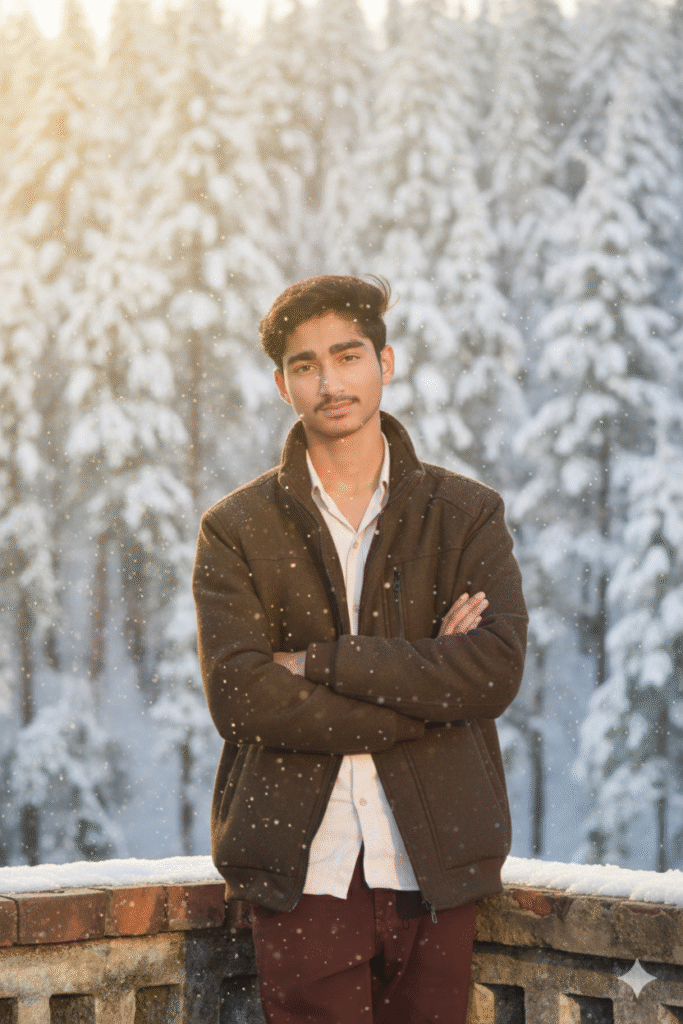
Ultra-realistic portrait of a young man standing in soft winter sunlight, wearing a warm brown jacket, snowy background, gentle cold breeze, cinematic lighting, natural skin texture, DSLR-quality photo, winter aesthetic
2. Desi Winter Rural Vibes

“Indian rural winter morning, man wearing shawl and sweater, mustard fields behind, light fog, golden sunlight, natural expressions, crisp details, warm color grading, calm winter atmosphere.”
3.Western Winter Photoshoot

Model standing in a snowy forest, wearing a long winter coat and gloves, strong winter wind, cinematic contrast, dramatic sky, ultra-HD portrait, magazine-style composition.
4.Bonfire Winter Night Shot

Man sitting near a bonfire on a cold winter night, glowing orange light on the face, deep shadows, warm and cool tones balanced, starry sky, cozy winter mood, photorealistic.
5. Winter Fashion Instagram Look

Trendy winter outfit photoshoot, white jacket, sunglasses, snowy background, high-fashion pose, bright winter light, clean minimal aesthetic, Insta-ready portrait.
6.Foggy City Winter Look

Urban winter portrait, model standing in a foggy city street, streetlights glowing, cold blue tone, light snowfall, stylish fashion look, cinematic street photography.


1 thought on “Google Gemini Winter Season AI Photo Editing Prompts 2025”