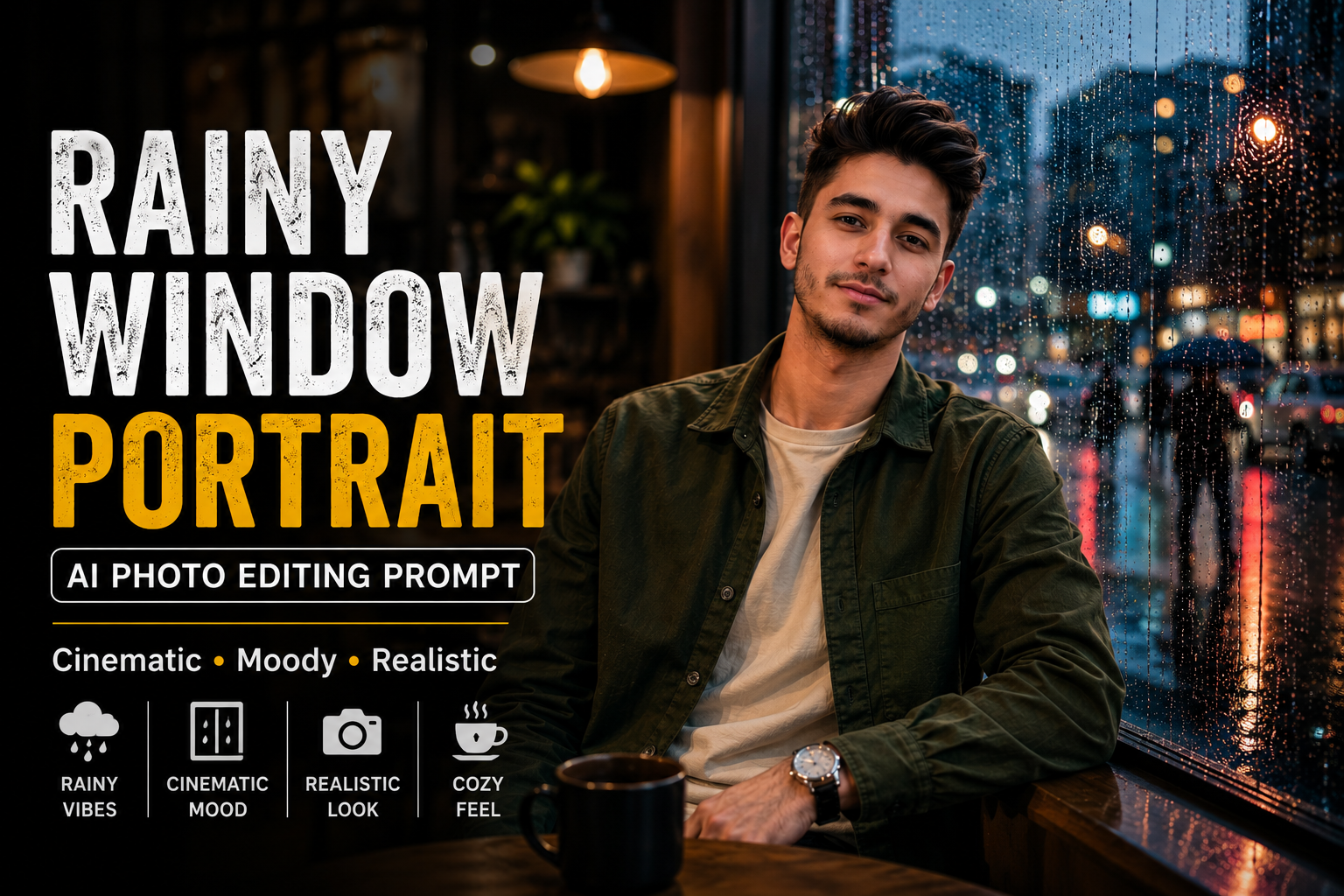
Rainy Window Portrait AI Photo Editing Prompt 2026
Rainy-day photography has a unique cinematic feel. Soft reflections, blurred city lights, raindrops on glass, and moody colors can turn ... <p class="read-more-container"><a title="Rainy Window Portrait AI Photo Editing Prompt 2026" class="read-more button" href="https://trendingprompt.in/rainy-window-portrait-ai-photo-editing-prompt/#more-2252" aria-label="More on Rainy Window Portrait AI Photo Editing Prompt 2026">Read more</a></p>
Related Prompts & Guides

10+ Best AI Birthday Photo Editing Prompts for Girls: Viral ChatGPT & Gemini Prompts (2026)
AI Birthday Photo Editing Prompts for Girls Want to create beautiful birthday photos without booking a…

Halloween AI Photo Prompts: 12 Gemini Prompts for Spooky, Cute and Cinematic Edits (2026)
Halloween AI Photo Prompts Every October, the same costume photos fill Instagram and Pinterest. Pumpkin patch…

10 Best AI Guitar Photo Prompts for Girls 2026 Aesthetic, Realistic & Cinematic Portraits for ChatGPT & Google Gemini
10 Best AI Guitar Photo Prompts for Girls (2026) Introduction: Create Beautiful AI Guitar Photos Are…

Viral Royal Girl AI Photo Editing Prompt 2026: Golden Jewellery & Pink Rose Look for ChatGPT and Google Gemini
Royal Girl Ai Photo Editing Prompt 2026 Introduction Aajkal royal traditional look wali AI photos social…
Rainy-day photography has a unique cinematic feel. Soft reflections, blurred city lights, raindrops on glass, and moody colors can turn a simple portrait into a professional-looking photograph. With AI photo editing, you can recreate this atmosphere using your own photo without needing an actual rainy-day photoshoot.
In this guide, you’ll find an original Rainy Window Portrait AI Photo Editing Prompt designed to create a realistic, emotional, and cinematic portrait while keeping your natural appearance recognizable.
check luxury car post prompt
What Is a Rainy Window Portrait AI Prompt?
A Rainy Window Portrait AI Prompt is a detailed instruction that tells an AI image editing tool how to transform an ordinary portrait into a cinematic rainy-window photograph.
The prompt can control:
- Rainy window effects
- City background
- Clothing
- Lighting
- Facial details
- Reflections
- Camera perspective
- Background blur
- Color grading
- Overall mood
The key is to make the rain and reflections look physically realistic instead of adding an obvious digital filter.
Rainy Window Portrait AI Photo Editing Prompt
Copy the prompt below and use it with a compatible AI image editing tool:
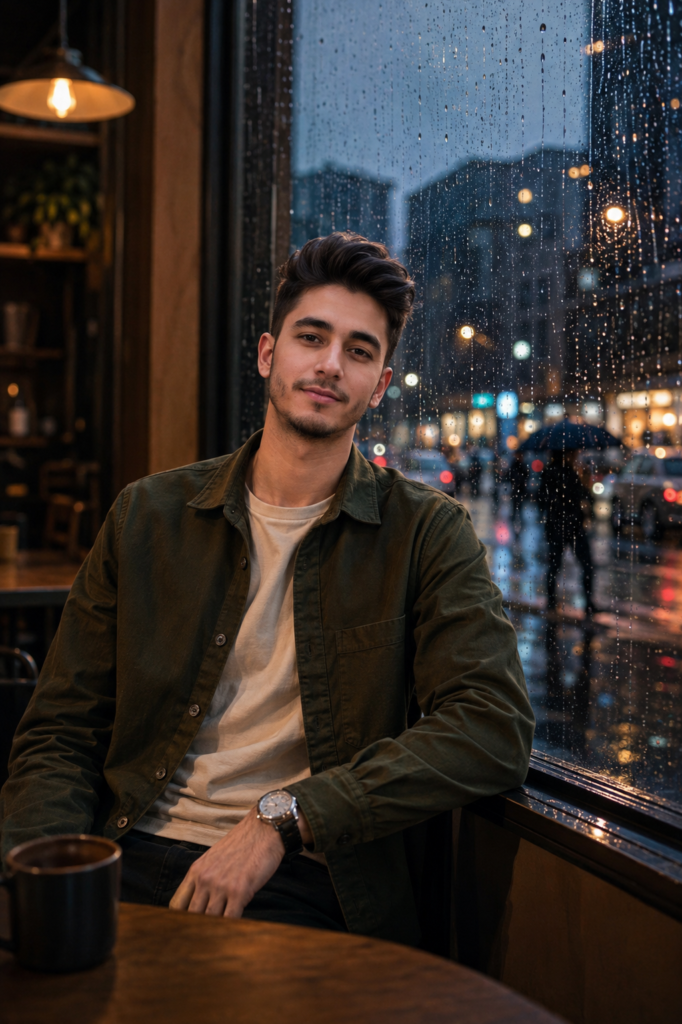
Transform my uploaded photo into a cinematic rainy-window portrait while preserving my recognizable face, facial structure, hairstyle, skin tone, natural expression, body proportions, and overall identity.

Place me sitting beside a large rain-covered window inside a modern cozy café during a rainy evening. The window should occupy a significant part of the composition, with realistic raindrops and thin streams of water running naturally down the glass.

Keep me positioned slightly beside the window rather than directly against it. Give me a relaxed, thoughtful pose with one arm resting naturally on the table and my body turned slightly toward the camera.

Dress me in a sophisticated dark olive-green overshirt layered over a plain cream T-shirt, with relaxed dark trousers and a simple silver watch. Keep the outfit modern, minimal, and realistic with natural fabric folds.

Outside the window, show a softly blurred urban street after rain. Include distant pedestrians carrying umbrellas, a few cars, glowing storefronts, street lamps, and colorful city lights reflected across the wet pavement.

Use soft warm café lighting on my face while keeping the outdoor environment cooler and darker. Create a natural contrast between the warm interior and the cool rainy city outside.

The raindrops on the glass should remain sharply believable, with different sizes, natural trails, tiny reflections, and realistic refraction. Do not place artificial rain directly over my face or clothing.

Use a professional 50mm photography perspective with shallow depth of field. Keep my eyes, facial features, hair, and upper body detailed while allowing the background and distant city lights to create soft cinematic bokeh.

Preserve realistic skin texture, natural hair strands, subtle facial details, accurate hands, realistic clothing texture, believable reflections, and physically consistent shadows.

Use a sophisticated color palette featuring deep charcoal, muted green, warm amber, soft cream, and cool blue-grey tones. Apply subtle cinematic color grading with gentle contrast, slightly softened highlights, and natural skin tones.

Make the final photograph look like an authentic professional lifestyle photograph captured through a real rainy café window with a modern high-end camera.

Do not change my identity or facial characteristics. Do not make the face overly perfect or artificially smooth. Keep the result natural, realistic, atmospheric, and suitable for a premium Instagram photography aesthetic.
Negative Prompt
For AI tools that support negative prompts, use:
distorted face, changed identity, different person, plastic skin, excessive skin smoothing, beauty filter, unrealistic eyes, deformed hands, extra fingers, missing fingers, duplicated limbs, unnatural body proportions, fake rain, rain covering face, unrealistic water droplets, warped window, distorted reflections, floating objects, duplicate people, deformed umbrellas, distorted cars, unrealistic buildings, excessive HDR, oversaturated colors, cartoon style, anime style, artificial lighting, blurry face, low resolution, excessive sharpening, fake skin texture, bad perspective, messy composition
How to Create a Realistic Rainy Portrait
1. Keep the Window Between the Camera and Background
A realistic rainy-window photograph works best when the raindrops appear on the glass rather than directly on the subject. This creates natural depth between the person, window, and city outside.
2. Use Two Different Light Sources
Ask the AI to use warm café lighting on the subject and cooler blue-grey lighting outside. This creates the cinematic contrast commonly seen in professional evening photography.
3. Add Reflections Carefully
Reflections from street lights, cars, and storefronts should appear naturally on the wet glass and pavement. Excessive reflections can make the image look artificial.
4. Keep the Face Natural
The face should remain recognizable and retain realistic skin texture. Avoid excessive beauty filters because they can make the photograph look AI-generated.
Night Rain Portrait Variation
For a darker nighttime version, replace the outdoor lighting section with:
Set the scene late at night with deep blue ambient light outside, glowing neon signs, blurred headlights, wet asphalt, and scattered reflections across the rainy window. Keep the subject softly illuminated by a warm table lamp inside the café.
Luxury Café Variation
For a premium lifestyle aesthetic, use:
Place me inside an upscale minimalist café with marble tables, warm pendant lights, elegant wooden interiors, subtle greenery, and large floor-to-ceiling windows covered with realistic rain droplets.
Casual Outfit Variation
If you want a more everyday Instagram look:
Dress me in a relaxed beige hoodie layered under a dark denim jacket, straight-fit black jeans, and clean casual sneakers. Keep the styling effortless and contemporary.
Why Rainy Portraits Look Cinematic
Rain naturally creates several elements that photographers use to make images visually interesting. Wet surfaces reflect light, raindrops add foreground depth, and blurred headlights create atmospheric bokeh.
When these elements are combined with warm indoor lighting and a cooler outdoor background, even a simple portrait can develop a strong cinematic appearance.
AI editing makes it possible to recreate this visual style from an ordinary photograph while experimenting with different outfits, locations, lighting conditions, and moods.
Tips for Better Results
For the most realistic output, use a clear original photo with good facial visibility. Avoid extremely blurry or heavily filtered source images.
You can also experiment with:
- Café windows
- Bedroom windows
- Car windows
- Hotel rooms
- Neon city streets
- Monsoon evenings
- Warm indoor lighting
- Blue-hour photography
- Black-and-white rainy portraits
- Moody urban backgrounds
Try changing one element at a time so the AI doesn’t completely alter the original composition.
Final Thoughts
A Rainy Window Portrait AI Photo Editing Prompt can transform an ordinary portrait into an atmospheric cinematic photograph using realistic rain, reflections, warm lighting, and urban bokeh.
The prompt above focuses on maintaining your natural identity while creating a professional rainy-day photography aesthetic. Experiment with different outfits, locations, lighting, and color tones to create a unique version for Instagram, Pinterest, or other social platforms.