

Stranger Things–style AI photo editing is one of the biggest trends on social media right now. The popular sci-fi horror series on Netflix is known for its 80s retro vibes, dark cinematic visuals, supernatural mood, and iconic characters like Eleven and Hopper. After the release of the latest season, the hype grew even bigger, and millions of users started creating Stranger Things–inspired AI portraits online.
Seeing this massive trend, TrendingPrompt.in brings you the best and most viral Stranger Things AI photo editing prompts that you can use on Google Gemini to create stunning cinematic images.
Stranger Things Style AI Photo Editing Prompts chatgpt
Why Do Creators Prefer Google Gemini for Stranger Things AI Edits?
Stranger Things Style AI Photo Editing Prompts Gemini trending prompt
Google Gemini has become the top choice for AI image generation, mainly because of its advanced Nano Banana Technology.
This new upgrade allows Gemini to generate ultra-realistic, sharp, and highly accurate facial details.
Earlier, users relied on other AI tools and then used face-swapping apps to make the images look real — but the results were often blurry, mismatched, or distorted. Now, Gemini can:
Generate realistic Stranger Things–style portraits
Using just one reference photo
Without needing any extra editing or face-swapping
This makes Gemini one of the most reliable and impressive tools for creating cinematic character-style photos.
check this post half body creative Prompts
Best Stranger Things style AI Photo Editing Prompts
prompt 1
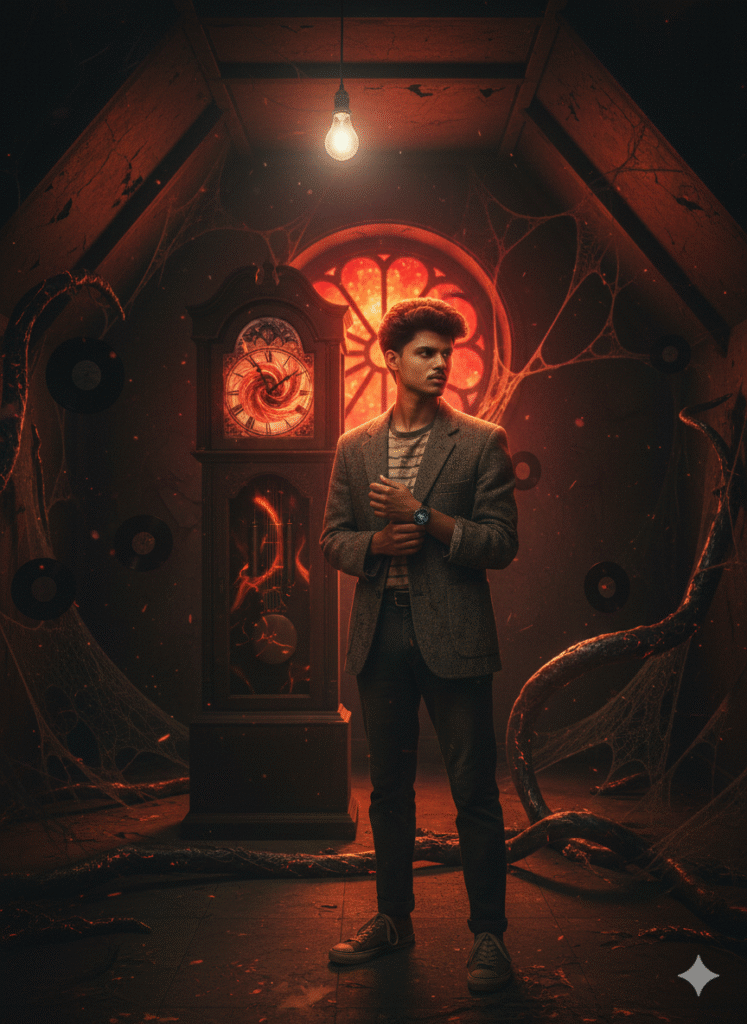
Create image
Produce a dark, atmospheric scene inside the Creel House from Season 4. The person in the reference photo is now standing in the attic with Vecna’s grandfather clock behind them. Preserve every single facial detail, hair, eye direction, and expression from the reference image with zero deviation. Light them dramatically with a single hanging bulb swinging slowly, casting deep shadows and warm orange highlights exactly like the show’s cinematography. Dress them in 1950s-meets-1980s clothing with subtle blood stains and dust. In the background, show the stained-glass rose window glowing red, spiderwebs, floating vinyl records, and Vecna’s tentacles creeping along the walls. Add the signature red-black Upside Down particles in the air. Use Arri Alexa-style digital look mixed with 1980s lens diffusion, strong chiaroscuro lighting, and the eerie silence vibe of the Creel House scenes.
prompt2
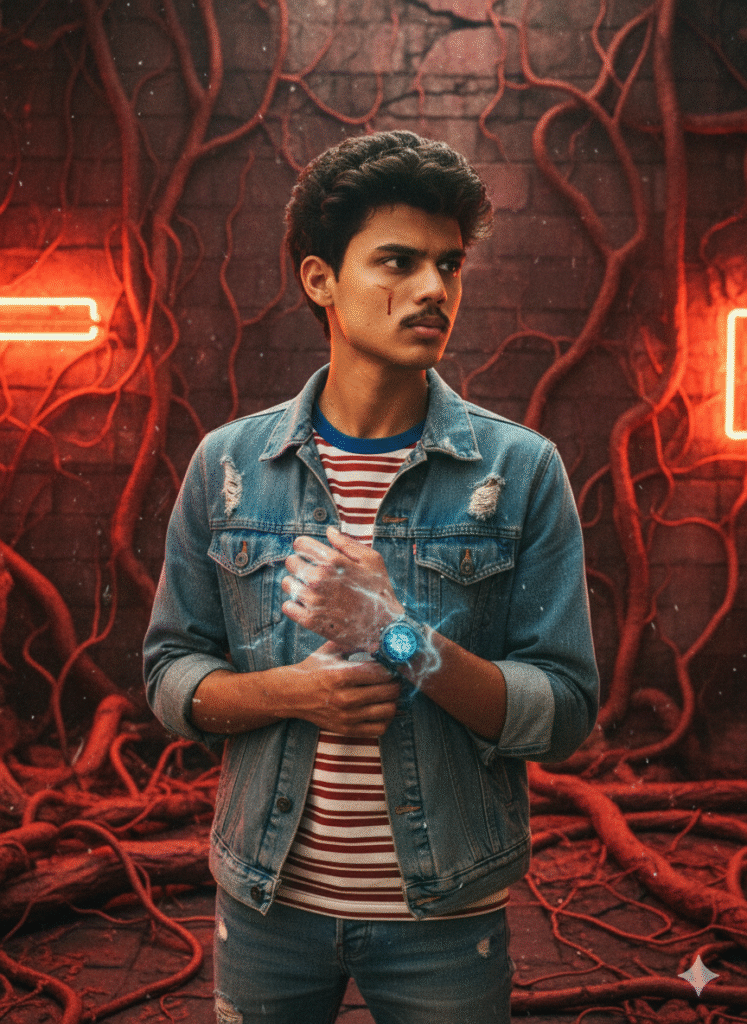
Transform the person in the reference photo into a canonical Stranger Things character while keeping 100% of their real facial features, skin tone, eye shape, hair, expression, and exact age from the photo. Use the official visual style of the show (1980s photography, saturated colors, neon lighting, film grain). Dress them in iconic clothing from Season [insert season], place them in a typical Hawkins or Upside Down background, and add small authentic details like a nosebleed or telekinetic energy if it fits.create image
prompt 3
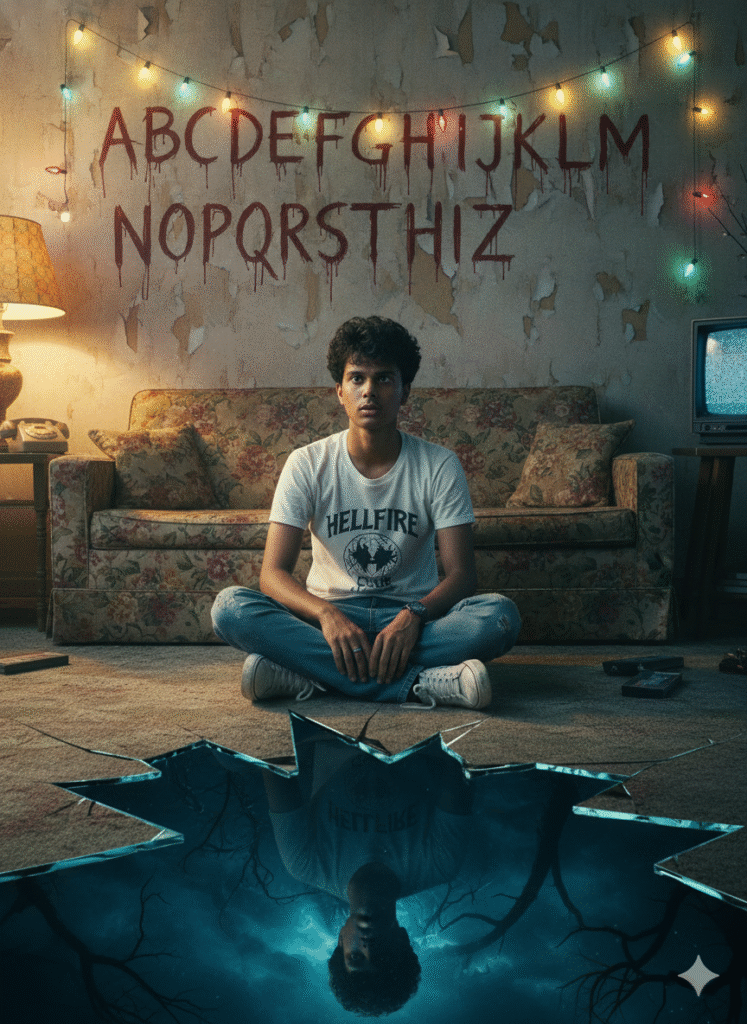
Create a cinematic poster.Show the same person from the reference - sitting con the floor inside a retro 1980s living room - wearing a white and black Hellfire Club t-shirt, blue jeans, white sneakers, the person's expression should be tense and distracted, as senses something unsettling nearby. Behind the person on the wall, include the iconic alphabet painted in a messy, horror-style handwriting, with colorful Christmas lights hanging above each letter. The lights should glow faintly, adding a chilling ambience to the room. In the foreground, at the bottom of the image, show a cracked reflective surface leading into a dark supernatural world - like a portal to the Upside Down - where a distorted shadowy reflection of thesame person appears, surrounded by fog, branches, and eerie blue-black tones.The environment must feel nostalgic and haunted: an old sofa, vintage decor, muted colors, soft film grain, dust particles, and low warm lighting in the living room contrasted with cold, ominous tones in the reflect
Prompt 4
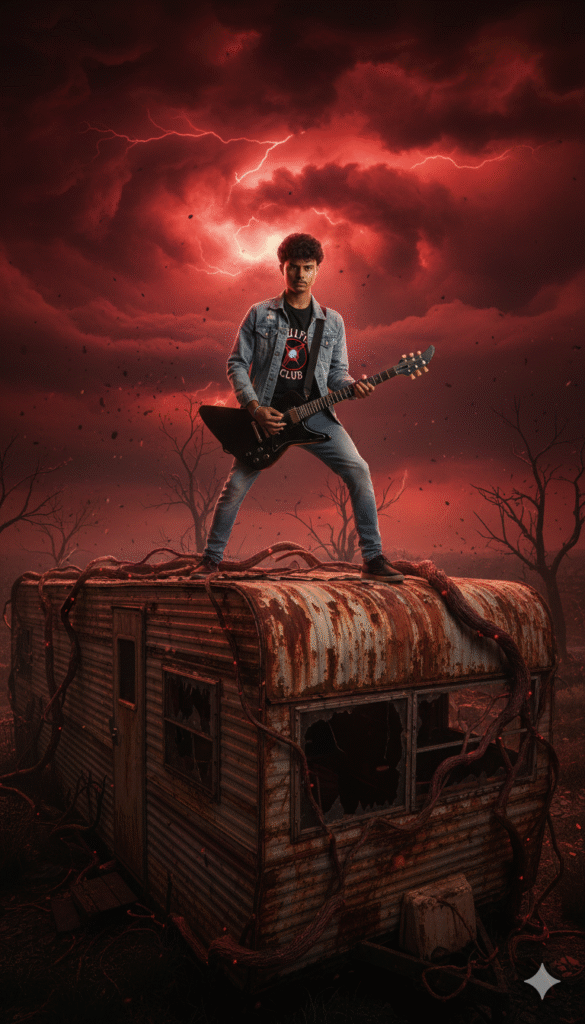
A photorealistic ultra wide shot of this person standing bravely on the roof of a rusted mobile home trailer. They are wearing a Hellfire Club t-shirt, a light blue denim jacket, and light blue denim jeans. They are holding a black Explorer electric guitar in a heroic stance. The environment is the Upside Down dimension: ominous red stormy sky, red lightning, dark clouds, floating ash particles, and creepingvines.
prompt. 5
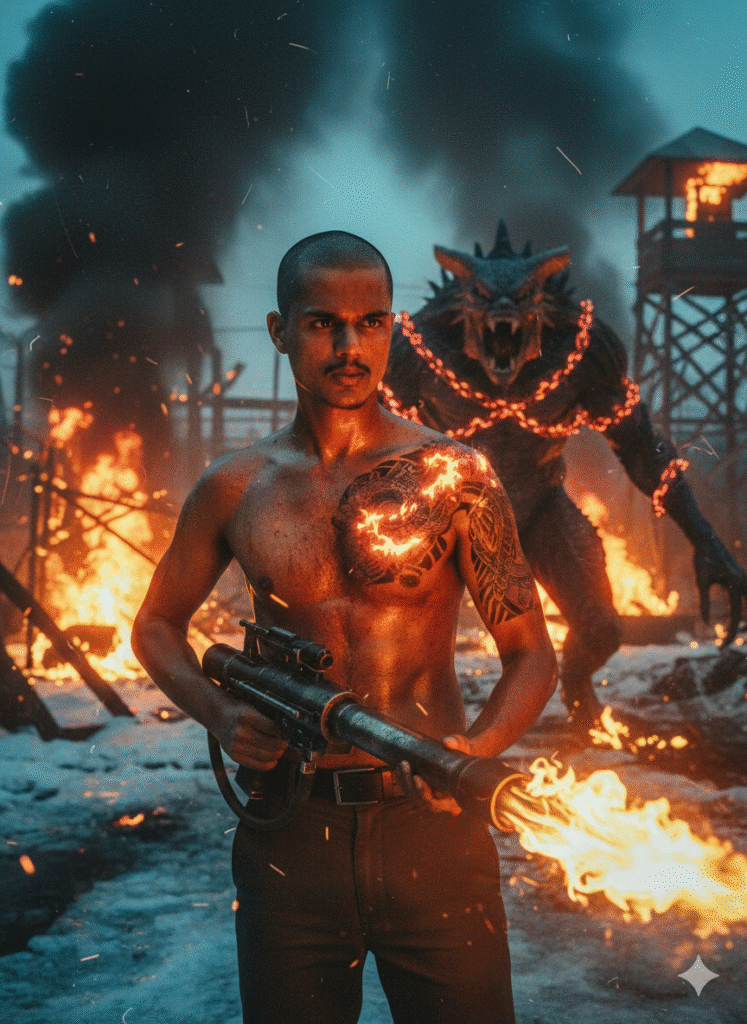
Turn the person in the reference photo into Chief Jim Hopper straight out of the Russian prison in Season 4, preserving 100% of their real facial features, beard length and style from the reference, eye intensity, scars, exact age and brutal expression. Show him shirtless with the massive flamethrower, body covered in sweat, blood, and ash, shaved head, dragon tattoo glowing under fire light. Background: burning Russian gulag, Demogorgon roaring in chains, snow mixed with fire. Lighting: intense orange fire light + cold blue snow reflections. Use gritty 35mm film look, smoke, embers, lens dirt, and maximum “I’m back from the dead” badass energy. Use the face from the uploaded reference image and preserve the same facial features – do not alter the face.
prompt.6
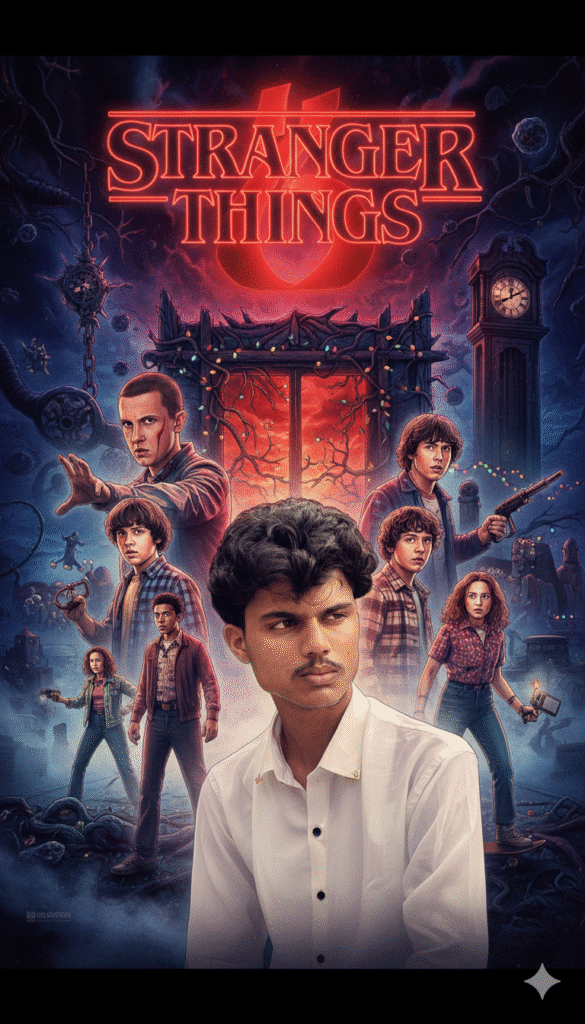
Generate an official Stranger Things season poster in the exact style of Netflix’s promotional key art, using the person in the reference photo as the central protagonist. Strictly respect every visual detail from the reference: face, hair, expression, lighting, clothing, and pose must be identical. Place the other main characters (Eleven, Mike, Dustin, Lucas, Max, etc.) in the background in their classic poster poses. Include the iconic red Stranger Things logo typography, fog, Christmas lights, grandfather clock, Upside Down gate, and full retro 80s aesthetic exactly like the real posters.
prompt.7
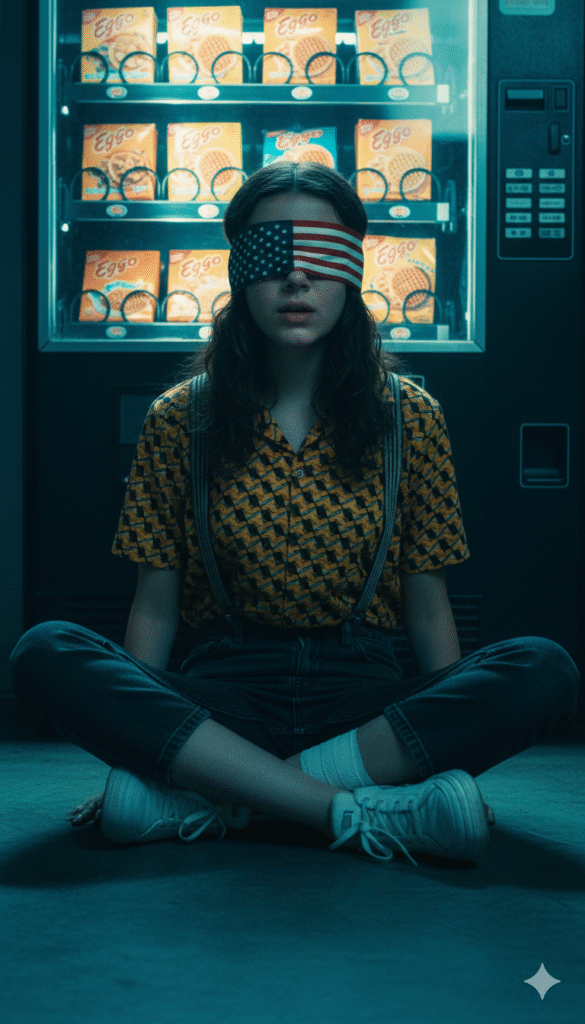
Create a high-quality realistic photo using the face from the reference without any changes.• Character: a young, slender girl with long wavy hair, styled as Eleven from Stranger Things.• Blindfold: a USA-flag blindfold covering her eyes.Clothing: a short-sleeved collared shirt with a dense yellow-and-black geometric pattern, tucked into dark pants or jeans with crossedsuspenders; anay be visible.Footwear: light, chunky sneakers; a white bandage on her ankle.• Pose: sitting on the floor with her legs crossed or tucked under her, looking straight ahead with her mouth slightly open.Background: a vending machine or counter behind her with neat rows of waffle packages resembling Eggo.• Atmosphere: dark, cold, cinematic, with dominant blue and turquoise tones.• Style: dramatic, hyperrealistic, film-like, with an '80s retrowave mood; backlighting or vending-machine lighting creates deep
prompt.8
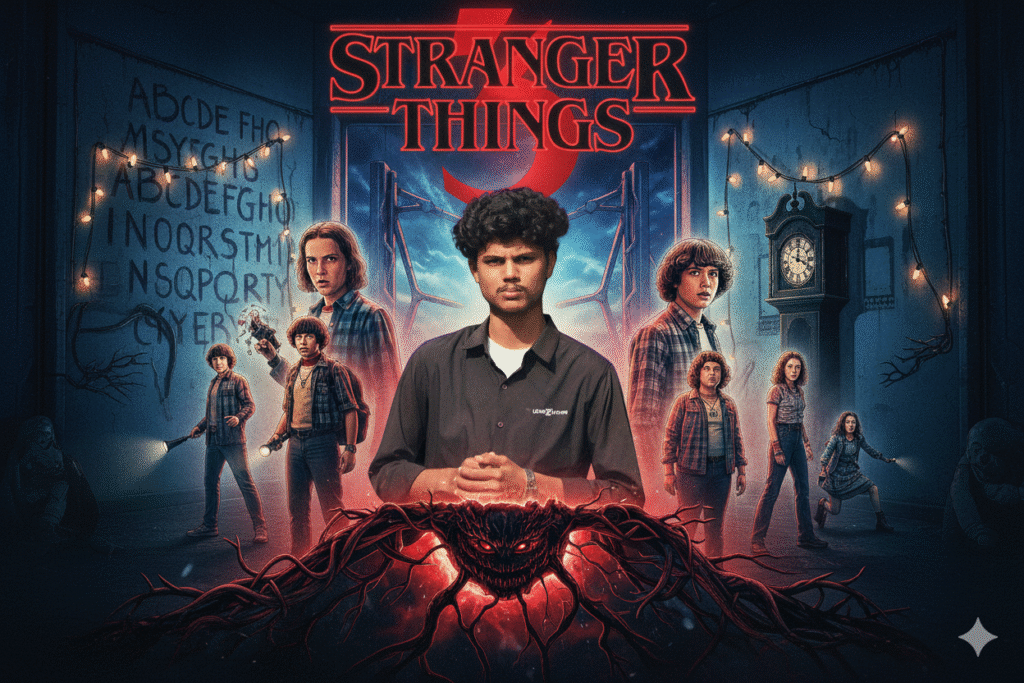
A close-up, cinematic portrait of a young man(same facial structure as image), 20s, with a modern haircut (short on sides, longer on top, styled back). He has a serious, intense expression, looking directly forward. His face is strongly lit with a split lighting effect: a cool blue light on the left side of his face and a warm red light on the right side. He is wearing an unzipped, dark olive green military-style jacket over a plain white crew-neck t-shirt. Below him, in the foreground, is a highly detailed, small Demogorgon creature standing amidst a dark, organic, otherworldly landscape of twisted, slimy black vines, alien plant pods, and dark soil. The background is a smoky, ethereal blend of blue and red mist, creating a deep, atmospheric glow around the subject. The overall aesthetic is dark fantasy, sci-fi horror, and a professional movie poster quality, with dramatic shadows and highlights."Create a high-quality realistic photo using the face from the reference without any changes.• Character: you
How to Create Stranger Things–Style AI Photos?
Stranger Things Style AI Photo Editing Prompts viral Instagram prompt
Follow the simple steps below to turn your normal photo into a dark and cinematic Stranger Things portrait:
- Open Chrome on your phone or PC.
- Search for “TrendingPrompt.in Stranger Things Prompts”.
- Visit the Stranger Things prompt section and copy your favorite prompt.
- Scroll down and tap on Create Your Image.
- Sign in to Google Gemini if needed.
- Upload your real photo and paste the prompt into the prompt box.
- Tap Generate and wait a few seconds.
- If the result needs improvement, tap Regenerate.
- Once satisfied, download your final Stranger Things–style AI image.
Conclusion
Stranger Things Style AI Photo Editing Prompts is trending prompt social media
Stranger Things–style AI photo editing is trending everywhere, and this is the perfect time to try it yourself. With the prompts shared above, you can easily turn your ordinary picture into a dark, cinematic, Stranger Things–inspired portrait using Google Gemini.
If this guide helps you, feel free to share your feedback on TrendingPrompt.in.
And if you face any issue with prompts, editing style, or generation — I’m always here to assist you.


1 thought on “Stranger Things Style AI Photo Editing Prompts”