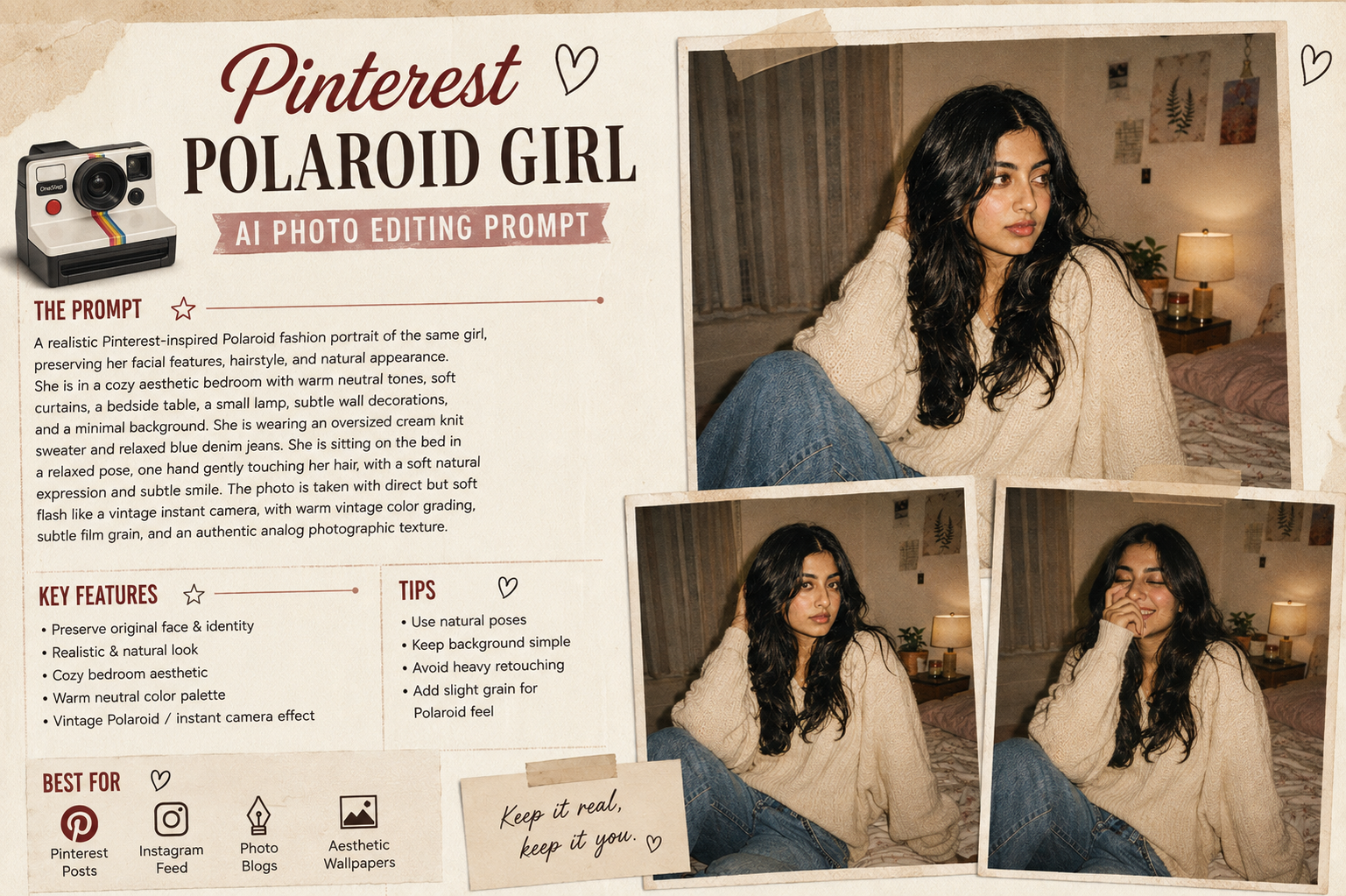
AI photo editing trends are increasingly moving toward realistic photography styles rather than heavy filters. One of the most aesthetic styles for girls is the Pinterest-inspired Polaroid photo look, combining soft flash, vintage colors, subtle film grain and a casual candid pose.
This style can turn an ordinary portrait into a nostalgic fashion photograph while keeping the original face and natural appearance recognizable.
What Is the Pinterest Polaroid AI Photo Trend?
The Polaroid-inspired style gives a photo a nostalgic analog-camera appearance. It usually includes soft direct flash, slightly muted colors, subtle grain, natural shadows and a casual composition.
The result looks less like a heavily edited digital portrait and more like a spontaneous photograph captured on a vintage instant camera.
This style works especially well for:
- Instagram posts
- Pinterest-style portraits
- Profile pictures
- Birthday photos
- Fashion photos
- Café portraits
- Bedroom selfies
- Travel photos
- Casual outfit photos
- Instagram Reels covers
Trending Girl Polaroid AI Photo Editing Prompt
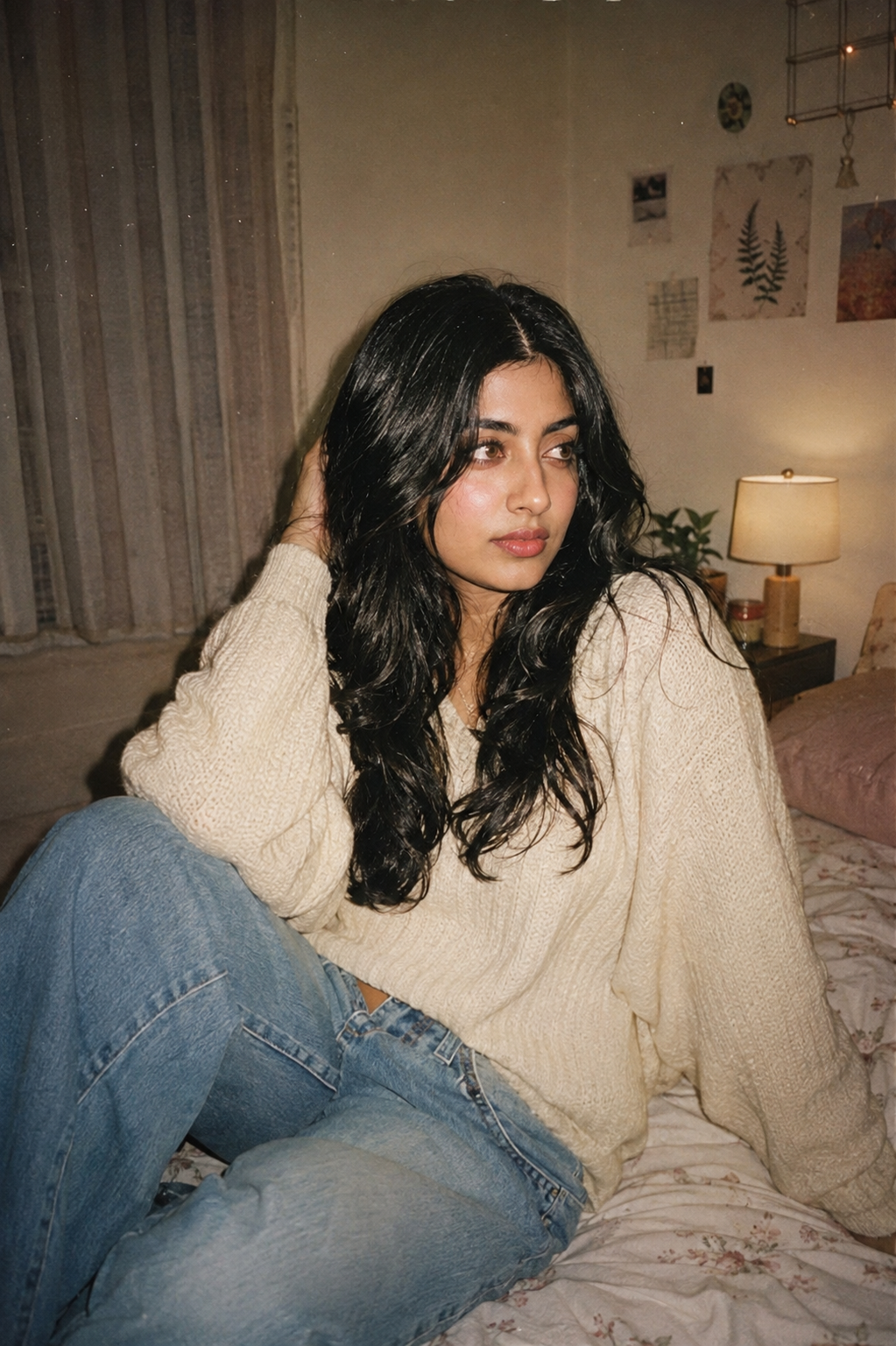
Copy the prompt below into your preferred AI image editing tool:
Transform my uploaded photo into a realistic Pinterest-inspired Polaroid fashion portrait while preserving my recognizable face, facial structure, hairstyle, natural skin tone, body proportions, and overall identity.

Use my uploaded photo as the primary identity reference. Keep my original facial structure, eye shape, nose, lips, jawline, hairstyle, and natural appearance recognizable.

Do not replace my face with another person. Do not reshape or excessively beautify my facial features.

Place me in a cozy aesthetic bedroom with a warm neutral interior, soft curtains, a simple bedside table, a small lamp, subtle wall decorations, and a clean minimal background.

Create a casual candid atmosphere that feels like a spontaneous photograph taken with a vintage instant camera.

Dress me in a stylish oversized cream knit sweater with relaxed blue denim jeans and minimal accessories. Keep the outfit fashionable but natural and realistic.

Give me a relaxed pose with one hand gently touching my hair and the other naturally positioned near my side. Keep my shoulders relaxed and my body proportions realistic.

Maintain a soft natural expression with a subtle smile. Do not exaggerate the expression or dramatically change my facial features.

Use direct but soft on-camera flash similar to a vintage compact camera or Polaroid photograph.

Keep the face naturally illuminated by the flash while allowing soft realistic shadows behind the subject.

Create a warm vintage color palette with cream, beige, muted brown, soft pink, faded blue, and subtle warm highlights.

Add realistic analog-film characteristics including subtle film grain, gentle color fading, slightly softened contrast, natural flash falloff, mild lens imperfections, and authentic photographic texture.

Do not make the image excessively blurry or heavily filtered.

Preserve realistic skin texture, subtle pores, individual hair strands, authentic clothing texture, natural fabric folds, accurate hands, and believable shadows.

Use a natural 35mm photography perspective with realistic proportions and moderate depth of field.

Keep the subject clearly visible while allowing the background to remain slightly softer.

Add a subtle vintage instant-camera aesthetic without adding artificial borders or text unless specifically requested.

The final image should look like a genuine nostalgic fashion photograph captured on an analog camera, not an AI-generated image.

Maintain realistic anatomy, natural body proportions, physically consistent lighting, accurate reflections, and believable environmental details.

Negative prompt:
distorted face, changed identity, different person, altered facial structure, artificial eyes, unnatural smile, plastic skin, excessive skin smoothing, beauty filter, unrealistic makeup, exaggerated facial features, distorted hair, deformed hands, extra fingers, missing fingers, duplicated limbs, unnatural body proportions, exaggerated body, warped clothing, floating accessories, duplicate person, distorted bedroom, unrealistic furniture, fake flash, excessive glow, excessive blur, oversaturated colors, excessive HDR, cartoon, anime, illustration, blurry face, low resolution, fake skin texture, bad perspective, unrealistic shadows, artificial film effect, messy composition
Why This Prompt Is Trending
The main appeal of this style is its authentic and imperfect appearance. Instead of making the subject look overly edited, the prompt recreates characteristics associated with analog photography.
Natural Flash
The direct flash creates a casual snapshot effect and makes the portrait feel like it was captured spontaneously.
Vintage Colors
Muted cream, beige, brown and faded blue tones create a nostalgic Pinterest-inspired appearance.
Film Grain
Very subtle grain helps recreate the texture of an analog photograph without making the image look low quality.
Identity Preservation
The prompt specifically instructs the AI to maintain the original facial structure and natural appearance. This is particularly important when editing a real person’s photograph.
How to Create the Polaroid Girl Photo
Follow these steps:
- Select a clear portrait with the face visible.
- Upload the image to your AI photo editor.
- Copy the complete prompt above.
- Paste the prompt into the image-editing field.
- Generate the image.
- Check the face, hands and body proportions.
- If the face changes, regenerate with stronger identity-preservation instructions.
- If the vintage effect is too strong, ask for lighter film grain and more natural colors.
Best Photos for This Prompt
This aesthetic works particularly well with:
Bedroom Selfies
A simple bedroom background can create an authentic Gen-Z Pinterest aesthetic.
Café Photos
Replace the bedroom with a cozy café and keep the same flash and analog-film instructions.
Mirror Selfies
Add a large mirror and smartphone to create a vintage mirror-selfie variation.
Travel Photos
Use a hotel room, train station or city street for a more spontaneous travel aesthetic.
Fashion Portraits
Change the sweater to a blazer, leather jacket, saree or elegant dress while maintaining the same analog photography style.
How to Keep the Face Natural
For realistic results, avoid excessive instructions such as “perfect face” or “flawless skin.”
Instead, tell the AI to preserve:
- Natural skin texture
- Original facial structure
- Realistic pores
- Individual hair strands
- Natural expression
- Original body proportions
- Authentic facial details
This helps keep the finished image closer to the uploaded photograph.
Extra Prompt for Better Face Matching
If the generated image changes the face too much, add this instruction at the beginning:
Treat the uploaded face as a strict identity reference. Preserve the exact recognizable facial structure, proportions, eye shape, nose shape, lip shape, jawline, skin tone, hairstyle, and natural facial details. Change only the environment, outfit, lighting, and photographic style.
Can You Use This Prompt With Gemini?
Yes. This type of image-editing prompt can be adapted for Gemini and other AI image editors that support uploading an image and applying detailed editing instructions.
For the best result, upload a clear, high-resolution image where the face is visible and not heavily covered by sunglasses, hair or other objects.
Final Thoughts
The Pinterest Polaroid Girl AI Photo Editing Prompt 2026 is ideal for creating a soft, nostalgic and fashionable portrait from an ordinary photo.
The combination of direct flash, muted colors, subtle film grain and realistic skin texture gives the image an authentic analog-camera feeling. Most importantly, the prompt focuses on changing the photography style rather than changing the person.
Try different outfits, locations and poses while keeping the same identity-preservation instructions to create multiple Pinterest-inspired AI portraits.