Cinematic Editorial AI Photo Prompt: Create a Luxury Portrait with Your Own Face
AI photography has made it easier to create cinematic portraits without needing an expensive studio setup. With the right reference ... <p class="read-more-container"><a title="Cinematic Editorial AI Photo Prompt: Create a Luxury Portrait with Your Own Face" class="read-more button" href="https://trendingprompt.in/cinematic-ai-photo-prompt/#more-2606" aria-label="More on Cinematic Editorial AI Photo Prompt: Create a Luxury Portrait with Your Own Face">Read more</a></p>
Related Prompts & Guides

10+ Best AI Birthday Photo Editing Prompts for Girls: Viral ChatGPT & Gemini Prompts (2026)
AI Birthday Photo Editing Prompts for Girls Want to create beautiful birthday photos without booking a…

Halloween AI Photo Prompts: 12 Gemini Prompts for Spooky, Cute and Cinematic Edits (2026)
Halloween AI Photo Prompts Every October, the same costume photos fill Instagram and Pinterest. Pumpkin patch…

10 Best AI Guitar Photo Prompts for Girls 2026 Aesthetic, Realistic & Cinematic Portraits for ChatGPT & Google Gemini
10 Best AI Guitar Photo Prompts for Girls (2026) Introduction: Create Beautiful AI Guitar Photos Are…
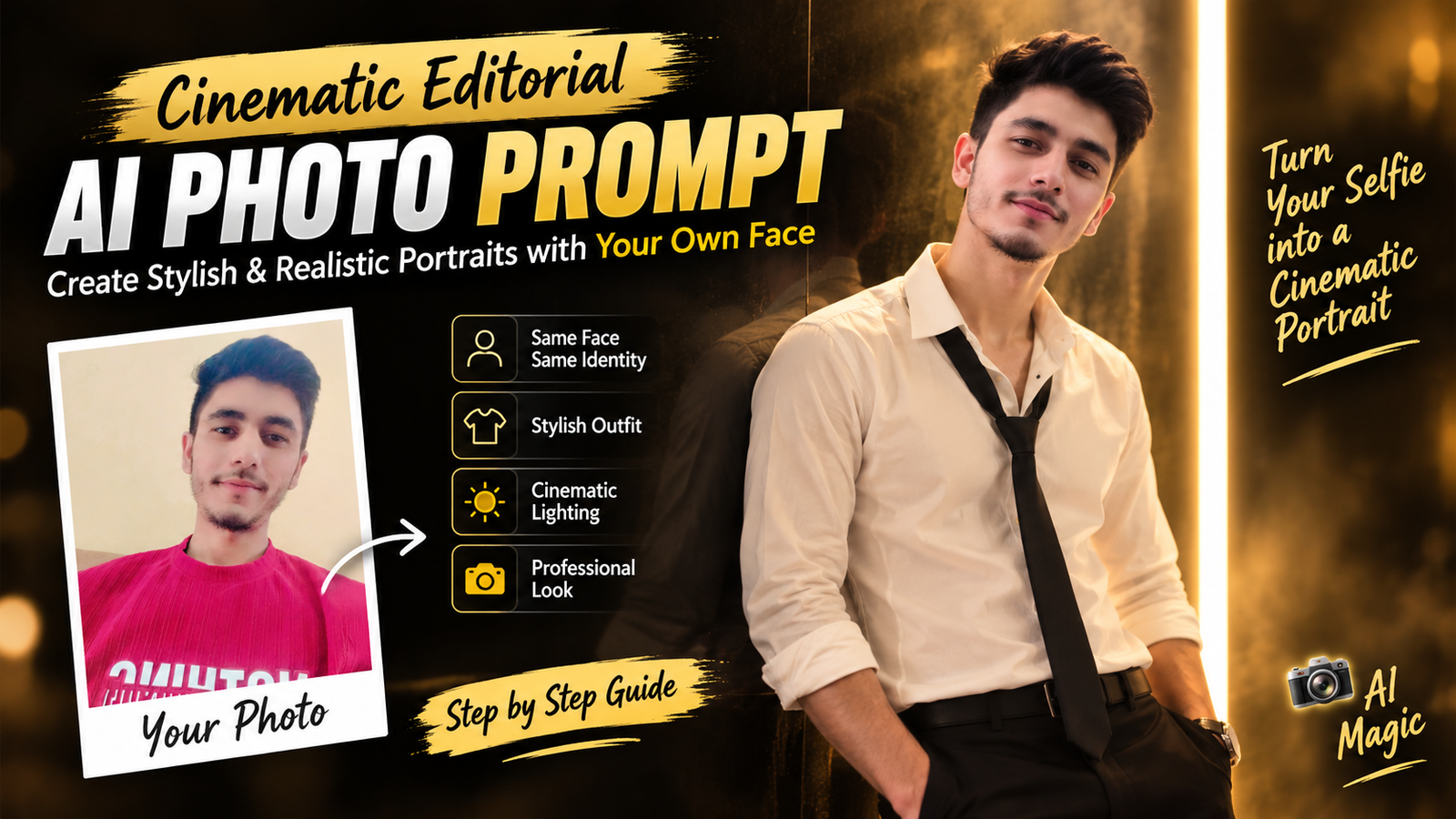
AI photography has made it easier to create cinematic portraits without needing an expensive studio setup. With the right reference image and a detailed prompt, you can transform an ordinary selfie into a sophisticated editorial-style portrait with dramatic lighting, stylish clothing and a premium photography look.
One of the most popular styles is the cinematic editorial portrait. It combines dark backgrounds, warm lighting, confident poses and fashion-inspired styling to create an image that looks like it was captured for a professional magazine or social media campaign.
In this guide, you’ll find one complete AI photo prompt that you can use with your own reference image.
Best Cinematic Editorial AI Photo Prompt
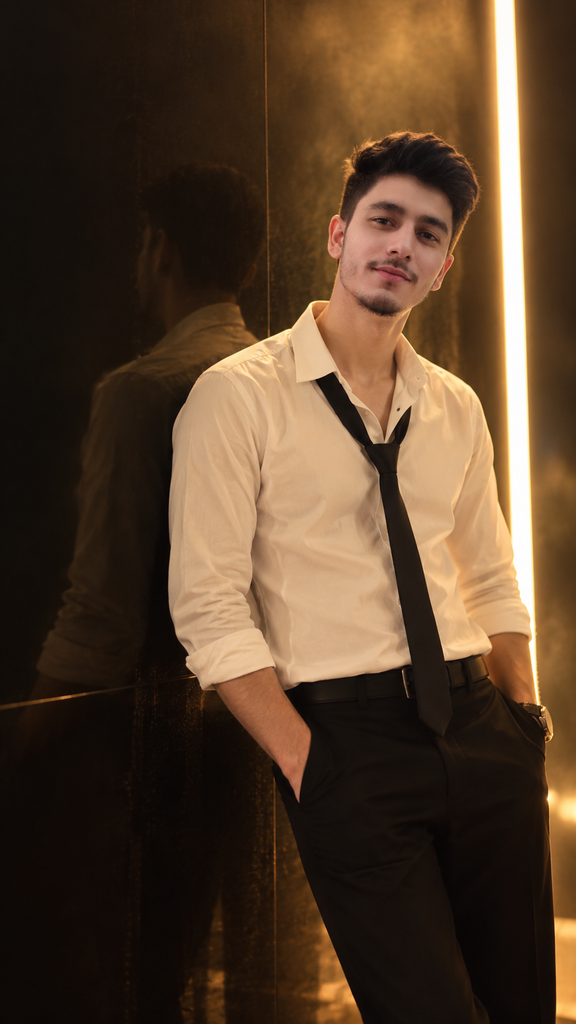
Upload a clear photo of yourself as the reference image and use the following prompt:
Use the uploaded reference image as the identity reference and preserve the same face, facial features, hairstyle, skin tone, body proportions and recognizable identity. Create a highly realistic cinematic editorial portrait of the same young man standing casually against a dark glossy wall in a luxurious modern indoor setting. He is wearing a crisp fitted off-white button-up shirt with the sleeves naturally rolled up, the top buttons slightly open, and a loosely hanging black necktie, paired with tailored black trousers, a black belt and a minimalist wristwatch. Keep his natural hairstyle and facial structure consistent with the reference image. His body is slightly angled toward the camera, one shoulder naturally closer to the wall, with both hands relaxed near the trouser pockets. His head is slightly tilted and he looks directly toward the camera with a calm, confident and intense expression. A narrow vertical warm-white light strip is positioned along the right side of the background, creating dramatic rim lighting around his hair and shoulder. Subtle atmospheric haze is visible around the light source, adding depth without obscuring the subject. The dark glossy wall creates a soft natural reflection behind him. Sophisticated luxury fashion editorial aesthetic, premium cinematic photography, warm amber lighting, deep shadows, realistic skin pores and facial texture, natural hair strands, detailed shirt and tie fabric, realistic hands and fingers, accurate body proportions, professional DSLR photography, 85mm lens, shallow depth of field, cinematic bokeh, realistic reflections, subtle film-like contrast, natural color grading, ultra-photorealistic 4K quality, vertical 9:16 composition, no text, no watermark, no logo, no cartoon effect, no artificial skin, no distorted face, no extra fingers, no deformed hands.
Why This Cinematic AI Prompt Works
A detailed prompt gives the AI clear instructions about the entire composition rather than focusing only on the background.
This prompt defines the subject, outfit, pose, lighting, environment, camera style and image quality. As a result, the generated image has a more controlled editorial appearance.
The dark background combined with warm amber lighting creates contrast, while the vertical light strip adds a dramatic visual element.
How to Use Your Own Photo as a Reference
Start with a clear photograph where your face is visible. A front-facing or slightly angled portrait can provide useful information about your facial structure and hairstyle.
Upload the image as the reference and then use the cinematic prompt. The prompt specifically asks the image generator to maintain the reference identity while changing the clothing, environment and overall photography style.
For better consistency, avoid using a reference photo that is extremely blurry, heavily filtered or has the face covered.
The Importance of Lighting
Lighting is one of the most important elements of a cinematic portrait.
The warm vertical light in this concept creates a strong contrast between the dark environment and the subject. It also adds a subtle highlight around the hair and shoulders.
Warm amber lighting works particularly well with cream or off-white clothing because it creates a sophisticated luxury appearance.
Choosing the Right Outfit
A simple outfit can often produce a more premium editorial result than an overly complicated one.
The combination of an off-white shirt, black tie and tailored black trousers creates a classic fashion look. A minimalist watch adds a small accessory without distracting from the face.
You can experiment with similar neutral combinations while keeping the overall styling clean and sophisticated.
Creating a Natural Pose
The pose should look relaxed rather than overly staged.
A slightly angled body, relaxed shoulders, one shoulder closer to the wall and hands near the trouser pockets create a confident editorial appearance.
The head can be slightly tilted while maintaining direct eye contact with the camera. This gives the portrait a stronger personality without making the pose look unnatural.
How to Make the Background Look Realistic
A completely empty black background can make an AI portrait look artificial. Adding a glossy wall, subtle reflection and atmospheric haze creates additional depth.
The vertical light source also provides a realistic environmental element and gives the image a clear visual direction.
The background should remain slightly out of focus so that the subject stays the main focal point.
Best Aspect Ratio for Instagram
A 9:16 vertical composition works particularly well for Instagram Reels and Stories.
The same concept can also be adapted to other formats:
- 9:16 — Reels and Stories
- 1:1 — Instagram profile picture
- 4:5 — Instagram portrait posts
- 16:9 — Website or blog featured image
When creating a portrait for social media, leave enough space around the subject so important facial and clothing details aren’t lost during cropping.
Tips for a More Realistic AI Portrait
Use a high-quality reference image and avoid excessive beauty filters.
Keep the lighting believable and ask for realistic skin texture rather than perfectly smooth skin. Natural hair strands, realistic hands, accurate body proportions and detailed clothing can also improve the final result.
If the first generation doesn’t match your face closely enough, try generating another version using the same reference image and prompt.
Different AI image generators can produce different levels of identity consistency, so results may vary.
FAQ
What is a cinematic editorial AI photo?
A cinematic editorial AI photo is an AI-generated portrait designed to resemble professional fashion or magazine photography. It usually combines dramatic lighting, sophisticated styling, realistic textures and cinematic composition.
Can I use my own face for this AI photo?
Yes. You can upload your own photograph as a reference image and use the prompt to create a new scene while asking the AI to maintain your recognizable facial characteristics.
How can I improve face consistency?
Use a clear reference image and include detailed instructions about preserving the same facial features, hairstyle, skin tone and body proportions. Generating multiple variations may also help.
What outfit works best for a cinematic portrait?
Classic neutral combinations such as an off-white shirt, black trousers and a black tie can create a sophisticated editorial appearance. Minimal accessories usually work better than excessive styling.
Why is warm lighting used in this prompt?
Warm amber lighting creates contrast and adds a cinematic atmosphere. It can also make the image feel more luxurious and dramatic while keeping the subject naturally illuminated.
Which aspect ratio should I use for Instagram?
For Reels and Stories, 9:16 is ideal for a full-screen vertical presentation. For a profile picture, 1:1 is more suitable.
Final Thoughts
A cinematic editorial portrait doesn’t require a complicated concept. The combination of a clear reference image, sophisticated outfit, natural pose, dramatic lighting and realistic photography details can create a strong visual result.
The prompt in this guide brings these elements together into one complete instruction. You can use it to create a premium-looking portrait while keeping your reference appearance consistent.
Experiment with different indoor backgrounds, lighting directions and fashion outfits while keeping the core identity and realistic photography instructions unchanged. This can help you build a consistent collection of cinematic AI portraits for Instagram and other social media platforms.