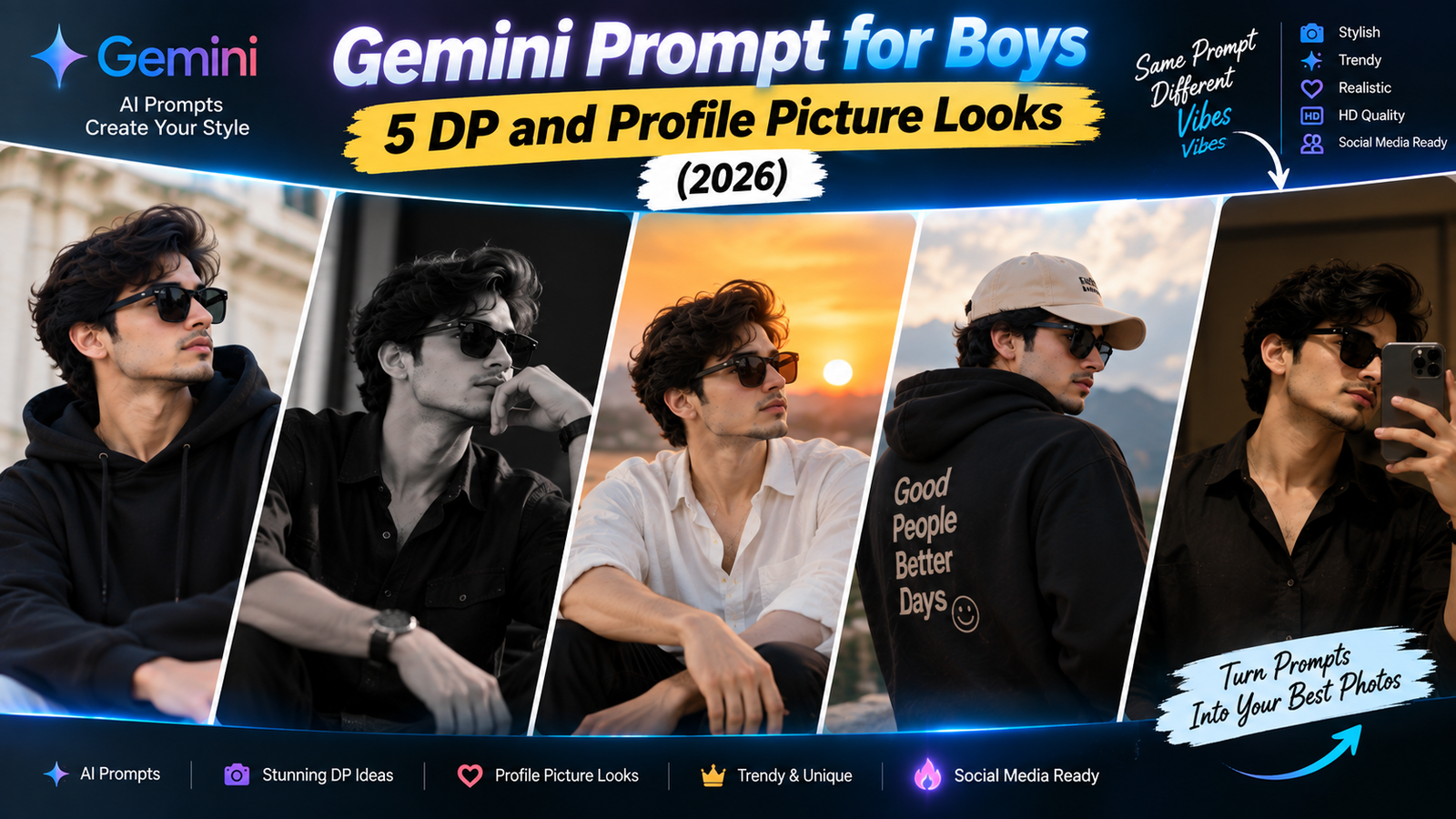
Gemini Prompt for Boys: 5 DP and Profile Picture Looks (2026)
Choosing a new profile picture is harder than it sounds. You want something that looks sharp, not staged, and definitely ... <p class="read-more-container"><a title="Gemini Prompt for Boys: 5 DP and Profile Picture Looks (2026)" class="read-more button" href="https://trendingprompt.in/gemini-prompt-for-boys-5-dp-and-profile/#more-2736" aria-label="More on Gemini Prompt for Boys: 5 DP and Profile Picture Looks (2026)">Read more</a></p>
Related Prompts & Guides

10+ Best AI Birthday Photo Editing Prompts for Girls: Viral ChatGPT & Gemini Prompts (2026)
AI Birthday Photo Editing Prompts for Girls Want to create beautiful birthday photos without booking a…

Halloween AI Photo Prompts: 12 Gemini Prompts for Spooky, Cute and Cinematic Edits (2026)
Halloween AI Photo Prompts Every October, the same costume photos fill Instagram and Pinterest. Pumpkin patch…

10 Best AI Guitar Photo Prompts for Girls 2026 Aesthetic, Realistic & Cinematic Portraits for ChatGPT & Google Gemini
10 Best AI Guitar Photo Prompts for Girls (2026) Introduction: Create Beautiful AI Guitar Photos Are…
Choosing a new profile picture is harder than it sounds. You want something that looks sharp, not staged, and definitely not like everyone else’s AI photo on Instagram. If you have been searching for a good Gemini prompt for boys, this guide is built around one specific goal: getting a DP-ready photo that still looks like a real picture of you, not an obvious AI edit.
Below are 5 prompts made for different platforms, WhatsApp, Instagram, LinkedIn, gaming profiles and a bold single-colour poster style, along with what to do if the result does not look right.
What Makes a DP Photo Work
A profile picture is small and often seen in a circle, so details that look fine in a full photo can get lost or look odd when cropped. Keep these in mind before you even open Gemini:
- Keep the face centred and large enough. A photo where your face fills a good portion of the frame works better after Instagram or WhatsApp crops it into a circle.
- Avoid busy backgrounds. A cluttered background becomes distracting once the photo is small.
- Pick one clear mood. Trying to mix “formal” and “edgy” in one photo usually looks confused rather than interesting.
Every prompt below is written with these three points in mind.
How to Use These Prompts in Gemini
- Open the Gemini app or website and sign in with your Google account.
- Upload a clear, front-facing or slightly angled photo where your face is well lit.
- Paste the prompt and adjust anything in [brackets].
- Generate the image and crop it in your mind as a circle before deciding if you like it.
- If it is close, send a short follow-up like “Make the background darker” instead of starting over.
Free limits and image features can change, so check the Gemini Apps Help Center for what is currently available.
Prompt 1: WhatsApp DP with a Soft Blurred Background
WhatsApp DPs are viewed small and often in low light on other people’s phones, so simplicity works better than a busy scene.
Edit this photo into a simple, clear profile picture. Blur the background softly so it does not distract from my face. Use soft, natural lighting that makes my face clearly visible even at a small size. Keep my face, facial features, skin tone, hairstyle and expression exactly the same. Keep natural skin texture and do not smooth or retouch my skin. Do not add text, logos or extra people. Frame the shot from the chest up, with my face centred and large in the frame. The result should look like a real photo taken with a good phone camera.
Good for: WhatsApp, Telegram, basic app profile pictures.
Why it works: “Face centred and large in the frame” matters most here, since a DP that looks fine as a full photo can look tiny and unclear once it is cropped into a small circle.
If it goes wrong: If your face looks too close to the edge, send “Zoom out slightly and centre my face more in the frame.”
Prompt 2: Instagram Grid-Style Portrait
Instagram profile pictures often need to look intentional and stylish, since they represent your whole feed in one small circle.
Edit this photo into a stylish portrait suitable for an Instagram profile picture. Use a plain, softly blurred background in [warm beige / deep green / charcoal grey]. Apply soft directional lighting that creates gentle shadows and depth on my face. Keep the colour tone slightly muted, not bright or oversaturated. Keep my face, facial features, expression, hairstyle and clothes exactly the same. Do not soften my jawline or change my face shape. Do not add text, filters or extra people. The result should look like a real photograph, well composed for a square crop.
Good for: Instagram, Twitter/X, Facebook profile pictures.
Why it works: Asking for a “square crop” composition means important details stay near the centre instead of near the edges, where Instagram often trims the image.
If it goes wrong: If the shadows look too dramatic for a small profile picture, send “Reduce the shadow contrast and keep the lighting softer.”
Prompt 3: LinkedIn Professional DP
LinkedIn is one of the few places where an obviously AI-styled photo can actually hurt your credibility, so this prompt stays close to a real headshot.
Turn this photo into a professional LinkedIn profile picture. Use a plain light-grey or soft blue blurred office background. Apply even, soft studio lighting with no harsh shadows. Keep my face, facial features, skin tone, hairstyle and expression exactly the same. Keep natural skin texture and avoid over-smoothing. If I am not already in formal or semi-formal clothing, keep my current outfit but make it look neat and well-fitted. Do not add logos, text or accessories. Frame the shot from the shoulders up, facing the camera. The result should look like a real headshot taken by a professional photographer.
Good for: LinkedIn, official work profiles, resume-linked photos.
Why it works: This prompt avoids any creative styling on purpose. On LinkedIn, a photo that looks slightly too polished or stylised can come across as less trustworthy than a plain, honest headshot.
If it goes wrong: If the background colour looks distracting, send “Make the background a plain, neutral grey instead.”
Prompt 4: Gaming or Esports-Style Avatar Photo
Gaming and Discord profiles often use a bolder, high-contrast look that stands out in a dark app interface.
Edit this photo into a bold gaming-style profile picture. Use a dark background with a subtle glow in [electric blue / deep purple / neon green] behind my head and shoulders. Apply strong, slightly dramatic lighting on my face while keeping my features clearly visible and natural. Keep my face, facial features, expression, hairstyle and clothes exactly the same. Do not add gaming logos, controllers, text or extra graphics unless I ask for them. Frame the shot from the chest up, centred in the image. The result should look like a real photo with striking, high-contrast lighting.
Good for: Discord, Steam, gaming forums, YouTube gaming channels.
Why it works: Naming the glow colour gives Gemini a clear, controlled effect instead of adding random graphic elements that can look cluttered on a small avatar.
If it goes wrong: If the glow looks too strong and washes out your face, send “Reduce the glow intensity and keep my face naturally lit.”
Prompt 5: Bold Single-Colour Poster Style
This creates a striking, minimal look often used by creators and designers for a memorable, easily recognisable profile picture.
Edit this photo into a bold, minimal poster-style portrait. Use a solid flat background in [mustard yellow / deep red / navy blue]. Apply strong, clean lighting on my face with defined shadows, similar to a graphic poster. Keep my face, facial features, expression and hairstyle exactly the same. Do not change my face shape or add any text, logos or graphic elements to the image itself. Frame the shot from the shoulders up, with my face slightly off-centre for a modern composition. The result should look like a real photograph with a bold, minimal aesthetic.
Good for: Personal branding, creator profiles, portfolio websites.
Why it works: A solid flat background is the easiest kind for Gemini to render cleanly, and it keeps the whole picture instantly recognisable even at a very small size.
If it goes wrong: If the flat colour looks uneven or patchy, send “Make the background a completely flat, even colour with no texture.”
Quick Fixes for Common Problems
- Face looks slightly different: Use a sharper original photo and repeat “keep my face exactly the same” in a follow-up.
- Photo looks fine large but bad when cropped small: Ask Gemini to “keep my face centred and larger in the frame” and regenerate.
- Background colour looks off: Name a more specific shade, such as “deep forest green” instead of just “green.”
- Skin looks plastic or over-smoothed: Send “Bring back natural skin texture and reduce the smoothing.”
- Gemini adds unwanted text or graphics: Repeat “do not add any text or graphic elements” clearly in your next message.
A Quick Note on Using These as Real Profile Pictures
An AI-edited DP is fine for casual use, but keep it recognisably you, especially on platforms like LinkedIn or dating apps, where people expect to meet the person in the photo. Avoid uploading ID cards or private images to any AI tool, and if a platform requires an unedited, recent photo, always follow that rule instead of using an edited one.
Frequently Asked Questions
Which Gemini prompt for boys works best for a small circular DP?
The WhatsApp and Instagram prompts are built specifically for that, since they keep the face centred and large so it stays clear even when cropped small.
Will Gemini change how I actually look?
It can, especially with heavier styling. Keeping the “keep my face exactly the same” line and using a clear starting photo reduces this.
Can I use the same prompt for multiple platforms?
You can, but each prompt above is tuned for how that platform displays the image, so using the matching one usually gives a better fit.
Are these prompts free to use?
Yes, the prompts are free to copy. Gemini’s own image features and daily limits depend on your current plan, so check the Gemini app.
Can I write these prompts in Hindi?
Yes, Gemini understands Hindi and Hinglish, though English usually gives more precise results for lighting and colour details.
How many attempts should I expect before it looks right?
Two or three is normal. If it still is not right, simplify the prompt or try a clearer, better-lit original photo.
Conclusion
A good Gemini prompt for boys should be built around how the photo will actually be seen, small, often circular and viewed quickly. Start with the platform you use most, whether that is WhatsApp, Instagram or LinkedIn, and keep the “keep my face the same” line in every version so the result still looks like you.
For more free, ready-to-use prompt guides, visit Trendingprompt.