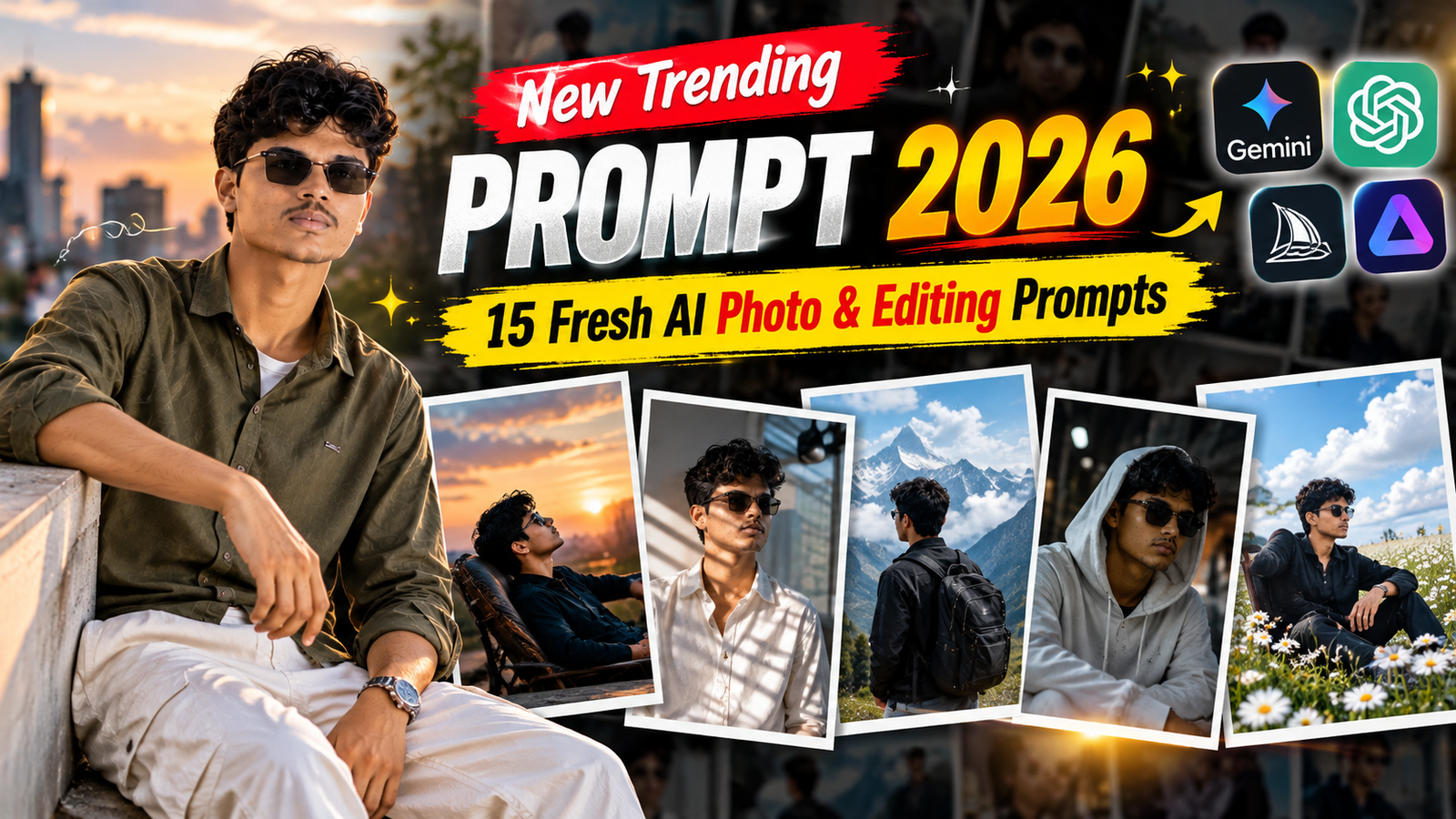
New Trending Prompt 2026: 15 Fresh AI Photo & Editing Prompts
AI photo editing is changing quickly, and new prompt styles are appearing every day. If you are looking for a ... <p class="read-more-container"><a title="New Trending Prompt 2026: 15 Fresh AI Photo & Editing Prompts" class="read-more button" href="https://trendingprompt.in/new-trending-prompt-2026/#more-2836" aria-label="More on New Trending Prompt 2026: 15 Fresh AI Photo & Editing Prompts">Read more</a></p>
Related Prompts & Guides

10+ Best AI Birthday Photo Editing Prompts for Girls: Viral ChatGPT & Gemini Prompts (2026)
AI Birthday Photo Editing Prompts for Girls Want to create beautiful birthday photos without booking a…

Halloween AI Photo Prompts: 12 Gemini Prompts for Spooky, Cute and Cinematic Edits (2026)
Halloween AI Photo Prompts Every October, the same costume photos fill Instagram and Pinterest. Pumpkin patch…

10 Best AI Guitar Photo Prompts for Girls 2026 Aesthetic, Realistic & Cinematic Portraits for ChatGPT & Google Gemini
10 Best AI Guitar Photo Prompts for Girls (2026) Introduction: Create Beautiful AI Guitar Photos Are…
AI photo editing is changing quickly, and new prompt styles are appearing every day. If you are looking for a new trending prompt to create fresh and realistic AI photos, the right prompt can make a big difference.
Instead of using the same portrait style repeatedly, you can experiment with different locations, lighting, outfits, camera styles, and moods.
Here are 15 fresh AI prompts for 2026 that you can copy, paste, and customize.
What Is a New Trending Prompt?
A new trending prompt is a recently popular or fresh AI instruction designed to create a specific visual or creative result.
A useful prompt usually describes important elements such as:
- Subject
- Location
- Clothing
- Lighting
- Background
- Camera style
- Mood
- Image quality
You can also modify these elements to create your own version.
1. Editorial City Portrait
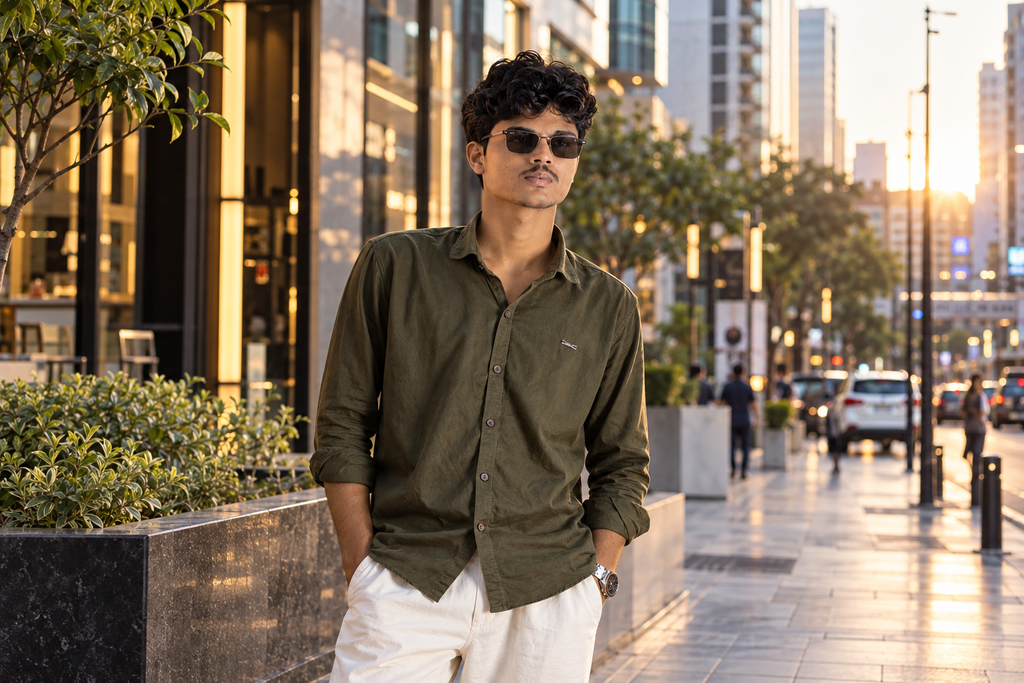
Create a photorealistic editorial portrait using the uploaded reference image. Preserve the person’s natural facial identity and facial structure. Place the subject on a modern city street with contemporary architecture in the background. Use soft evening light, realistic shadows, natural skin texture, detailed clothing, subtle depth of field, and premium fashion photography composition. Keep the final image authentic and realistic.
2. Rainy Street Fashion Prompt
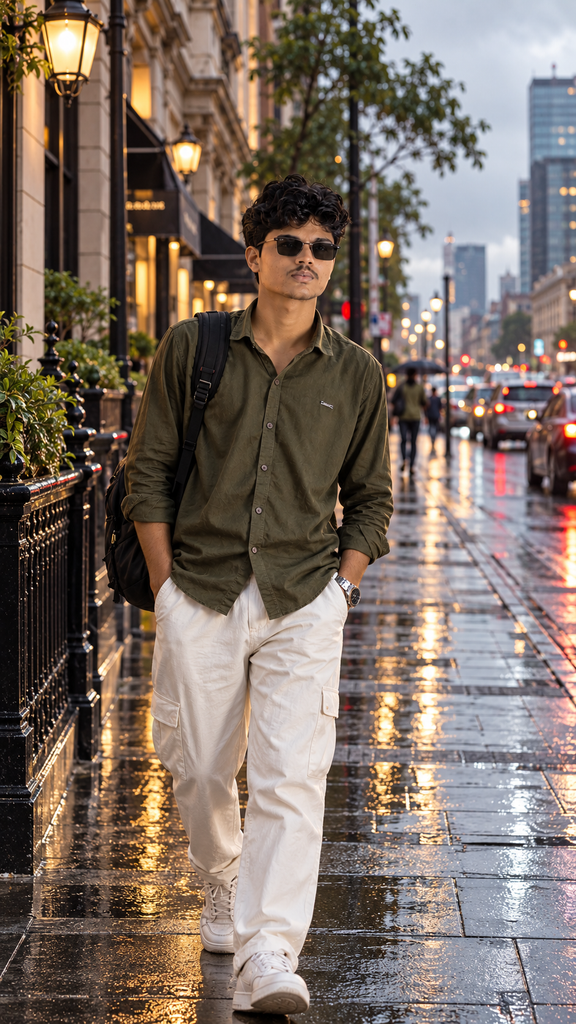
Create a realistic cinematic fashion photograph using the uploaded reference image. Keep the person’s facial identity and natural features consistent. Place the subject on a wet city street shortly after rainfall, with realistic reflections and atmospheric details. Use soft overcast lighting, natural skin texture, detailed clothing, subtle background blur, and documentary fashion photography.
3. Rooftop Golden-Hour Prompt
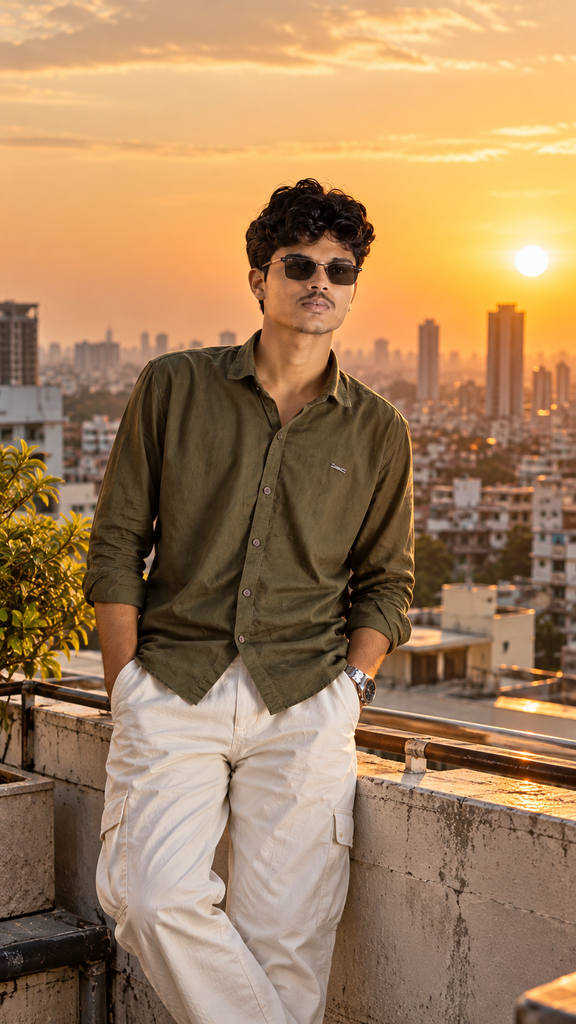
Transform the uploaded reference image into a photorealistic rooftop portrait during golden hour. Preserve the person’s facial identity and natural appearance. Add a realistic city skyline in the background, warm sunlight, natural shadows, detailed clothing, realistic skin texture, subtle lens effects, and professional lifestyle photography composition.
4. Minimal Luxury Portrait
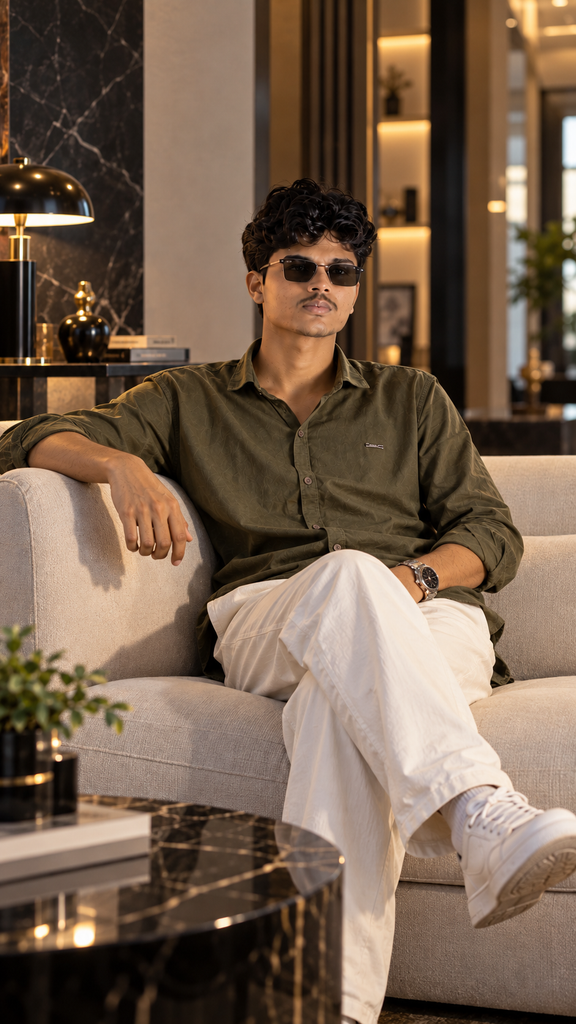
Create a sophisticated luxury portrait using the uploaded reference image. Preserve the subject’s facial identity and natural skin texture. Place the subject in a minimalist premium interior with elegant architectural details. Use soft directional lighting, realistic shadows, detailed clothing textures, shallow depth of field, and high-end editorial photography.
5. Coffee Shop Lifestyle Photo
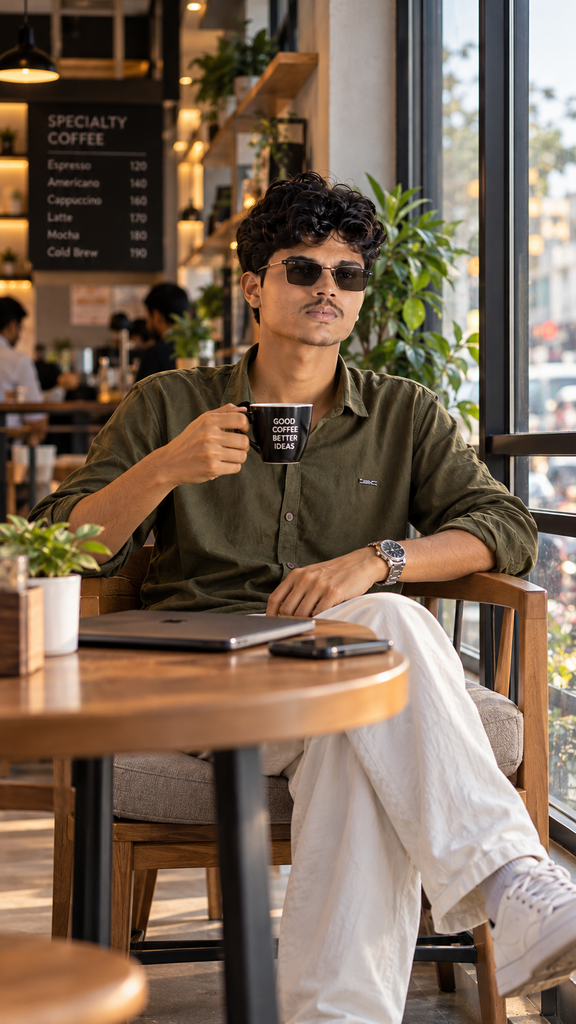
Create a natural lifestyle photograph using the uploaded reference image. Preserve the person’s facial identity and natural features. Place the subject inside a modern cozy coffee shop near a large window. Use soft natural window light, realistic surroundings, authentic textures, casual clothing, natural skin texture, and professional lifestyle photography.
6. Vintage Camera Style Prompt
Create a photorealistic portrait using the uploaded reference image with a subtle vintage photography aesthetic. Preserve the person’s facial identity and natural features. Use realistic film-inspired grain, soft natural lighting, authentic colors, detailed textures, natural shadows, and classic portrait composition. Keep the image realistic rather than heavily stylized.
7. Modern Traditional Look
Create a premium traditional portrait using the uploaded reference image. Preserve the person’s facial identity and natural appearance. Use elegant traditional clothing, realistic fabric details, tasteful accessories, authentic architectural surroundings, soft natural lighting, subtle background blur, and professional portrait photography. Keep the scene natural and sophisticated.
8. Beach Sunset Portrait
Create a realistic cinematic beach portrait using the uploaded reference image. Keep the person’s facial identity unchanged. Place the subject near the shoreline during sunset with realistic ocean details, warm natural light, gentle reflections, natural skin texture, detailed clothing, soft background blur, and professional travel photography composition.
9. Documentary-Style Portrait
Create an authentic documentary-style photograph using the uploaded reference image. Preserve the person’s facial identity and natural appearance. Place the subject in a realistic everyday environment with natural lighting, authentic surroundings, realistic clothing textures, natural skin texture, subtle imperfections, and candid photography composition. Avoid an overly polished AI appearance.
10. Luxury Car Portrait
Create a photorealistic lifestyle portrait using the uploaded reference image. Preserve the person’s facial identity and natural features. Place the subject beside a premium modern car in an elegant urban environment. Use realistic reflections, soft evening lighting, natural shadows, detailed clothing, subtle depth of field, and professional automotive lifestyle photography.
11. Monochrome Fashion Portrait
Create a high-end black-and-white fashion portrait using the uploaded reference image. Preserve the person’s exact facial identity and natural facial structure. Use dramatic but realistic lighting, detailed textures, natural skin detail, strong tonal contrast, subtle background blur, and professional editorial photography composition.
12. Natural Outdoor Portrait
Create a realistic outdoor portrait using the uploaded reference image. Keep the person’s facial identity and natural appearance consistent. Place the subject in a beautiful natural environment with trees and soft daylight. Use realistic shadows, natural skin texture, detailed clothing, subtle depth of field, and professional lifestyle photography.
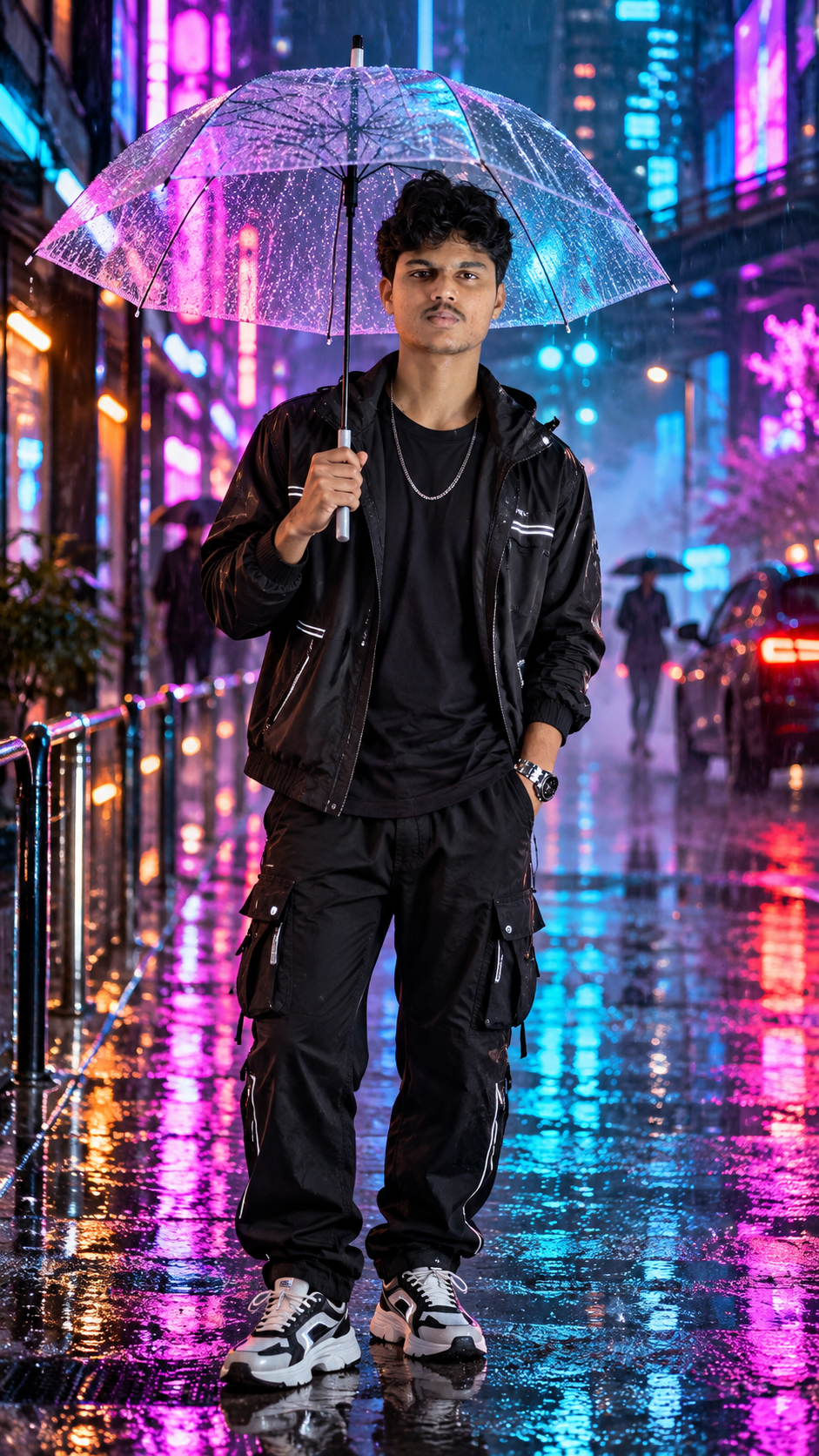
13. Neon Night Portrait
Create a photorealistic cinematic night portrait using the uploaded reference image. Preserve the person’s facial identity and natural features. Place the subject on a modern city street at night with subtle neon signs and realistic reflections on the road. Use balanced artificial lighting, natural skin texture, realistic shadows, detailed clothing, and cinematic photography composition.
14. Magazine Cover Style
Create a premium editorial fashion portrait using the uploaded reference image. Preserve the person’s facial identity and natural appearance. Use a sophisticated studio or architectural background, professional lighting, detailed clothing textures, realistic skin, clean composition, subtle depth of field, and high-end magazine photography aesthetics. Keep the result photorealistic.
15. Fresh Instagram Portrait
Create a fresh and visually appealing Instagram portrait using the uploaded reference image. Preserve the person’s facial identity and natural features. Use a modern environment, stylish but realistic clothing, natural cinematic lighting, realistic textures, subtle background blur, balanced composition, and professional social media photography. Avoid excessive retouching and keep the final image believable.
How to Customize These New Prompts
You can make each prompt unique by replacing individual elements.
Change the location
Try:
- Rooftop
- Café
- Beach
- City street
- Garden
- Railway station
- Modern building
- Studio
Change the lighting
Try:
- Golden hour
- Morning sunlight
- Soft window light
- Overcast daylight
- Evening light
- Neon lighting
- Studio lighting
Change the photography style
Try:
- Cinematic
- Editorial
- Documentary
- Fashion
- Lifestyle
- Travel
- Street photography
A Simple Formula for Creating New AI Prompts
You can create your own prompts using this structure:
Reference Image + Subject + Location + Outfit + Lighting + Camera Style + Mood + Realistic Details
For example:
Use the uploaded reference image + modern rooftop + casual fashion + sunset lighting + editorial photography + confident mood + natural skin texture.
This gives you a flexible starting point for creating completely different AI images.
Tips for Better AI Photo Editing
Use a clear reference photo
A clear image with the face visible can make identity-based editing easier.
Give the AI a specific environment
A detailed location usually communicates your desired scene better than a generic instruction.
Keep important identity instructions clear
If you are editing a person’s photograph, clearly mention that the person’s facial identity and natural features should remain consistent.
Use realistic photography terms
Terms such as natural lighting, realistic shadows, authentic textures, shallow depth of field, and natural skin texture can help define the visual direction.
Experiment with one change at a time
Try changing the background first, then lighting or clothing. This makes it easier to understand which instruction affects the final result.
Frequently Asked Questions
What is a new trending prompt?
It is a fresh AI prompt designed around currently popular creative styles or image-editing ideas.
Can I use these prompts with Gemini?
You can adapt these prompts for Gemini and other AI tools that support detailed image-generation or image-editing instructions.
Can I change the locations in these prompts?
Yes. Changing the location is one of the easiest ways to create a new variation while keeping the main prompt structure.
Are these prompts only for Instagram?
No. They can also be adapted for profile pictures, personal projects, creative experiments, portfolios, and other social media content.
Conclusion
A new trending prompt doesn’t have to be complicated. A clear description of the subject, environment, lighting, photography style, and desired mood can provide a strong starting point for AI image creation.
Try these 15 prompts, customize different elements, and combine your favorite styles to create fresh AI photo ideas in 2026.