Qutub Minar AI Photo Prompt: Create Realistic Instagram Photos in Delhi
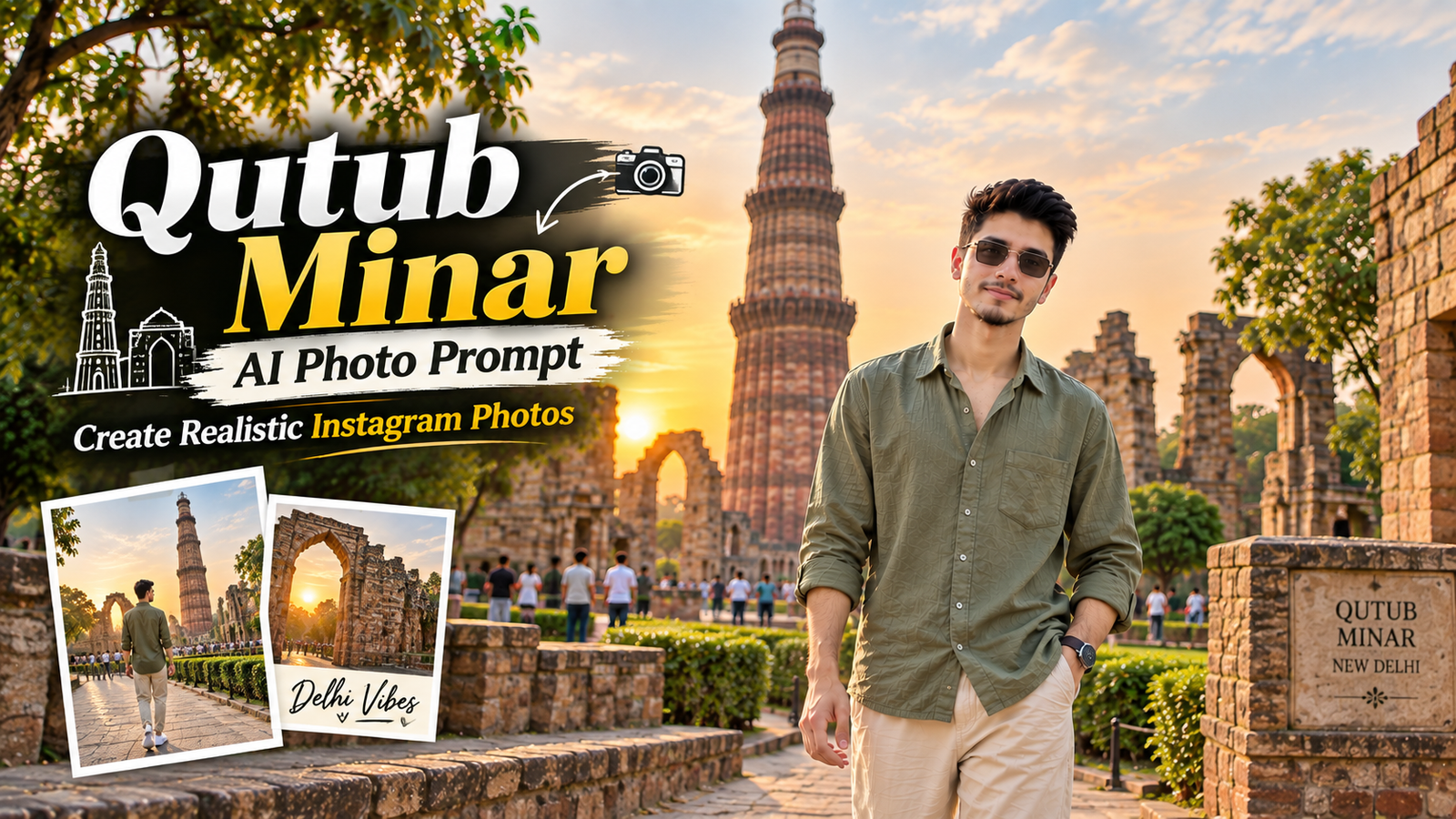
Want to create a realistic AI photo of yourself at one of Delhi’s most iconic landmarks? Qutub Minar AI Photo ... <p class="read-more-container"><a title="Qutub Minar AI Photo Prompt: Create Realistic Instagram Photos in Delhi" class="read-more button" href="https://trendingprompt.in/qutub-minar-ai-photo-prompt/#more-2600" aria-label="More on Qutub Minar AI Photo Prompt: Create Realistic Instagram Photos in Delhi">Read more</a></p>
Related Prompts & Guides

10+ Best AI Birthday Photo Editing Prompts for Girls: Viral ChatGPT & Gemini Prompts (2026)
AI Birthday Photo Editing Prompts for Girls Want to create beautiful birthday photos without booking a…

Halloween AI Photo Prompts: 12 Gemini Prompts for Spooky, Cute and Cinematic Edits (2026)
Halloween AI Photo Prompts Every October, the same costume photos fill Instagram and Pinterest. Pumpkin patch…

10 Best AI Guitar Photo Prompts for Girls 2026 Aesthetic, Realistic & Cinematic Portraits for ChatGPT & Google Gemini
10 Best AI Guitar Photo Prompts for Girls (2026) Introduction: Create Beautiful AI Guitar Photos Are…
Want to create a realistic AI photo of yourself at one of Delhi’s most iconic landmarks? Qutub Minar AI Photo Prompt can help you transform a normal reference photo into a cinematic travel portrait while keeping your appearance consistent.
Qutub Minar offers a beautiful combination of historic architecture, stone textures, greenery and open spaces. With the right prompt, you can create an AI-generated photograph that looks more like a professionally captured travel photograph than an artificial image.
In this guide, you’ll get a detailed Qutub Minar AI Photo Prompt along with practical tips for getting a natural-looking result.
Best Qutub Minar AI Photo Prompt
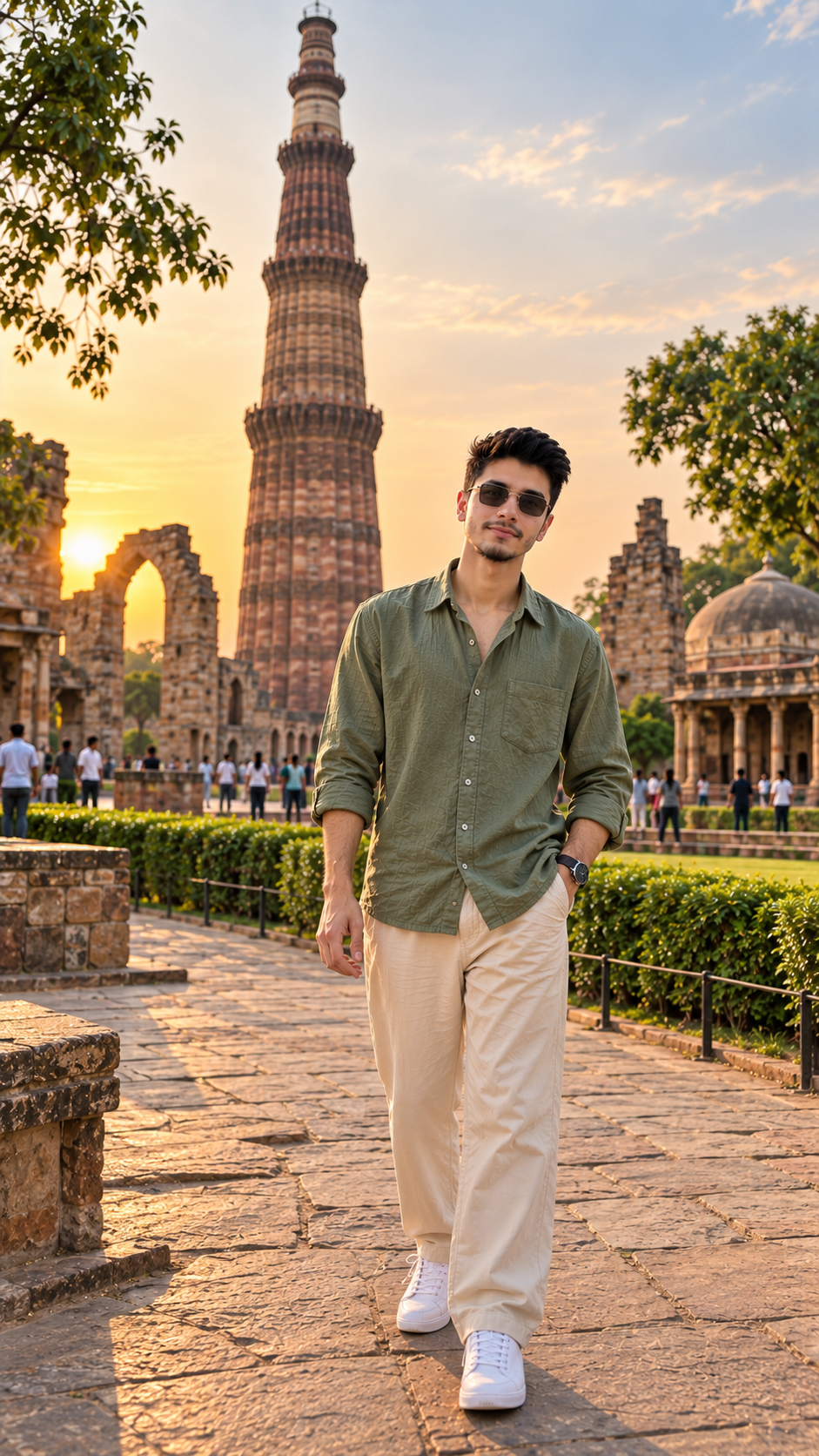
Upload a clear photo of yourself as the reference image and use this prompt:
Use the uploaded reference image and preserve the exact same face, facial features, hairstyle, body proportions and identity of the person. Create a highly realistic cinematic travel-fashion portrait of the same young man standing in the historic Qutub Minar complex in New Delhi. He is wearing a stylish oversized sage-green shirt with the sleeves casually rolled up, relaxed cream-beige trousers, clean white sneakers and a minimalist wristwatch. Keep his hairstyle, facial structure and recognizable appearance consistent with the reference image without changing his identity. He stands naturally on a historic stone pathway, slightly turned toward the camera, with one hand casually in his trouser pocket and a relaxed confident expression. Qutub Minar should be clearly visible behind him with realistic scale, natural perspective and authentic architectural details. Include the surrounding red sandstone monuments, stone walls, green lawns, mature trees and a few distant visitors naturally integrated into the scene. Soft golden-hour sunlight falls across the architecture and subject, creating realistic highlights, gentle shadows and a warm cinematic atmosphere. Use natural depth of field with the subject sharply focused and the background softly blurred. Premium travel-fashion photography, sophisticated Instagram aesthetic, authentic skin texture, realistic facial details, natural hands and fingers, accurate body proportions, detailed shirt and trouser fabric, professional DSLR photography, 85mm lens, shallow depth of field, realistic bokeh, cinematic composition, subtle film-like contrast, natural colors, realistic sunlight, ultra-photorealistic 4K quality, vertical 9:16 composition, no text, no watermark, no logo, no cartoon effect, no artificial skin, no distorted face, no extra fingers, no deformed hands.
Why Use a Qutub Minar AI Photo Prompt?
A simple instruction such as “make my photo at Qutub Minar” doesn’t provide enough information about the desired result.
A detailed Qutub Minar AI Photo Prompt gives the image generator information about several important elements, including:
- The person’s appearance
- Reference-image identity
- Hairstyle and facial features
- Clothing
- Body posture
- Qutub Minar background
- Lighting conditions
- Camera style
- Depth of field
- Image quality
- Instagram aspect ratio
This helps create a more controlled and realistic composition.
How to Get a Better Face Match
The reference image is especially important when you want the generated person to resemble the original photograph.
Use a clear photo with your face visible and avoid heavily filtered or blurry images. A front-facing photograph or a natural three-quarter portrait can provide useful facial details.
At the beginning of your prompt, clearly explain that the same face, hairstyle, facial features and identity should be preserved.
However, AI image generators can still produce variations between generations. If the first result isn’t close enough, generate another version using the same reference image and prompt.
Choose a Natural Outfit
Qutub Minar’s red sandstone architecture works especially well with neutral and earthy clothing.
Cream, beige, olive, white and black outfits can create a sophisticated travel-fashion appearance without competing with the historic background.
For a more casual look, you can use an oversized T-shirt, relaxed trousers and sneakers. For a more premium appearance, a linen shirt, tailored trousers and minimalist accessories can work well.
Use Golden-Hour Lighting
Lighting can make a major difference in an AI-generated photograph.
Golden-hour light creates warm highlights across the architecture and gives the subject a softer appearance. It also produces natural-looking shadows and depth.
For a cleaner travel photograph, morning light can be used instead. For a dramatic fashion photograph, you can experiment with evening light and deeper shadows.
Keep the Pose Natural
A realistic pose is another important part of a convincing AI photograph.
Instead of using an exaggerated fashion pose, choose simple movements such as:
- Walking naturally
- Keeping one hand in a pocket
- Adjusting a watch
- Looking slightly away from the camera
- Standing casually beside a historic wall
Natural body language can make the generated photograph feel more authentic.
Best Instagram Size
If you’re creating the photograph for Instagram Reels or Stories, 9:16 vertical format is a good choice.
For an Instagram profile picture, use 1:1 square format.
If you’re creating a website featured image, 16:9 landscape format is generally more suitable because it works well with most blog layouts.
How to Make AI Photos Look More Realistic
The biggest mistake with AI photography is adding too many artificial effects.
Instead, focus on realistic details such as natural skin texture, believable shadows, accurate body proportions, realistic hands and detailed clothing.
You can also specify a professional camera setup such as an 85mm lens and shallow depth of field to create a portrait-style appearance.
The background should contain realistic environmental details rather than looking completely empty. A few distant visitors, trees and architectural elements can help establish a believable location.
Common Mistakes to Avoid
When creating a Qutub Minar AI Photo, avoid making the prompt unnecessarily complicated.
Some common problems include:
Changing the Face Too Much
If the reference image isn’t clearly described as the identity source, the generated person may look different.
Unrealistic Hands
AI-generated hands can sometimes contain incorrect fingers or unnatural positions. Including realistic hands and fingers in the prompt can help.
Overly Blurred Background
Too much blur can make the location unrecognizable. Keep Qutub Minar visible enough to establish the setting.
Excessive Filters
Strong beauty filters and extreme color effects can make an otherwise realistic photograph look artificial.
FAQ
What is a Qutub Minar AI Photo Prompt?
A Qutub Minar AI Photo Prompt is a detailed instruction used to create an AI-generated photograph at the Qutub Minar complex in Delhi. It can describe the subject, outfit, pose, lighting, background and photography style.
Can I use my own photo as a reference?
Yes. You can upload a clear personal photograph and use it as a reference image. The prompt can instruct the AI to maintain the same visible facial characteristics and hairstyle while changing the environment and clothing.
How do I keep the same face in an AI photo?
Use a clear reference photograph and explicitly instruct the image generator to preserve the same facial features, hairstyle, body proportions and identity. Multiple generations may sometimes be necessary because different AI tools handle identity consistency differently.
What outfit looks best at Qutub Minar?
Earthy and neutral colors such as olive, cream, beige, white and black complement the red sandstone architecture and greenery around Qutub Minar.
Is golden-hour lighting good for Qutub Minar photos?
Yes. Golden-hour lighting can add warm highlights and soft shadows to both the subject and historic architecture, creating a cinematic travel-photography appearance.
Which image size is best for Instagram?
A 9:16 vertical image is suitable for Instagram Reels and Stories, while a 1:1 square image is better for an Instagram profile picture.
Final Thoughts
A well-written Qutub Minar AI Photo Prompt can turn a simple reference photograph into a stylish Delhi travel portrait with historic architecture, natural lighting and a professional photography aesthetic.
The most important factors are a clear reference image, detailed identity instructions, realistic clothing, natural posing and believable lighting. Rather than relying on excessive effects, focus on realistic details and a composition that looks like it was captured with a real camera.
With the prompt provided above, you can experiment with different outfits, poses and lighting styles while creating a consistent collection of Delhi travel photographs for Instagram or your personal projects.