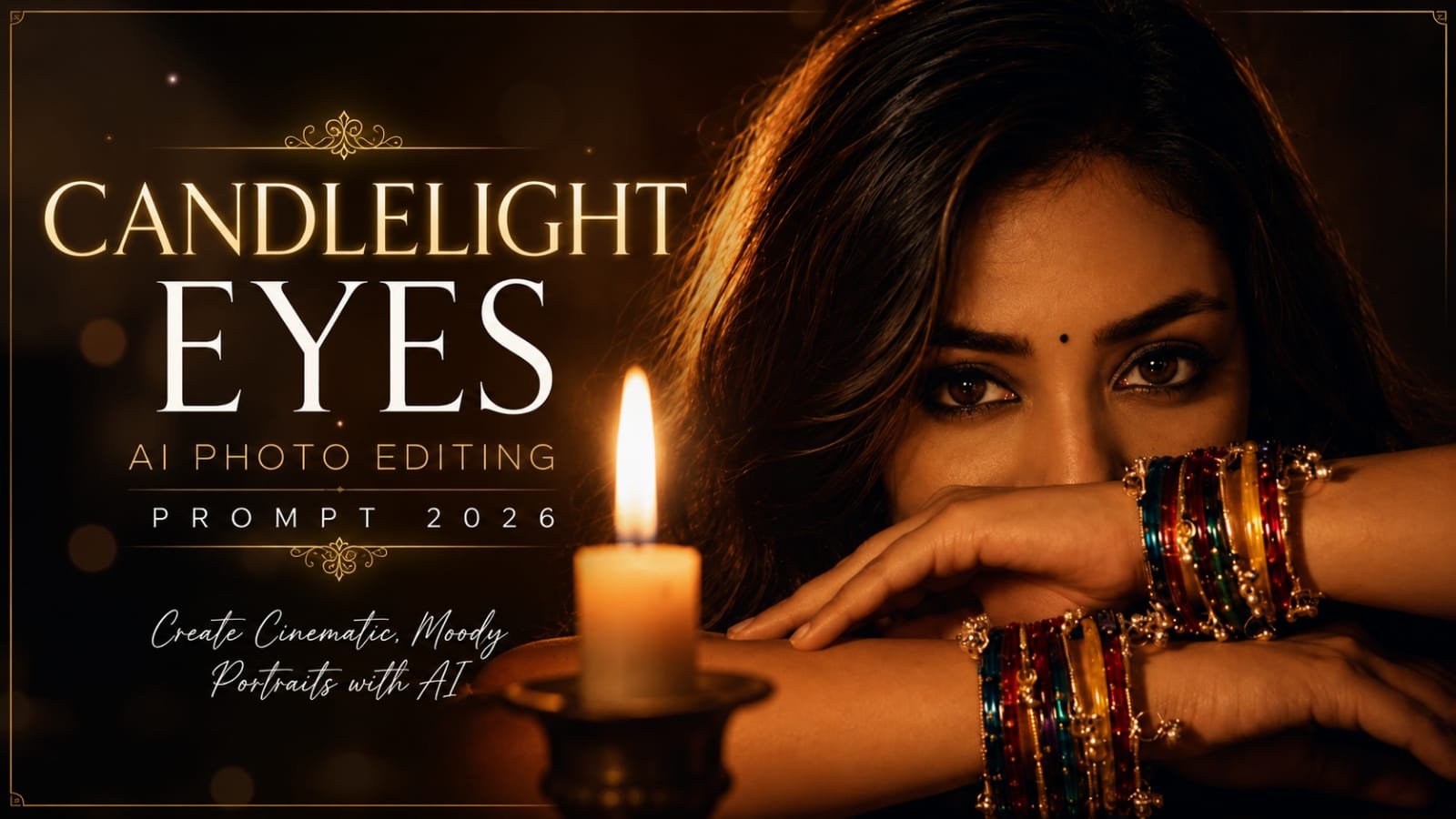
AI photo editing has made it easier than ever to transform an ordinary portrait into a dramatic, cinematic masterpiece. One of the most beautiful styles trending in 2026 is the Candlelight Eyes AI Photo Editing Prompt, which combines warm candlelight, traditional Indian bangles, expressive eyes, and a dark luxury-fashion atmosphere.
The featured portrait captures this aesthetic perfectly. A beautiful Indian woman looks directly into the camera while her colorful bangle-covered arms frame her face. A glowing candle in the foreground adds warmth, depth, and a mysterious cinematic mood.
In this guide, you’ll find a ready-to-use AI prompt and tips for creating a similar portrait using AI image-editing tools.
What Is the Candlelight Eyes AI Photo Editing Trend?
The Candlelight Eyes trend focuses on creating an intimate portrait where the eyes become the main point of attention. Instead of brightly illuminating the entire face, the image uses low-key lighting and a warm candle flame to create dramatic shadows and highlights.
The combination of:
- Warm amber candlelight
- Deep brown and black background tones
- Traditional colorful Indian glass bangles
- Expressive brown eyes
- Soft glamorous makeup
- Shallow depth of field
- Cinematic photography
creates a premium editorial appearance that looks similar to a professional fashion magazine portrait.
Candlelight Eyes AI Photo Editing Prompt
Copy the prompt below and use it with your preferred AI photo-editing or image-generation tool:
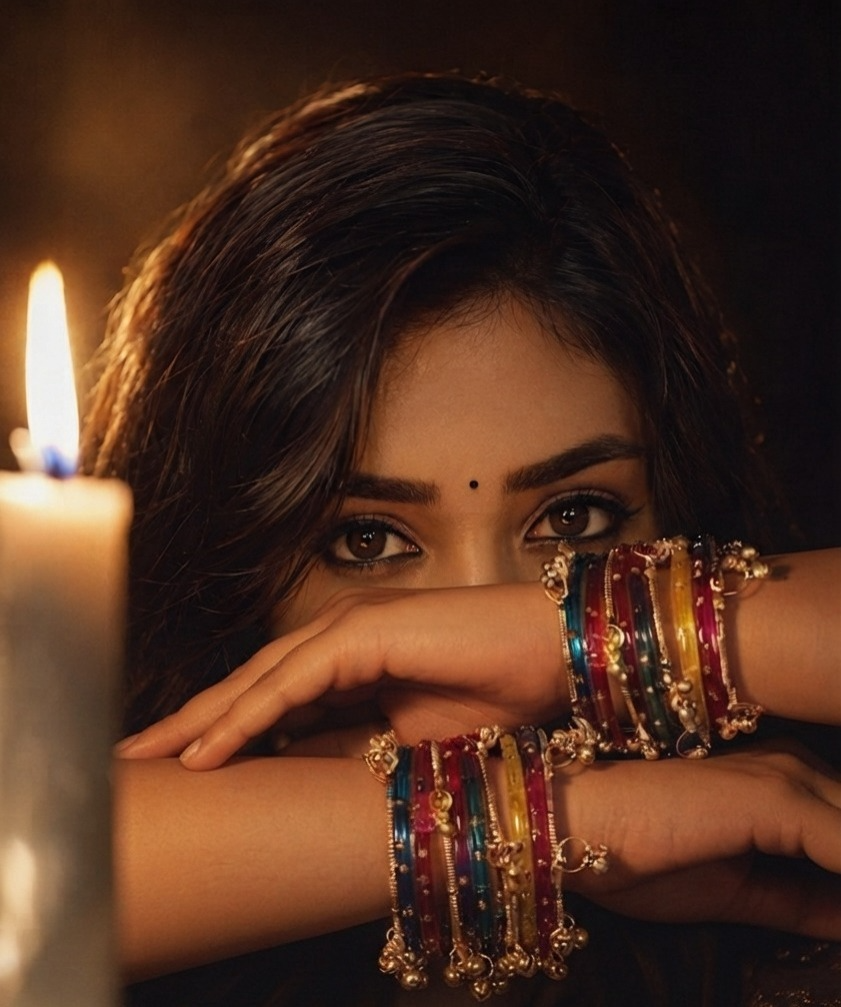
Ultra-realistic cinematic close-up portrait of a beautiful young Indian woman in a dark, moody environment, looking directly into the camera with calm, expressive deep brown eyes filled with emotion and confidence. Her long, smooth dark-brown hair naturally frames her face with a soft side part. Both forearms are crossed horizontally in front of her face, covering the lower half of her nose and mouth while leaving her eyes, eyebrows, forehead, and upper cheeks visible. One wrist is positioned slightly higher than the other, creating a layered composition that naturally frames her eyes.
Her wrists are adorned with dozens of colorful traditional Indian glass bangles in royal blue, magenta, pink, yellow, teal, red, and purple, mixed with delicate antique-gold bangles featuring tiny ghungroo charms and intricate metallic detailing. The bangles catch the warm candlelight and produce realistic reflections and sparkling highlights.
A large white candle stands in the foreground on the left side of the frame. Its tall flame burns brightly and casts a soft golden glow across her face, eyes, arms, and jewelry. The candle is slightly out of focus, creating realistic foreground depth while remaining an important part of the composition.
Soft glamorous Indian makeup, flawless natural skin texture, warm matte foundation, subtle contouring, peach blush, champagne highlighter, neatly shaped dark eyebrows, soft bronze eyeshadow, thin black eyeliner, natural eyelashes, warm brown eyes, nude matte lips mostly hidden behind her arms, and a tiny black bindi centered above the eyebrows.
Warm candlelight illumination combined with cinematic low-key lighting, soft orange highlights, gentle shadows, dramatic contrast, realistic flame glow, subtle rim lighting around the hair, volumetric light, warm natural skin tones, realistic reflections in the eyes, and detailed jewelry highlights. Background is a deep black-to-warm-brown gradient with no distractions.
Professional editorial photography, Sony A7R V, 85mm f/1.4 GM lens, f/1.4 aperture, shallow depth of field, razor-sharp focus on the eyes, creamy bokeh, realistic skin pores, natural facial texture, HDR, cinematic color grading, warm amber tones, luxury fashion editorial, fine-art portrait photography, premium magazine quality, 8K, hyper-realistic, photorealistic, highly detailed, dramatic composition.
Why This Prompt Works
The biggest strength of this prompt is its clear visual hierarchy. The viewer’s attention immediately goes toward the woman’s eyes before moving toward the colorful bangles and candle.
The crossed-arm pose also creates a natural frame around the eyes. This makes the portrait feel artistic rather than like a standard selfie.
The candle adds another important element. Because it is positioned closer to the camera and slightly blurred, it creates a realistic foreground layer. Combined with the shallow depth of field, this gives the image a professional photography look.
How to Get Better Results
For the most realistic result, upload a clear portrait or selfie when your AI editing tool supports reference images. Choose an image with good facial visibility and relatively natural lighting.
When editing, ask the AI to preserve facial identity and natural proportions if you are working with your own photo.
You can also experiment with different bangle combinations. Royal blue and magenta create a rich festive look, while red and gold give the portrait a more traditional Indian appearance.
1. Keep the Eyes Sharp
The eyes should remain the sharpest part of the image. Ask the AI to preserve natural eye reflections, realistic iris detail, and authentic skin texture around the eyes.
2. Add Realistic Candlelight
Avoid making the entire image orange. Real candlelight should create a localized warm glow while the background remains dark.
3. Preserve Natural Skin Texture
Instead of excessive beauty filters, use phrases such as realistic pores, natural skin texture, subtle imperfections, and photorealistic facial detail.
This prevents the final image from looking overly smooth or artificial.
4. Use Shallow Depth of Field
An 85mm lens with a wide aperture creates beautiful separation between the subject, candle, and background. The result is a soft cinematic bokeh effect while keeping the eyes highly detailed.
Negative Prompt
If your AI tool supports negative prompts, you can use:
blurry eyes, distorted face, unnatural skin, plastic skin, excessive smoothing, extra arms, extra hands, malformed fingers, duplicated bangles, deformed wrists, unrealistic jewelry, crossed arms incorrectly positioned, asymmetrical eyes, distorted facial features, artificial-looking candle flame, overexposed face, harsh lighting, flat lighting, cartoon, illustration, painting, low resolution, excessive HDR, oversharpening, watermark, text, logo
Best Uses for This AI Portrait
This cinematic style can work beautifully for:
- Instagram profile pictures
- Pinterest posts
- Fashion-editorial content
- AI photography blogs
- Festival-themed portraits
- Diwali-inspired creative edits
- Beauty and jewelry content
- Women’s fashion posts
- Magazine-style social media graphics
- Website feature images
Final Thoughts
The Candlelight Eyes AI Photo Editing Prompt 2026 is a beautiful example of how simple elements can create a powerful portrait. Expressive eyes, colorful Indian bangles, warm candlelight, dark surroundings, and cinematic depth work together to produce an elegant and mysterious visual style.
Whether you’re creating content for Instagram, Pinterest, or your AI photography blog, this prompt can help you create a luxurious, emotional, and magazine-inspired portrait while keeping the eyes as the central focus.
Try different jewelry colors, candle positions, hairstyles, and background tones to create your own version of the trend. With the right reference image and carefully structured prompt, you can turn an ordinary portrait into a dramatic cinematic artwork.