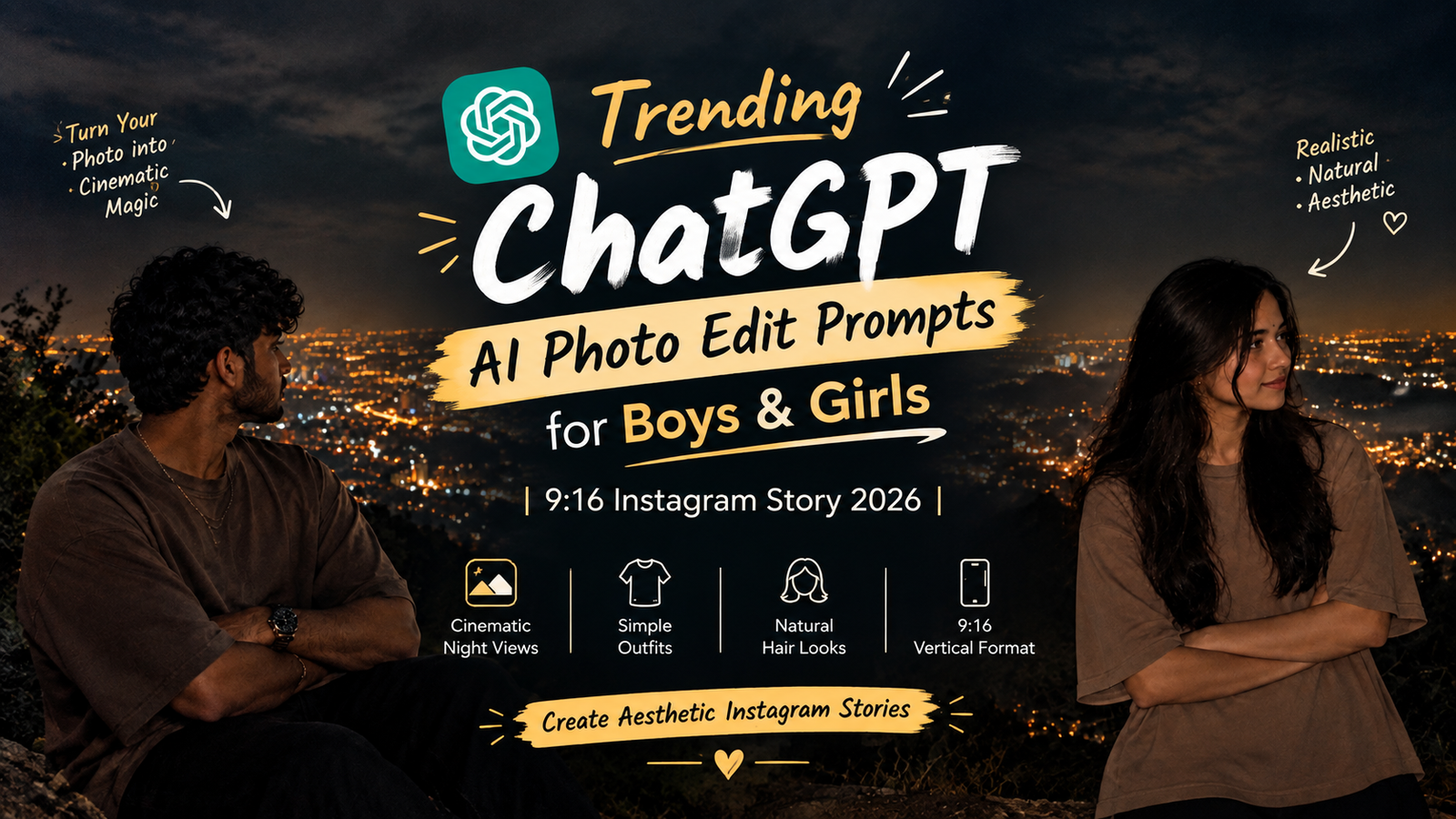
ChatGPT AI Photo Edit Prompts are a simple way to transform ordinary photos into creative and realistic social media images. In this guide, you will find AI photo editing prompts for boys and girls that can help create cinematic nighttime portraits, glowing city views and aesthetic 9:16 Instagram Story photos.
Want to turn your normal photo into a trendy AI-generated Instagram Story photo? In 2026, cinematic portraits, aesthetic backgrounds, natural-looking edits, and 9:16 vertical photos are great ideas for creating eye-catching social media content.
Whether you’re looking for a ChatGPT AI photo editing prompt for boys or girls, this guide gives you ready-to-copy prompts for creating realistic nighttime portraits with glowing city lights, mountain views, natural hairstyles, and stylish outfits.
You can upload your photo to ChatGPT and describe exactly how you want the final image to look. For the most realistic results, mention important details such as your facial identity, hairstyle, outfit, pose, lighting, background, and image ratio.
📸 Best ChatGPT AI Photo Edit Prompt for Instagram Story
AI Photo Editing Prompt for Boys
Prompt:
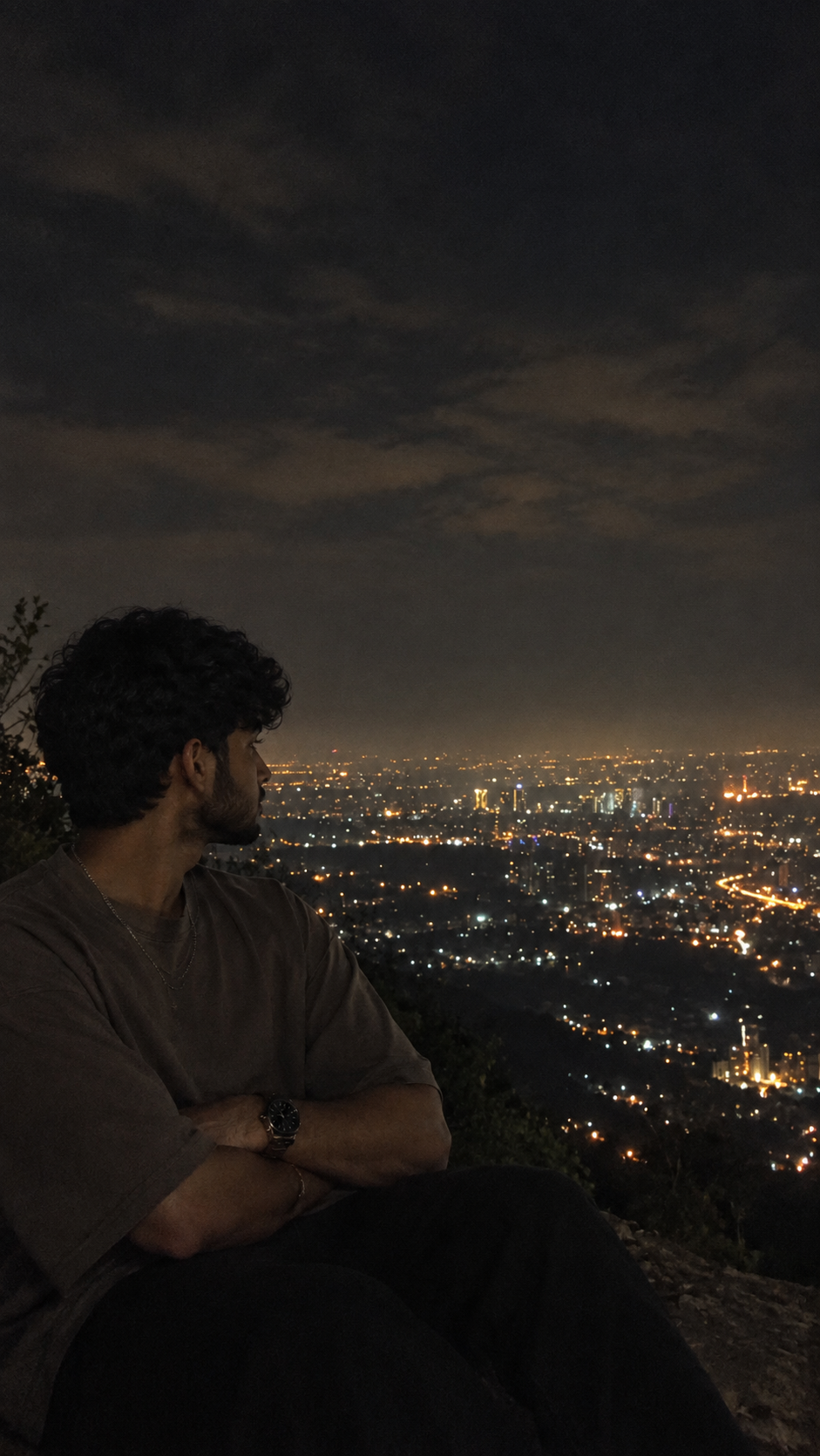
Use my uploaded photo as the main reference and transform it into a highly realistic cinematic nighttime portrait of the same young man. Preserve my original facial identity, facial structure, natural skin texture, skin tone, eyes, nose, lips, jawline, beard and recognizable appearance.
Keep my hairstyle natural and open, matching the hairstyle, length, texture and volume of my reference photo. Preserve realistic individual hair strands and natural movement.
Keep the styling simple, masculine and natural. Add a subtle realistic metal chain and a classic wristwatch. Do not add unnecessary jewellery or accessories.
Change my outfit to a simple oversized taupe/brown cotton T-shirt with a relaxed masculine fit, realistic fabric texture, natural folds and subtle shadows.
Keep my arms crossed naturally and place me at a high mountain viewpoint overlooking a beautiful city at night. Show me in a relaxed side profile or three-quarter profile, looking toward the city with a calm, confident and effortless expression.
Create a vast cityscape behind me filled with thousands of warm white and golden lights, winding illuminated roads, distant buildings and dark mountain silhouettes.
Add a deep dark cloudy sky with subtle atmospheric haze. Use realistic low-light smartphone photography, soft ambient lighting, natural shadows and subtle highlights. Keep the subject slightly darker than the glowing city lights.
Make the image photorealistic, natural and cinematic. Preserve realistic skin pores, hair strands, fabric texture and natural facial details. Avoid plastic skin, excessive face smoothing, beauty filters, unrealistic facial features or exaggerated body proportions.
Vertical 9:16 Instagram Story composition, subject positioned toward the lower-left/center, wide glowing cityscape clearly visible behind him, realistic depth, subtle film grain, aesthetic nighttime smartphone photography, ultra-realistic details, no text, no watermark.
AI Photo Editing Prompt for Girls
Prompt:
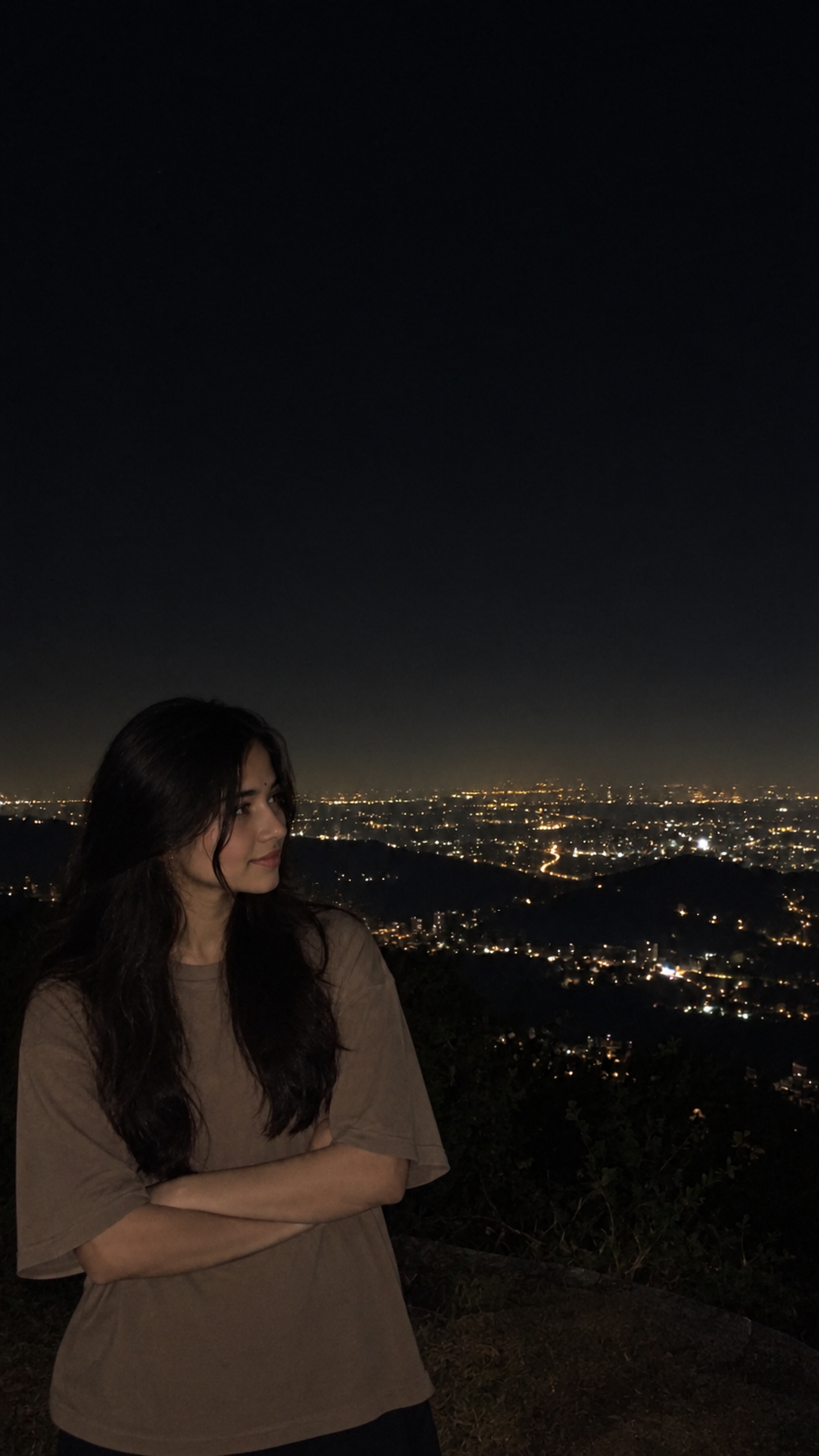
Use my uploaded photo as the main reference. Create a highly realistic, cinematic night-time portrait of the same young woman standing on a high mountain viewpoint overlooking a vast city filled with glowing lights. Preserve her original facial identity, facial structure, natural skin texture, hairstyle, body proportions, and recognizable appearance.
She is standing in the foreground with her arms crossed naturally, looking slightly toward the side rather than directly at the camera. Keep her long, loose dark hair naturally falling around her face and shoulders.
Change her outfit to a plain light brown oversized cotton T-shirt, with a relaxed loose fit, natural fabric folds, and realistic texture. Add a simple delicate silver chain necklace and a subtle wristwatch.
The background should show a large cityscape at night, with thousands of warm white and golden lights spreading across the landscape, winding roads, distant buildings, and dark mountain silhouettes. Keep the sky very dark and slightly hazy, creating a moody nighttime atmosphere.
Use low-light cinematic photography, subtle ambient illumination on her face and clothing, realistic shadows, soft highlights, natural skin tones, slight atmospheric haze, and authentic smartphone-camera night photography. The subject should remain slightly darker than the city lights for a natural candid look.
Composition: vertical portrait, subject positioned toward the lower-left/center, wide city view visible behind her, realistic depth, candid Instagram aesthetic, subtle film grain, no artificial beauty filter, no plastic skin.
Aspect ratio: 9:16, photorealistic, ultra-detailed, natural and cinematic.
🌙 Why Use a 9:16 Instagram Story Prompt?
If you’re creating an image specifically for Instagram Stories, 9:16 vertical composition is a natural format to request.
It gives enough space for the subject while also showing the surrounding environment. For a cinematic night portrait, this means you can capture the person, mountain viewpoint, glowing city and dark sky in one frame.
🔥 Trending AI Photo Editing Ideas for 2026
Once you have your basic prompt, you can experiment with different concepts:
🌃 Cinematic city night portrait
⛰️ Mountain viewpoint photography
🌧️ Rainy night aesthetic
🌆 Rooftop city portrait
🌌 Dark sky and city lights
🚗 Highway light-trail photography
🌫️ Foggy mountain atmosphere
💡 Neon city photography
🌙 Moonlit portrait
☕ Cozy late-night café aesthetic
👕 AI Outfit Ideas for Boys & Girls
You can change the clothing without changing the overall photography style.
For boys:
Oversized brown T-shirt
Black oversized T-shirt
Beige casual T-shirt
Dark grey T-shirt
Relaxed denim jacket
Minimal hoodie
For girls:
Oversized beige T-shirt
Brown casual T-shirt
Cream oversized top
Dark grey T-shirt
Minimal denim jacket
Cozy sweatshirt
For a realistic result, always ask for natural fabric texture, realistic folds and proportions.
💇 Natural Hair AI Photo Editing
Hair is one of the most noticeable parts of an AI portrait. Instead of using a generic instruction like “make my hair beautiful,” describe what should remain unchanged.
For example:
“Preserve my original hairstyle, hair length, texture and natural volume. Keep individual strands realistic and maintain the natural direction and movement of my hair.”
This is particularly useful when your goal is to keep the generated portrait close to your original photograph.
🌃 AI Night City Background Prompt Ideas
Want to change the background? Try adding one of these descriptions to your prompt:
Mountain View
A high mountain viewpoint overlooking a huge city filled with thousands of warm golden lights, with dark mountains surrounding the horizon.
Rooftop View
A quiet rooftop overlooking a modern city skyline at night, with glowing buildings and atmospheric haze.
Rainy Night
A rainy city street at night with wet reflective roads, soft streetlights and subtle mist.
Neon City
A modern urban street filled with colorful neon lights, realistic reflections and cinematic nighttime atmosphere.
Highway Lights
A distant winding highway glowing with realistic vehicle lights, surrounded by dark hills and a vast nighttime cityscape.
📱 How to Create AI Photos for Instagram Stories
Creating your own AI photo is simple:
- Upload your photo
Choose a clear image where your face and hairstyle are visible. - Add the AI photo edit prompt
Paste the relevant boys or girls prompt into ChatGPT. - Describe the style
Mention the outfit, pose, background and lighting you want. - Specify 9:16 format
Tell the AI that the image is intended for an Instagram Story. - Protect your natural appearance
Use phrases such as “preserve my facial identity” and “keep natural skin texture.” - Generate your image
Review the result and refine any details that need adjustment.
✨ Tips for More Realistic ChatGPT AI Photos
For a more natural-looking result, keep your instructions specific but realistic.
Use phrases such as:
Preserve my original facial identity
Keep realistic skin texture
Maintain natural facial proportions
Preserve my hairstyle
Keep realistic hair strands
Use natural low-light photography
Add realistic fabric texture
Keep natural shadows
Avoid excessive face smoothing
Avoid artificial beauty filters
Keep realistic hands and body proportions
The goal is to create an image that feels like a real photograph, rather than an obviously artificial AI portrait.
❤️ Final Thoughts
These ChatGPT AI photo edit prompts for boys and girls can help you create stylish 9:16 portraits for Instagram Stories while keeping the overall look natural and cinematic.
The combination of glowing city lights, mountain landscapes, natural hairstyles, simple outfits, dark skies and realistic low-light photography creates a beautiful aesthetic without making the photo look excessively edited.
You can start with the prompts above and then customize the outfit, hairstyle, pose, background, lighting and mood to create your own unique AI Instagram Story photos in 2026. 🌃✨