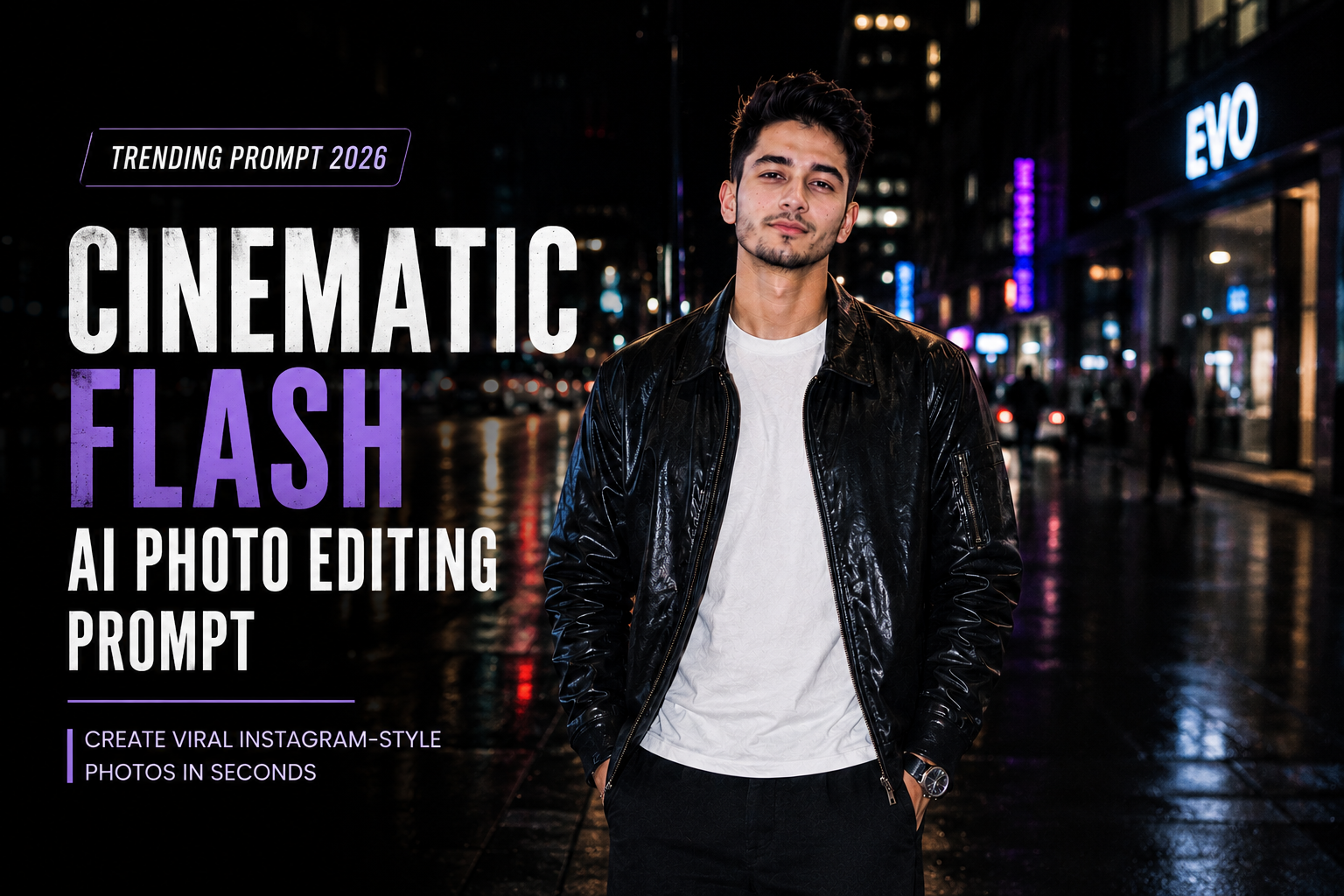
AI photo editing trends are moving beyond simple beauty filters. In 2026, cinematic flash photography, realistic imperfections, film grain, dramatic lighting and editorial-style portraits are getting more attention on social media. Recent trend coverage also highlights the growing popularity of cinematic and intentionally imperfect AI edits.
If you want to turn an ordinary selfie into a stylish cinematic flash portrait, you can use the prompt below with an AI photo editing tool. The main idea is to keep your original identity recognizable while changing the lighting, environment, outfit and overall photographic mood.
What Is the Cinematic Flash Photo Trend?
The cinematic flash style combines direct camera-flash lighting with a darker or atmospheric background. The subject is usually brighter and sharper, while the surroundings have deeper shadows, subtle grain and a fashionable editorial appearance.
This style has become popular for Instagram and TikTok because it can make an ordinary smartphone photo look more like a spontaneous nightlife or paparazzi-style photograph.
The important part is not to over-edit the face. A good prompt should clearly tell the AI to preserve facial structure, skin texture, hairstyle and natural proportions.
check 7 bike photo editing prompt
Cinematic Flash AI Photo Editing Prompt
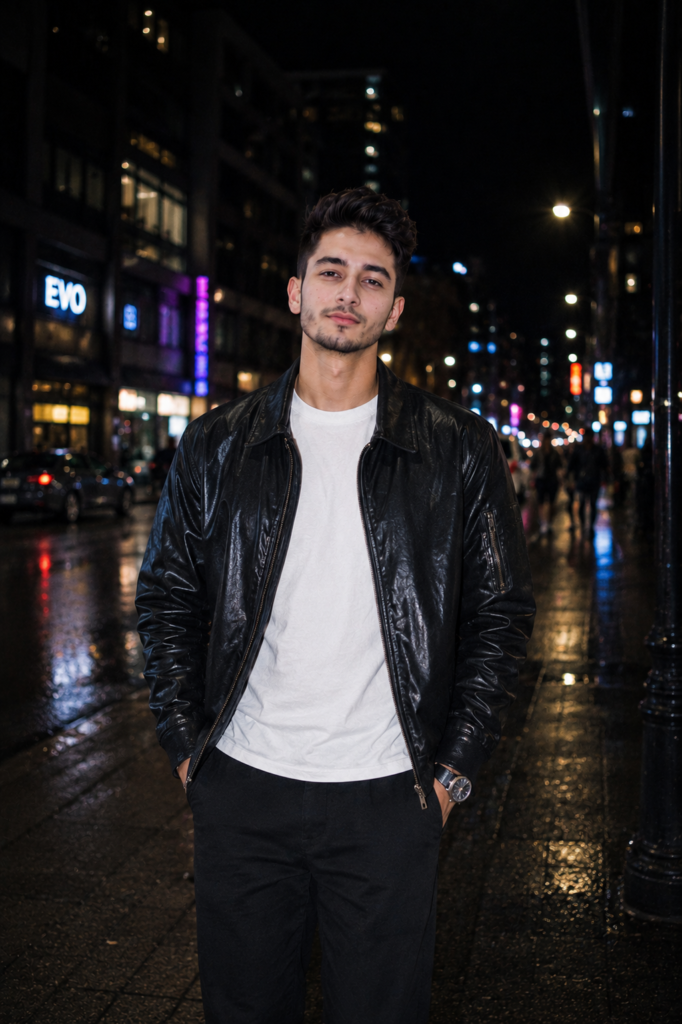
Copy and paste this prompt:
Transform my uploaded photo into a realistic cinematic flash fashion portrait while preserving my recognizable face, facial structure, hairstyle, natural skin tone, body proportions, and overall identity.

Keep my face as the primary identity reference. Do not replace, redesign, beautify, reshape, or significantly modify my facial features.

Place me standing casually on a stylish urban street at night, photographed as if captured spontaneously by a professional photographer using direct on-camera flash.

Create a dark atmospheric city background with modern buildings, glass storefronts, subtle neon signs, parked cars, streetlights, distant pedestrians, and soft city bokeh.

Use strong but realistic direct camera flash illuminating my face and upper body. Keep the flash slightly bright and crisp while preserving natural skin texture and realistic facial shadows.

The background should remain darker than the subject with subtle ambient blue, charcoal, muted purple, and warm amber city lighting.

Dress me in a stylish oversized dark leather jacket over a plain white T-shirt, relaxed dark trousers, clean sneakers, and a minimal silver watch.

Keep the outfit realistic with authentic fabric and leather textures, natural folds, stitching, and believable proportions.

Give me a relaxed candid pose with natural shoulders and a calm confident expression. Avoid exaggerated modeling poses.

Use a professional 35mm photography perspective with realistic depth of field. Keep my face, eyes, hair strands, clothing and hands sharply detailed while distant buildings and lights gradually become softer.

Create realistic direct-flash highlights on the skin, jacket and nearby surfaces. Add subtle reflective highlights without making the skin look glossy or plastic.

Add authentic photographic imperfections such as very subtle film grain, slight flash falloff, natural shadow edges, tiny variations in exposure, and realistic low-light noise.

Keep the image sophisticated and editorial rather than overly polished.

Use natural skin texture including subtle pores and fine facial details. Preserve individual hair strands and realistic facial proportions.

The final photograph should look like an authentic late-night fashion photograph taken with a professional camera and direct flash, not an AI-generated image.

Maintain realistic anatomy, accurate hands, believable clothing proportions, physically consistent lighting and natural environmental reflections.

Avoid excessive beauty filters, artificial skin smoothing, unrealistic facial enhancement, exaggerated muscles, or changing my identity.

Negative prompt:
distorted face, changed identity, different person, altered facial structure, plastic skin, excessive skin smoothing, beauty filter, artificial eyes, unrealistic smile, deformed hands, extra fingers, missing fingers, duplicated limbs, unnatural body proportions, exaggerated muscles, warped clothing, floating accessories, distorted buildings, duplicate people, unrealistic reflections, fake flash, excessive glow, oversaturated neon, excessive HDR, cartoon, anime, illustration, blurry face, low resolution, fake skin texture, bad perspective, messy composition, unrealistic shadows, artificial background
Why This Prompt Works
A strong AI photo editing prompt usually works better when it gives the model clear instructions about the subject, environment, lighting, camera perspective, clothing and desired realism. Current 2026 prompt guides similarly emphasize describing the scene and photographic characteristics rather than relying on a simple one-line filter request.
1. Identity preservation
The first part of the prompt repeatedly establishes the uploaded photo as the identity reference. This is useful because AI image editors can sometimes alter facial details while changing the environment.
2. Direct flash lighting
The flash is the main element of this aesthetic. Instead of simply asking for a “cinematic photo,” the prompt specifies direct on-camera flash, realistic highlights and flash falloff.
3. Dark background
Keeping the background darker makes the subject stand out. It also creates the characteristic nightlife editorial appearance.
4. Realistic imperfections
Adding subtle grain, low-light noise and small exposure variations can help avoid an overly perfect AI appearance. Intentional imperfections are themselves part of a current AI photo trend.
5. Camera perspective
Mentioning a 35mm perspective and realistic depth of field gives the AI more information about the intended photographic composition.
How to Use the Cinematic Flash Prompt
You can follow these simple steps:
- Open your preferred AI photo editing tool.
- Upload a clear portrait or selfie.
- Make sure your face is clearly visible.
- Copy the complete prompt above.
- Paste it into the image editing prompt box.
- Generate the image.
- If the face changes, ask the AI to preserve the original facial structure more strictly.
- If the flash is too strong, ask for softer direct flash with natural skin highlights.
- If the background is too bright, ask for a darker nighttime environment with controlled ambient lighting.
Tips for Better Cinematic Flash Results
Use a clear original photo
A front-facing or slightly angled portrait with good facial visibility usually gives the AI more useful visual information.
Don’t overuse beauty instructions
Avoid prompts such as “perfect face,” “flawless skin” or “extremely handsome.” These can push the result toward an artificial appearance.
Instead, use phrases such as:
- Natural skin texture
- Realistic pores
- Original facial structure
- Preserve identity
- Individual hair strands
- Natural expression
Keep the body proportional
If the generated head looks too large compared with the body, add:
“Maintain anatomically correct head-to-body proportions and realistic camera perspective. Do not enlarge the head or shrink the body.”
This is especially useful for full-body fashion edits.
Don’t make the neon excessive
A small amount of blue, purple or amber lighting can create a cinematic atmosphere. Too much neon can make the image look artificial.
Best Photo Ideas for This Prompt
The cinematic flash effect works particularly well with:
- Night street portraits
- Fashion photos
- Motorcycle portraits
- Car lifestyle photos
- Couple photographs
- Mirror selfies
- Café portraits
- Party-style photographs
- Urban Instagram portraits
- Casual streetwear photos
You can also change the clothing and location without changing the basic lighting concept.
Frequently Asked Questions
Can I use this prompt with Gemini?
Yes. The prompt is written as a general image-editing instruction and can be adapted for Gemini and other AI image editing tools.
Will the prompt change my face?
It is specifically designed to reduce unnecessary identity changes by repeatedly instructing the model to preserve the uploaded face and facial structure. However, AI image editors can still occasionally alter facial details, so results may vary.
Can girls use this cinematic flash prompt?
Yes. Change the clothing description to a suitable outfit while keeping the lighting, environment and photography instructions.
Can I use this prompt for Instagram photos?
Yes. The cinematic flash aesthetic is particularly suitable for fashion, nightlife and urban Instagram content. Recent 2026 trend coverage has specifically highlighted cinematic flash edits as a social-media trend.
Why does my AI photo sometimes look fake?
The most common reasons are excessive skin smoothing, unrealistic lighting, incorrect hands, distorted reflections and overly strong colors. Adding realistic skin texture, physically consistent lighting and a detailed negative prompt can help reduce these problems.
Final Thoughts
The Cinematic Flash AI Photo Editing Prompt 2026 is a simple way to transform an ordinary portrait into a darker, stylish and professional-looking nighttime photograph. Instead of relying on a preset filter, the prompt describes the lighting, environment, clothing, camera perspective and realistic details separately.
For the most natural result, start with a clear original photo and avoid asking the AI to completely redesign your appearance. The goal should be to change the photography style while keeping the person recognizable.