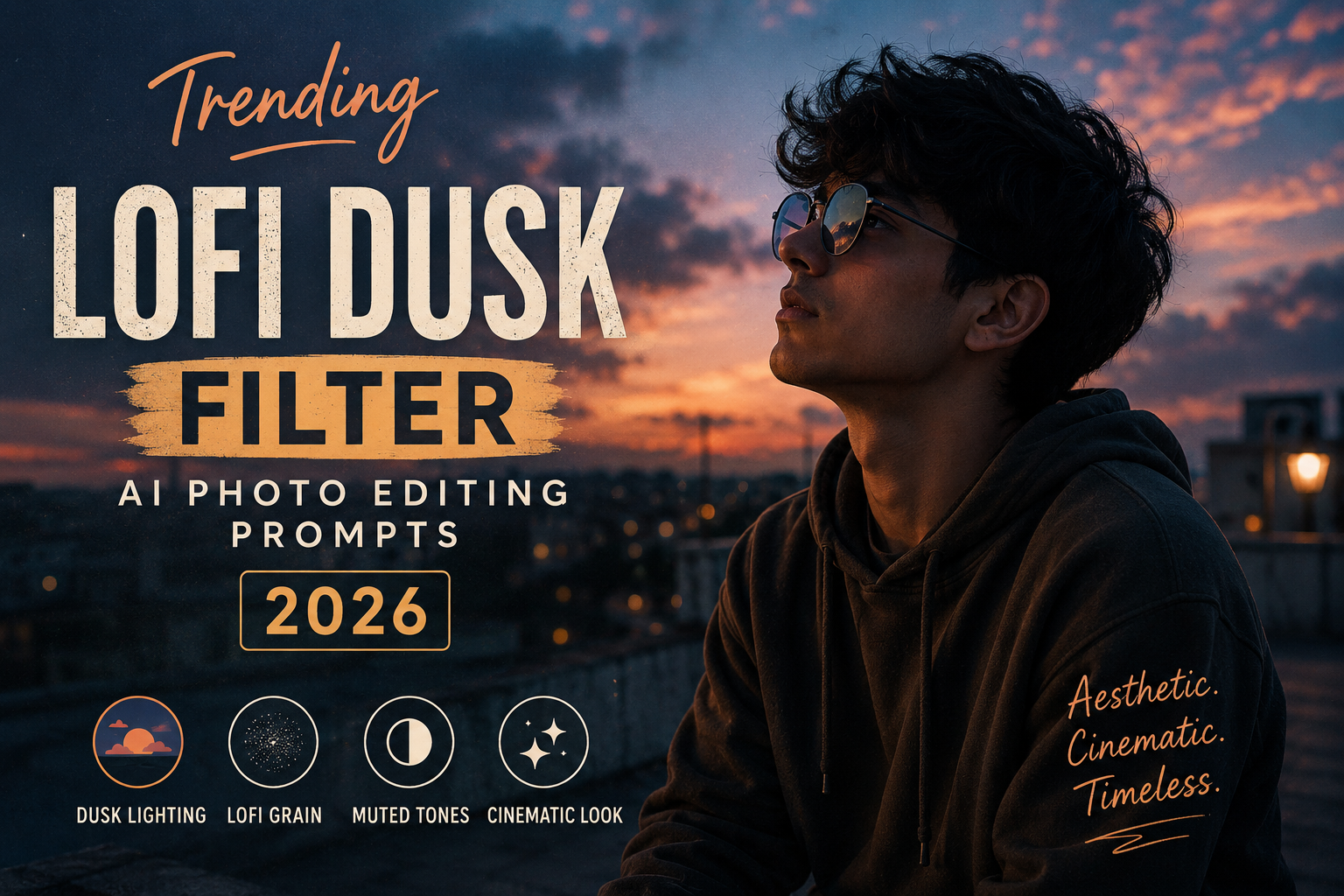
The Lofi Dusk Filter is one of the most aesthetic AI photo-editing styles for creating warm, cinematic, slightly nostalgic images. It gives ordinary photos a dreamy evening atmosphere with soft shadows, muted colors, subtle film grain, and beautiful dusk lighting.
In 2026, this style works especially well for Instagram profile pictures, reels covers, aesthetic posts, travel photos, couple portraits, street photography, and casual lifestyle images.
What Is the Lofi Dusk Filter?
The Lofi Dusk filter combines the visual mood of lo-fi photography with the natural lighting of blue hour and sunset. Instead of making an image extremely bright or heavily edited, the effect keeps the photo slightly moody and atmospheric.
Typical elements include:
- Warm sunset or dusk lighting
- Soft shadows
- Muted and slightly faded colors
- Subtle film grain
- Gentle contrast
- Natural skin tones
- Slightly darkened background
- Cinematic color grading
- Dreamy and nostalgic atmosphere
The result looks more like an artistic photograph than a heavily edited AI image.
Trending Lofi Dusk AI Photo Editing Prompt
You can use the following prompt with an AI image-editing tool that supports image references:
Transform the uploaded photo into a trendy lofi dusk aesthetic while preserving the person’s original face, identity, facial features, hairstyle, body proportions, clothing, and natural appearance. Create a cinematic evening atmosphere with soft blue-hour lighting mixed with subtle warm sunset tones. Add gentle shadows, muted colors, slightly faded highlights, realistic skin texture, soft ambient light, subtle film grain, delicate glow around light sources, and a nostalgic analog-camera feeling. Keep the background realistic and naturally detailed. Add a subtle cinematic color grade with warm highlights and cooler shadows. Make the image look effortlessly aesthetic, dreamy, moody, authentic, and suitable for a premium Instagram photography feed. Maintain realistic details and avoid excessive AI smoothing or artificial facial changes.
Lofi Dusk Portrait Prompt
For portraits, try a more focused version:
Edit the uploaded portrait into a cinematic lofi dusk photograph. Preserve the exact facial identity, facial structure, skin texture, hairstyle, clothing, and natural expression. Create soft evening light falling naturally across the face, warm golden highlights, cool blue shadows, subtle atmospheric haze, muted tones, realistic skin, gentle contrast, fine analog film grain, and a slightly faded vintage color grade. Add a dreamy but realistic dusk atmosphere while keeping the portrait sharp and natural. Premium editorial photography, authentic texture, cinematic depth, subtle bokeh, realistic lighting.
Lofi Dusk Street Photography Prompt
This style also works beautifully for outdoor and street photos:
Transform the uploaded image into a cinematic lofi dusk street photograph. Preserve the original subject, clothing, architecture, objects, and overall composition. Add realistic blue-hour lighting, subtle warm street lights, muted colors, soft shadows, atmospheric depth, gentle reflections, natural contrast, fine film grain, and a nostalgic analog-camera look. Keep the environment realistic and detailed with cinematic depth and an understated dreamy mood. Avoid overprocessing and maintain natural textures.
Lofi Dusk Couple Photo Prompt
For couple photos:
Turn the uploaded couple photo into a romantic lofi dusk cinematic photograph while preserving both people’s exact facial identities, expressions, hairstyles, clothing, and natural proportions. Create a soft evening atmosphere with warm sunset highlights and cool blue shadows, subtle film grain, muted colors, gentle background blur, realistic skin texture, soft ambient lighting, and a nostalgic analog photography aesthetic. Keep the scene natural, intimate, realistic, and emotionally warm without changing the original people.
Negative Prompt
If your AI editor supports a negative prompt, use:
blurry face, distorted face, changed identity, extra fingers, extra limbs, unnatural skin, plastic skin, over-smoothed face, unrealistic eyes, deformed hands, excessive HDR, oversaturated colors, cartoon effect, artificial lighting, unrealistic background, excessive blur, low resolution, duplicate person, bad anatomy, heavy makeup, unrealistic proportions, AI artifacts
How to Create the Lofi Dusk Effect
- Upload your original photo to an AI photo-editing tool.
- Add one of the Lofi Dusk prompts above.
- Tell the AI to preserve your original identity and composition.
- Generate the edited image.
- If the result looks too dark, ask the AI to slightly increase exposure while keeping the dusk mood.
- If the colors look too strong, request muted cinematic tones and subtle film grain.
- Export the final image and use it for Instagram posts, reels, stories, or profile pictures.
Tips for Better Results
For the most realistic Lofi Dusk effect, start with a photo that has decent natural lighting. Outdoor portraits, sunset photos, city streets, cafés, rooftops, and travel photographs generally work particularly well.
Avoid using extremely low-resolution images because AI editing may introduce facial or texture artifacts.
You can also experiment with different moods such as:
- Warm Lofi Dusk – stronger golden-hour tones
- Blue Lofi Dusk – cooler blue-hour atmosphere
- Rainy Lofi Dusk – wet streets and reflections
- Urban Lofi Dusk – cinematic city lights
- Romantic Lofi Dusk – soft warm lighting and dreamy atmosphere
- Vintage Lofi Dusk – stronger analog-film character
Final Thoughts
The Trending Lofi Dusk Filter is a simple way to give ordinary photos a cinematic and nostalgic appearance without making them look overly edited. By combining realistic dusk lighting, muted colors, subtle grain, and warm-and-cool color contrast, you can create images that feel naturally aesthetic and Instagram-ready.
Try different versions of the prompt depending on whether you are editing a portrait, street photograph, travel image, or couple photo. For the most realistic results, always instruct the AI to preserve the original person’s identity and natural facial features.
Slug: trending-lofi-dusk-filter-ai-photo-editing-prompts-2026
URL: https://trendingprompt.in/trending-lofi-dusk-filter-ai-photo-editing-prompts-2026/